
How to Make SpongeBob AI Lines and Full Dialogues With Patrick in 5 Steps
Published: · Updated:
Want to try it now? Open the SpongeBob AI voice generator and type a short line.
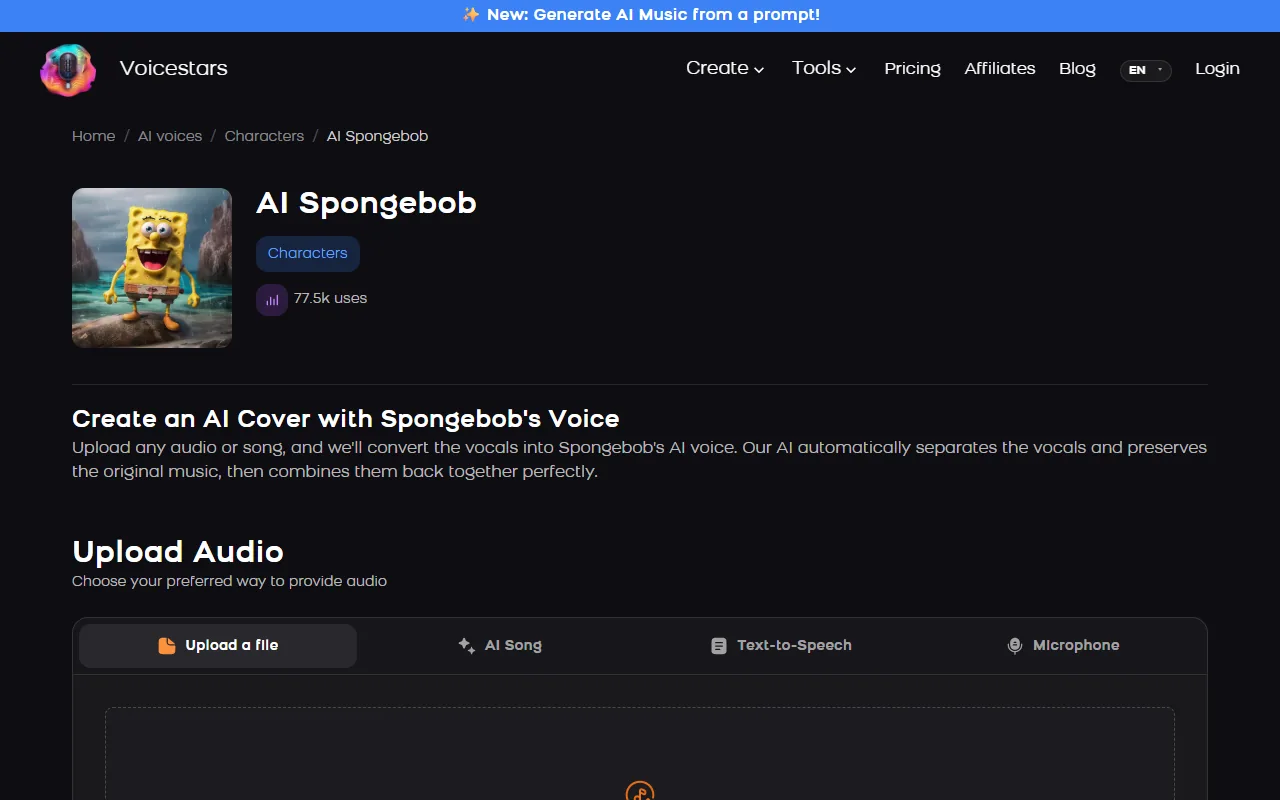
SpongeBob is one of the most requested character voices for memes, edits and fan dialogues. The Voicestars SpongeBob page alone showed 77.5k uses when we checked.
This guide shows the two ways to make him talk, typed text or your own recording, in five steps, plus how to add Patrick and Squidward.
We reviewed the Voicestars AI SpongeBob, Patrick Star and Squidward voice pages and the Wikipedia entry for the series on 12 November 2026.
Make SpongeBob say anything
AI SpongeBob is preselected. Type a line, or switch to upload and convert your own recording.
The quick version
Open an AI SpongeBob voice page and type a short, excitable line in the Text-to-Speech tab, or upload your own high, fast recording for better laughs and timing. Keep lines under 10 seconds and 1,000 characters, generate Patrick or Squidward on their own pages for a dialogue, and label the video as AI.
- 01 Type Text-to-Speech, up to 1,000 characters
- 02 Record Your performance, converted
- 03 Edit Add Patrick and Squidward
Typed text or your own recording?
Typed text is faster; your own recording is funnier.
| Method | Best for | Limit | Tip |
|---|---|---|---|
| Text to speech | Quick memes, short lines | Up to 1,000 characters per request in the inline tool | Write his exclamations and laughs into the text. |
| Your own recording | Laughs, songs, exact timing | Up to 150 MB per file | Perform high and fast, then convert. |
| Dialogue with Patrick or Squidward | Sketches and edits | One voice per generation | Generate each character line by line, then edit. |
Voicestars voice pages accept typed text, an uploaded file, an AI song or a microphone recording.
Sources: Voicestars AI SpongeBob voice page · Wikipedia: SpongeBob SquarePants (TV series) · Voicestars character AI voices
Make SpongeBob talk in 5 steps
Step 1 is where the character comes from.
- Write short, excitable lines in his style: exclamations, repetition (“I’m ready! I’m ready!”), nautical words and an optimistic twist.
- Open the AI SpongeBob voice page and choose Text-to-Speech for a quick line, or Upload a file to convert your own performance.
- For your own recording, speak higher and faster than normal, add his laugh where you want it, and record without background music.
- Generate and listen; regenerate any line where an exclamation is flattened, and keep each line under about 10 seconds.
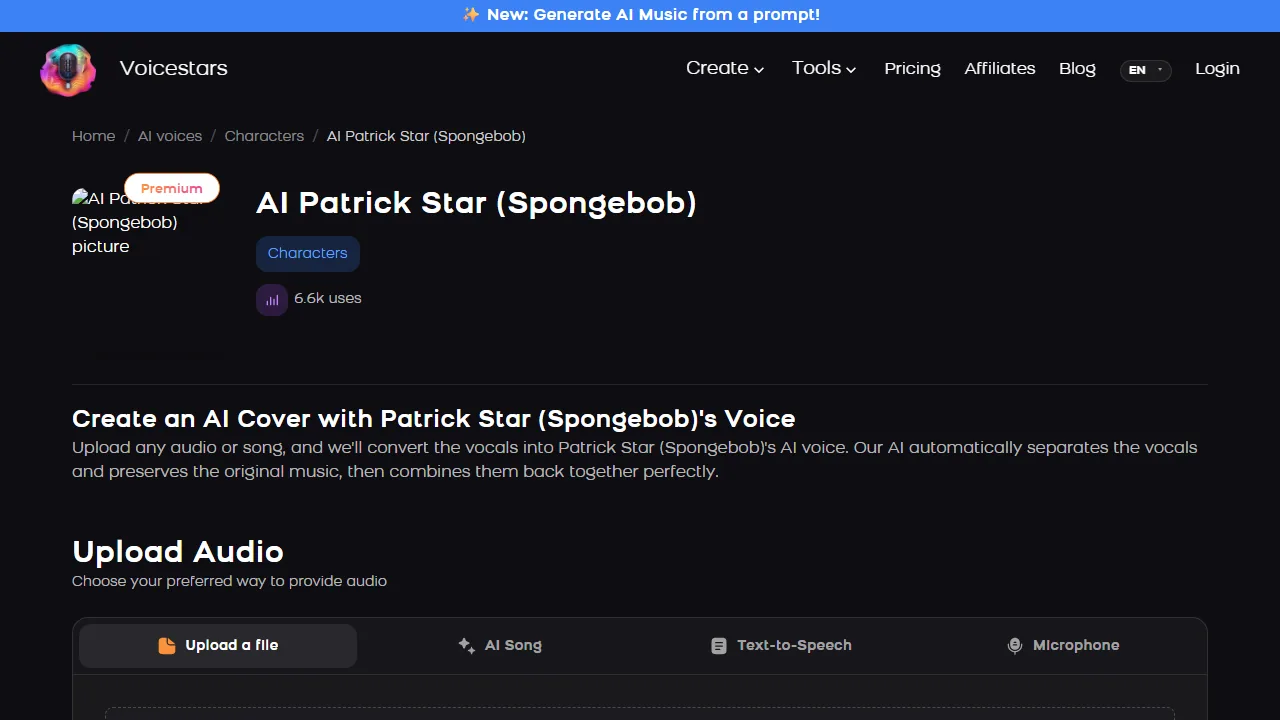
- For a dialogue, generate Patrick or Squidward lines on their own pages, join the clips in an editor and label the video as AI.
Example: a three-line dialogue
Original lines, generated one by one on each character’s page and joined in an editor.
SpongeBob: I’m ready! I’m ready! I’m ready to finish my homework!
Patrick: Is homework the thing with the pencils?
Squidward: Please, both of you, finish it somewhere else.
What to check
- Each line has one character and one joke.
- Every line is under 10 seconds.
- Original text, not taken from episodes.
The characters behind the voices
SpongeBob SquarePants first aired on Nickelodeon on 1 May 1999 and officially premiered on 17 July 1999. Tom Kenny voices SpongeBob, Bill Fagerbakke voices Patrick and Rodger Bumpass voices Squidward, according to the series’ Wikipedia entry.
AI voice models imitate the characters’ sound from existing audio; they do not involve the actors. That is why labels matter and commercial use is off-limits.
The limits in this guide come from the Voicestars tool on this page: 1,000 characters per text request and files up to 150 MB.
Looking for more cartoon voices? Read our character AI voice guide.
Fix common SpongeBob AI voice problems
| Symptom | Likely cause | What to do |
|---|---|---|
| Line sounds flat | No exclamations in the text | Add exclamation marks and repetition. |
| Laugh missing | Typed text cannot laugh well | Record the laugh yourself and convert it. |
| Text rejected | More than 1,000 characters | Split into short lines. |
| Dialogue sounds stitched | No gaps between clips | Leave 0.2–0.4 s between characters. |
Do it with Voicestars
On any voice page you can upload a file, generate an AI song, type text or record with your mic.
- Open the SpongeBob voice page and play the demo.
- Type your line in the Text-to-Speech tab, or upload a dry recording.
- Check the result against the demo, then label it as AI before you post it.
For another classic character, see our Kermit the Frog voice guide.
Rules to respect
Fan-content policies of rights holders can change; this is not legal advice.
How we tested the voice
Tested and written by Big Jeezy, music producer, on 12 November 2026, using Voicestars and the tools named in this guide.
- The Voicestars AI SpongeBob, Patrick Star and Squidward voice pages and the Wikipedia entry for the series reviewed 12 November 2026; screenshots captured that day.
- Voice page check on 12 November 2026: the AI SpongeBob page showed 77.5k uses and four inputs (screenshot below).
- Limits read from the Voicestars inline tool code the same day: 1,000 characters per text request, 150 MB per file. Dialogue lines are original.
Screenshots and examples come from these sessions. Voicestars publishes this guide and sells the voice tools it mentions.
Report a correction to Voicestars Editorial with the page, date, a short reproducible example and the observed result. Avoid sending private recordings. See our editorial policy.
Fan questions
Is there a SpongeBob AI voice generator?
Yes. The Voicestars AI SpongeBob page reads typed text or converts a recording; it showed 77.5k uses on 12 November 2026.
How do I make SpongeBob text to speech?
Type a short line in the Text-to-Speech tab of an AI SpongeBob voice page and generate it. Write exclamations and repetitions into the text, because the voice reads what you write; the inline tool accepts up to 1,000 characters per request.
Who voices SpongeBob?
Tom Kenny has voiced SpongeBob since the series first aired on Nickelodeon as a sneak peek on 1 May 1999, before its official premiere on 17 July 1999. Patrick Star is voiced by Bill Fagerbakke and Squidward by Rodger Bumpass. AI voices imitate the character; they are not the actors.
Can I make SpongeBob sing with AI?
Yes. Upload a song or your own sung vocal on the SpongeBob page; the vocal is separated and converted. Spoken character voices strain on long, high notes, so short, bouncy songs work best.
Can I make SpongeBob and Patrick talk together?
Generate each character separately: SpongeBob lines on his page, Patrick on the AI Patrick Star page, Squidward on his. Then place the clips in order in a video editor with short gaps, like a real dialogue.
Can I post SpongeBob AI videos?
Fan parodies are common, but SpongeBob is a Nickelodeon character, so avoid selling or monetising content that uses the character, and label clips as AI. Cartoon-style voices are not “realistic” for YouTube’s disclosure rule, but a label avoids confusion.
Sources we used
Checked on 12 November 2026.
Read the SpongeBob SquarePants series entry and YouTube’s GenAI disclosure rules.


