
How to Make a Bart Simpson AI Parody Clip Fans Will Love
Published: · Updated:
Want to hear it first? Play the demo on the Bart AI voice generator, then type a line or upload your recording.
“Bart AI” searches are mostly about one thing: making Bart Simpson say a line for a meme or fan video.
This guide gives five steps to make a Bart-style AI clip that sounds right and stays clearly labelled.
We reviewed the Voicestars Bart voice page, the character voice category and Wikipedia’s Bart Simpson article on 11 November 2026.
Make Bart say your line
Bart is preselected. Type a short line, or upload your own recording.
The quick version
To make a Bart AI clip, write a short, cheeky original line, type it on an AI Bart voice page with a higher base pitch, or record it yourself and convert it for better timing. Compare with the demo, regenerate weak phrases and share it labelled as AI fan content, never as an official clip.
- 01 Line Short and cheeky
- 02 Voice Higher pitch, raspy
- 03 Share Labelled as AI fan content
Impression, text to speech or conversion?
Choose by how much timing the joke needs.
| Method | How it works | Best for | Limit |
|---|---|---|---|
| Do the impression | Raise pitch, add a raspy, cheeky tone | Live jokes | Hard to sustain. |
| AI text to speech | Type a line on an AI Bart voice page | Quick memes | Delivery depends on the model. |
| AI voice conversion | Record the line yourself, then convert it | Timing-heavy jokes | Needs a clean recording. |
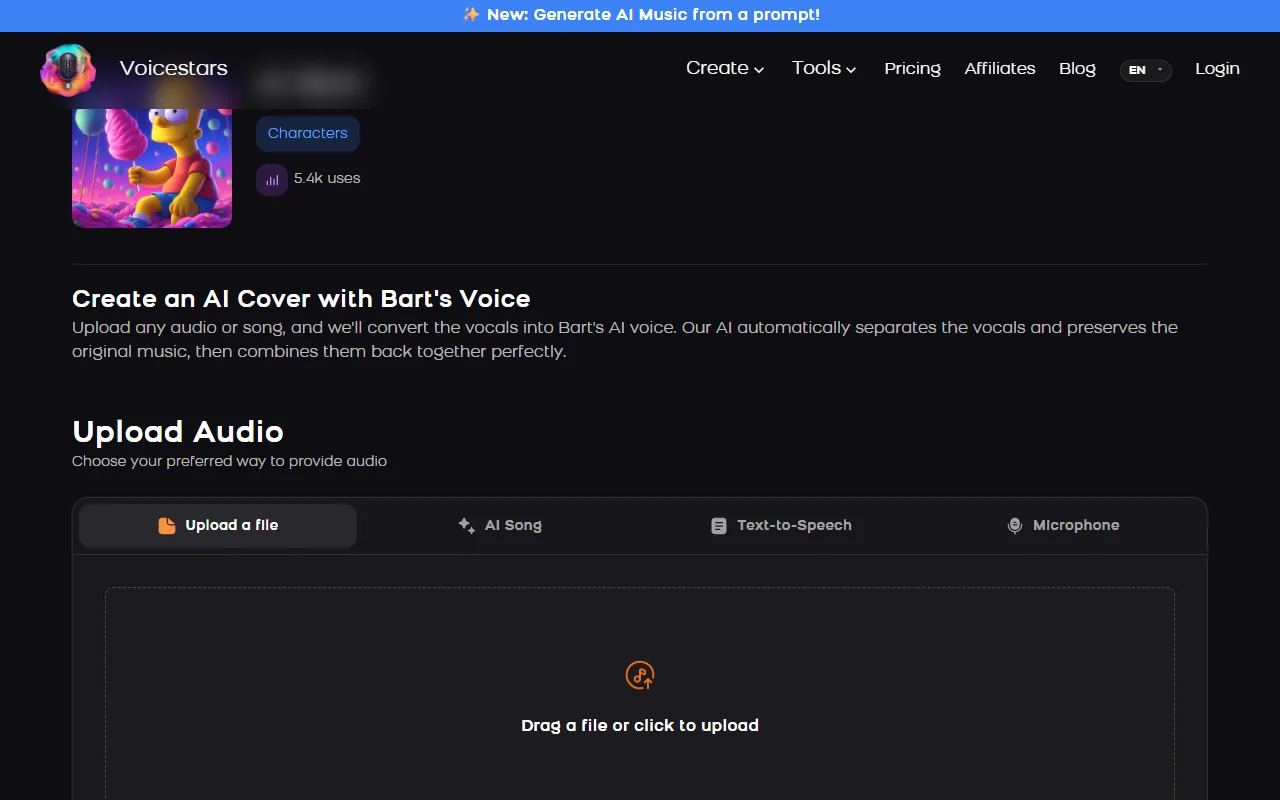
The Voicestars Bart page accepts typed text, an uploaded file, an AI song or a microphone recording.
Sources: Voicestars AI Bart voice page · Voicestars character AI voices · Wikipedia: Bart Simpson
Make a Bart AI clip in 5 steps
Recording the line yourself usually wins for jokes.
- Write a short, cheeky line in the character’s spirit, but original: no copied catchphrases you would present as real dialogue.
- Decide between typing (fast) and recording (better timing). Jokes that depend on rhythm sound better recorded.
- On the voice page, type the line in the Text-to-Speech tab or upload your recording; pick a higher pitch for the base voice.
- Compare with the demo and regenerate any phrase that sounds flat; short bursts work best.
- Share it as fan content: label it as AI and do not present it as an official Simpsons clip or use it in ads.
Example: original cheeky lines
Original lines written in a mischievous cartoon style.
"Homework? Never heard of her."

"I didn’t do it… probably."
What to check
- Lines are short.
- Nothing is copied as real dialogue.
- The clip is labelled as AI.
What makes the voice recognisable
Bart’s voice combines a high pitch with a raspy, mischievous edge, performed by an adult actor.
AI voices reproduce the timbre, but the comedy comes from short lines and timing.
Recording your own delivery and converting it keeps that timing.
More cartoon voices are in the Voicestars character voices.
Fix common Bart AI problems
| Symptom | Likely cause | What to do |
|---|---|---|
| Sounds like an adult | Low base voice | Use a higher pitch setting. |
| Joke timing off | Typed text | Record the line and convert it. |
| Muffled conversion | Room echo | Record dry and close to the mic. |
Try it on Voicestars
Each voice page takes four inputs: a file, an AI song, typed text or your microphone.
- Open the Bart voice page and play the demo.
- Enter your line in the Text-to-Speech tab or upload a clean, dry take.
- Compare the result with the demo and label the clip as AI before sharing.
To build an original character instead, read our AI character voice guide.
Rules to respect
How we tested the voice
Tested and written by Big Jeezy, music producer, on 11 November 2026, using Voicestars and the tools named in this guide.
- The Voicestars Bart voice page, the character voice category and Wikipedia’s Bart Simpson article reviewed 11 November 2026; screenshots captured that day.
- Examples are original.
Screenshots and examples come from these sessions. Voicestars publishes this guide and sells the voice tools it mentions.
Report a correction to Voicestars Editorial with the page, date, a short reproducible example and the observed result. Avoid sending private recordings. See our editorial policy.
Fan questions
Who voices Bart Simpson?
Nancy Cartwright has voiced Bart since the character’s debut, according to Wikipedia.
What is Bart AI?
Usually an AI voice model that imitates Bart Simpson’s voice for memes and fan clips. It is an imitation, not the actor.
Can I make Bart say anything?
Technically yes, with text to speech or voice conversion. Keep it clearly labelled and avoid anything defamatory or misleading.
Can I use a Bart AI voice in a monetised video?
The character belongs to its rights holders. Keep AI Bart clips non-commercial and labelled.
Why does my Bart AI clip sound robotic?
Long sentences and a low base voice are the usual causes. Use short lines and a higher pitch.
Sources we used
Checked on 11 November 2026.
For the character’s history, see Wikipedia’s Bart Simpson article.


