

How to Use Project Sekai TTS in 5 Steps: The ProsekaTTS Demo and Rules

Published: · Updated:
Want a Project Sekai voice for an English cover? Try the AI Rui Kamishiro voice page.
Project Sekai fans search for TTS that sounds like the game’s characters, about 720 times a month in the US. The answer most people find is ProsekaTTS, a fan-made demo on Hugging Face.
This guide shows how to use it in five steps, what we saw on the demo, and what the game’s rules mean for your clips.
We reviewed the ProsekaTTS Hugging Face Space and GitHub repository, the Wikipedia entry for Hatsune Miku: Colorful Stage! and the Voicestars AI Rui Kamishiro page on 12 November 2026. We did not generate audio with ProsekaTTS or rate its quality.
Make a Project Sekai-style cover
AI Rui Kamishiro is preselected. Drop a sung recording or a song, or switch to text.
Quick answer
Open the ProsekaTTS Space on Hugging Face (“Project Sekai TTS Using VITS Model”), type your line in Japanese, pick a speaker such as hoshino_ichika, keep Speed at 1 and click Generate. Keep clips short, personal and labelled as AI: the repository shows no licence and the characters belong to the game’s rights holders. For English covers, convert your own recording with a character voice instead.
- 01 Type Japanese text
- 02 Pick A speaker
- 03 Share Personal, labelled AI
Original editorial workflow diagram; not a product screenshot or test result.
ProsekaTTS at a glance
What the demo and repository showed on 12 November 2026.
| Item | What we saw | What it means |
|---|---|---|
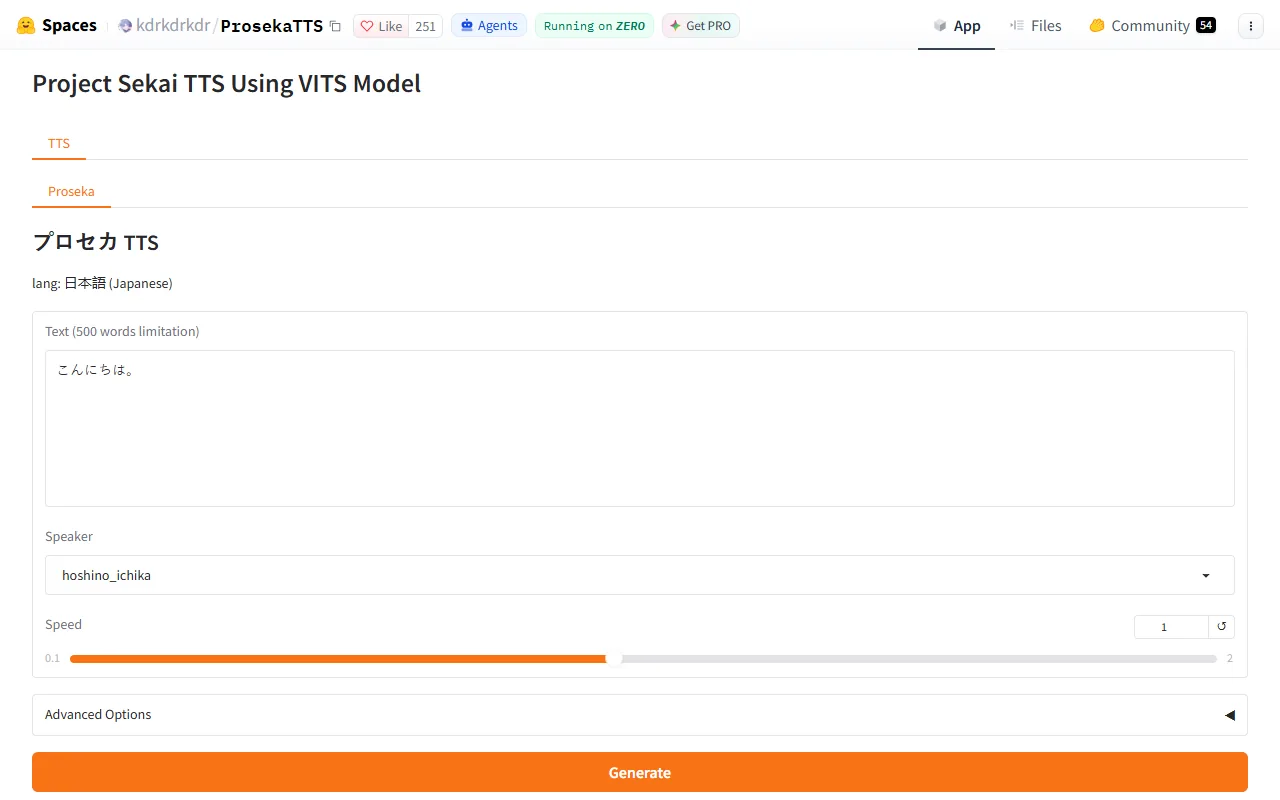
| Where | Hugging Face Space by kdrkdrkdr, linked from a public GitHub repo | Runs in the browser; no install. |
| Model | Page title: “Project Sekai TTS Using VITS Model” | A fan-made neural TTS model. |
| Language | lang: 日本語 (Japanese) | Type Japanese text for natural results. |
| Input limit | Text box labelled “500 words limitation” | Keep lines short. |
| Licence | No licence shown on the GitHub page | Treat output as personal fan use only. |
Voicestars has an AI Rui Kamishiro voice for recordings, songs and typed lines.
Sources: Hugging Face: ProsekaTTS Space (Project Sekai TTS using VITS model) · GitHub: kdrkdrkdr/ProsekaTTS · Wikipedia: Hatsune Miku: Colorful Stage!
Use Project Sekai TTS in 5 steps
Step 2 matters most: the demo expects Japanese.
- Open the ProsekaTTS Space on Hugging Face and wait for it to start; Spaces can sleep and need a minute to wake.
- Type your line in Japanese in the text box (the field is labelled with a 500-word limit); romaji or English sounds unnatural.
- Choose a speaker from the Speaker menu, for example hoshino_ichika, and leave Speed at 1 for a first test.
- Click Generate, listen, and adjust speed or split long sentences if the delivery rushes.
- Download the clip for personal fan use, label it as AI and credit the game; do not use it commercially.
Example: a short Japanese test line
An original test line to try a speaker before writing longer text.
こんにちは。今日はいい天気ですね。
(Hello. Nice weather today, isn’t it?)
What to check
- Short and in Japanese.
- Two sentences, one pause.
- Original text, not game dialogue.

The game behind the voices
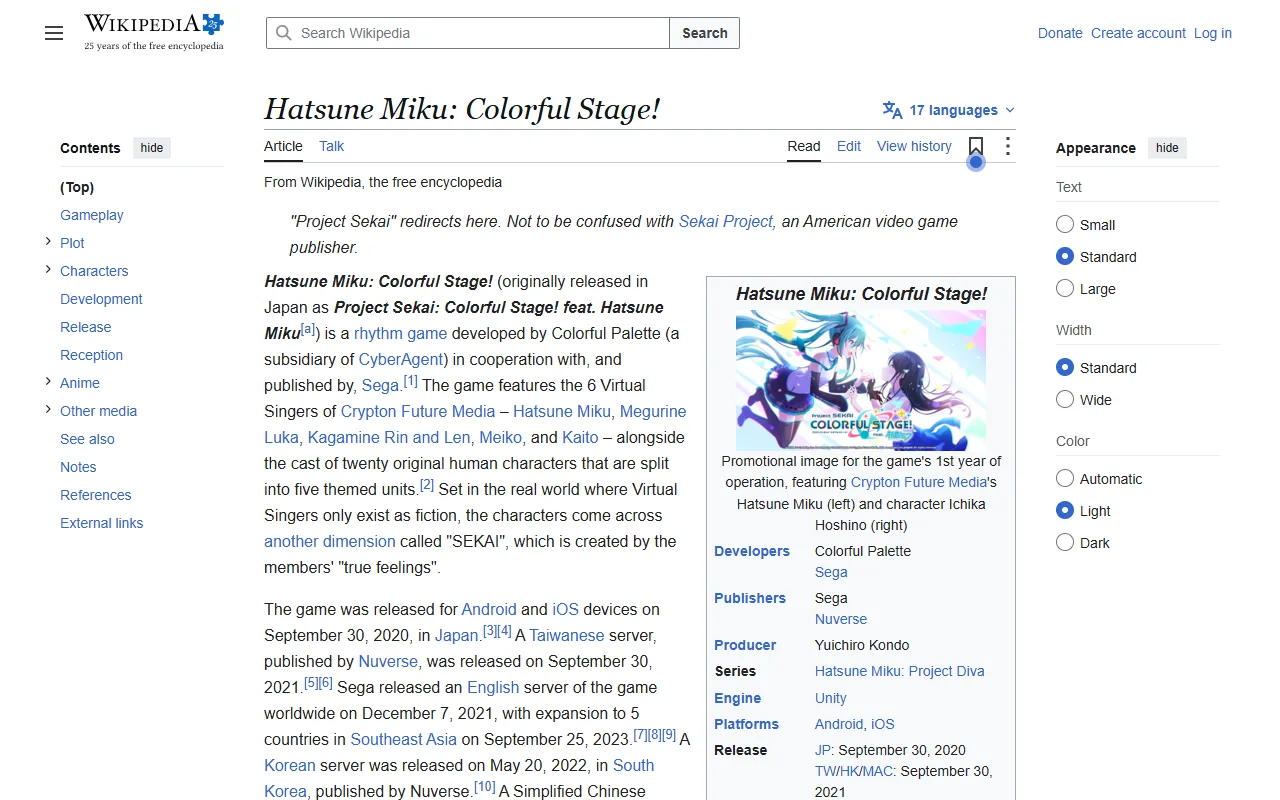
Hatsune Miku: Colorful Stage! is developed by Colorful Palette, a CyberAgent subsidiary, with Sega providing 3D models; it launched in Japan on 30 September 2020 and globally on 7 December 2021.
Its human characters are split into five units, such as Leo/need and Wonderlands x Showtime, each voiced by professional voice actors.
Fan TTS models imitate those performances without the actors’ involvement, which is why personal, labelled use is the safe limit.
For Miku herself, read our Hatsune Miku voice generator guide.
Fix common Project Sekai TTS problems
| Symptom | Likely cause | What to do |
|---|---|---|
| Demo not loading | Space asleep or queued | Wait a minute and refresh. |
| Robotic or garbled speech | English or romaji input | Type the line in Japanese. |
| Delivery rushed | Long sentence | Split it or lower Speed. |
| Wrong character | Speaker not changed | Pick the speaker before generating. |
Make it with Voicestars
Every Voicestars voice page accepts an uploaded file, an AI-generated song, typed text or a microphone recording.
- Open the Rui Kamishiro (Project Sekai) voice page and play the demo.
- Type your line in the Text-to-Speech tab, or upload a dry recording.
- Compare the result with the demo and label the clip as AI before sharing.
For other anime voices, see our anime voice guide.
What this guide does and does not establish
We did not generate audio with ProsekaTTS or rate its quality.
Fan-made Spaces can change or go offline without notice.
Evidence, method and responsibility
Research and interface checks: 12 November 2026. Maintained by Voicestars Editorial under the Nolan Vale pen name. This role is not a claim of an independent qualification or an endorsement by the cited organizations.
- The ProsekaTTS Hugging Face Space and GitHub repository, the Wikipedia entry for Hatsune Miku: Colorful Stage! and the Voicestars AI Rui Kamishiro page reviewed 12 November 2026; screenshots captured that day.
- Keyword research: DataForSEO Google keyword suggestions, United States, English, collected 12 November 2026 (project sekai tts 720/month, project sekai tts using vits model 30, project sekai tts voice 20).
- Demo check on 12 November 2026: the ProsekaTTS Space showed the title, Japanese language setting, “500 words limitation” label, Speaker menu (hoshino_ichika) and Speed slider (screenshot below); the GitHub page showed no licence.
- Voice page check the same day: the AI Rui Kamishiro (Project Sekai) page showed 8 uses.
- Voicestars publishes this guide and offers the AI voice tools mentioned; it has a commercial interest in this topic.
We distinguish provider documentation, observed interface behavior and proposed exercises. Screenshots are our actual browser captures; a screenshot of a form does not prove audio quality. No invented measurements, reviewer credentials or user ratings are used.
Report a correction to Voicestars Editorial with the page, date, a short reproducible example and the observed result. Avoid sending private recordings. See our editorial policy.
Frequently asked questions
What is Project Sekai TTS?
Fans use the name for text-to-speech that imitates characters from Project Sekai, officially Hatsune Miku: Colorful Stage!. The best-known demo is ProsekaTTS, a Hugging Face Space titled “Project Sekai TTS Using VITS Model”. DataForSEO shows about 720 US searches a month for “project sekai tts”.
Does Project Sekai TTS work in English?
The ProsekaTTS demo we checked was set to Japanese (lang: 日本語). English or romaji input tends to sound unnatural; for English lines, convert your own recording with a character AI voice instead.
What is Project Sekai?
Hatsune Miku: Colorful Stage!, originally Project Sekai: Colorful Stage! feat. Hatsune Miku, is a rhythm game developed by Colorful Palette with Sega, released in Japan on 30 September 2020 and globally on 7 December 2021, according to Wikipedia.
Who voices Rui Kamishiro?
Shunichi Toki voices Rui Kamishiro of Wonderlands x Showtime, according to Wikipedia. The Voicestars AI Rui Kamishiro page imitates the character’s sound; it showed 8 uses on 12 November 2026.
Is Project Sekai TTS allowed?
ProsekaTTS shows no licence on its GitHub page, and the game’s characters and voices belong to their rights holders. Keep clips personal, non-commercial and labelled as AI, and follow the game’s official derivative-work guidelines.
Why is the ProsekaTTS demo not loading?
Free Hugging Face Spaces go to sleep or queue when busy. Wait a minute, refresh, or try later; if the Space is down, the GitHub repository is the place to check for updates.
Sources and verification date
Consulted 12 November 2026. Provider features, plans and laws can change. Product documentation is distinguished from the original exercises proposed in this guide.
Open the ProsekaTTS demo on Hugging Face and read about Hatsune Miku: Colorful Stage! on Wikipedia.


