
How to Make Hatsune Miku Sing: The Official Voicebank vs an AI Cover

Published: · Updated:
Ready to sing? Open the Hatsune Miku AI voice generator and drop your vocal.
Hatsune Miku is a virtual singer created by Crypton Future Media, and a “Hatsune Miku voice generator” can mean the official singing-synthesis voicebank or an AI voice that converts your own singing.
This guide explains which route fits your project, gives six steps to a Miku-style AI cover, and summarises what Crypton allows for fan works.
We reviewed Crypton’s piapro.net creator page, the Wikipedia entry for Hatsune Miku and the Voicestars AI Hatsune Miku voice page on 12 November 2026.
Turn your singing into a Miku-style cover
AI Hatsune Miku is preselected. Drop a sung recording or a song, then continue on the voice page.
In short
For an original song with exact notes, use Crypton’s official Hatsune Miku voicebank. For a cover, record a dry vocal, transpose it up if you sing low, convert it on an AI Hatsune Miku voice page and mix it over the instrumental. Keep it a non-commercial fan work and label it as AI; Crypton requires permission for commercial use.
- 01 Original song Official voicebank
- 02 Cover you can sing AI voice conversion
- 03 Publish Non-commercial, labelled
Two ways to get Miku singing
The official voicebank and AI conversion solve different problems.
| Route | How it works | Best for | Rules |
|---|---|---|---|
| Official voicebank (Crypton) | You type notes and lyrics into singing-synthesis software | Original songs, full control | Software licence; character use under Crypton’s guidelines |
| AI voice conversion | Your sung vocal is converted into a Miku-like timbre | Covers of songs you can sing | Non-commercial fan use; label as AI |
| Text to speech | Typed text read in a Miku-like voice | Short spoken lines | Same as above |
The Voicestars Miku page accepts an uploaded file (up to 150 MB), an AI song, typed text or a microphone recording.
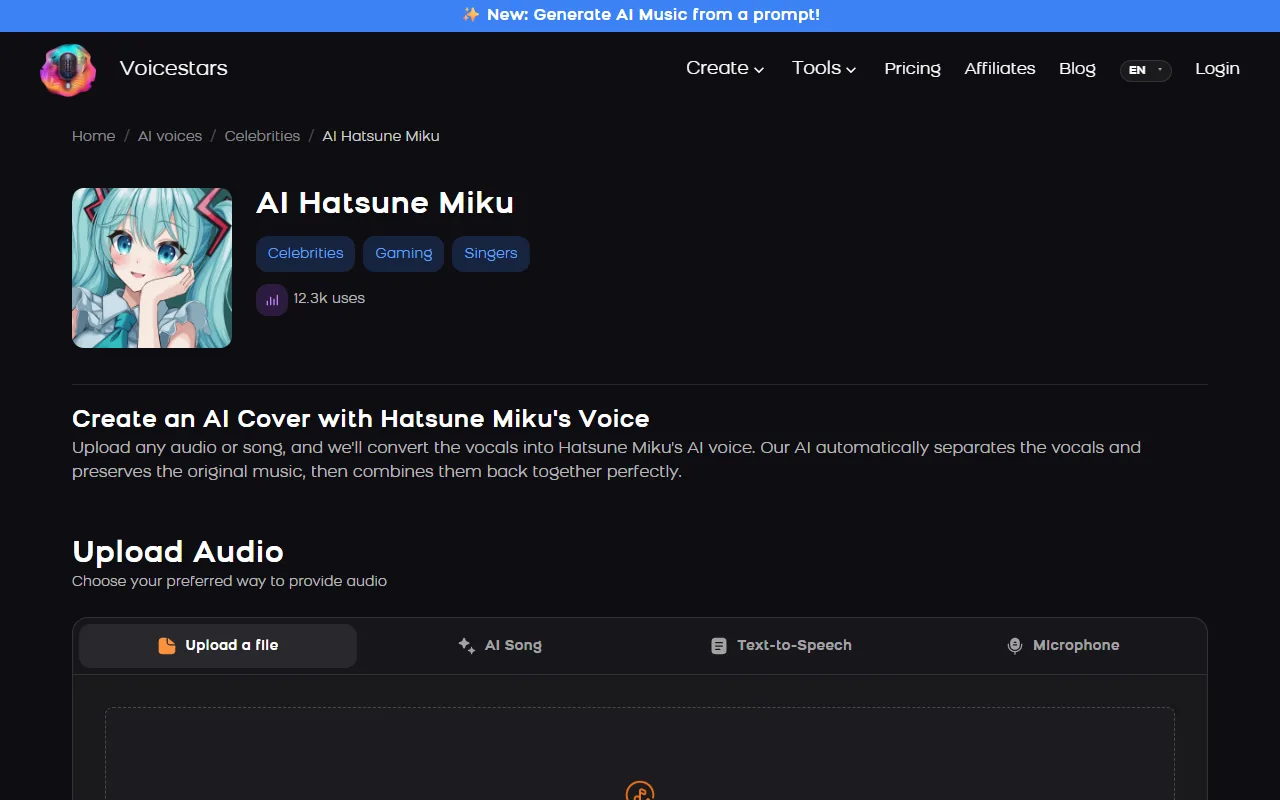
Sources: piapro.net: For Creators (Crypton Future Media character licence) · Wikipedia: Hatsune Miku · Voicestars AI Hatsune Miku voice page
Make a Miku-style AI cover in 6 steps
Step 3 fixes the most common problem: a voice that sounds pitched up rather than like Miku.
- Decide the route: original song with exact notes → official voicebank; cover of a song you can sing → AI voice conversion.
- For a cover, record your own dry vocal (or use an acapella); Miku’s voice is high and bright, so pick a song you can sing comfortably in a higher key.
- Transpose your vocal up if you sing low: most male voices need about +5 to +12 semitones to sit in her range.
- Upload the vocal or song on the AI Hatsune Miku voice page, convert it and listen for cracks on long, high notes.
- Mix the converted vocal over the instrumental, keeping the bright, slightly dry sound typical of VOCALOID songs.
- Post it as a non-commercial fan work, label it as AI, and ask Crypton for permission before any commercial use.
Example: transposition for a male singer
An original plan for a cover recorded by someone who sings around an octave below her range.
Original key of your recording: comfortable low range
Transpose: +7 semitones before conversion (try +5 and +12 too)
Check: chorus high note, final sustained note
Mix: bright, little reverb, vocal slightly forward
What to check
- Test three transpositions on the chorus first.
- Keep the one that sounds least strained.
- Label the cover as AI.
What Crypton allows
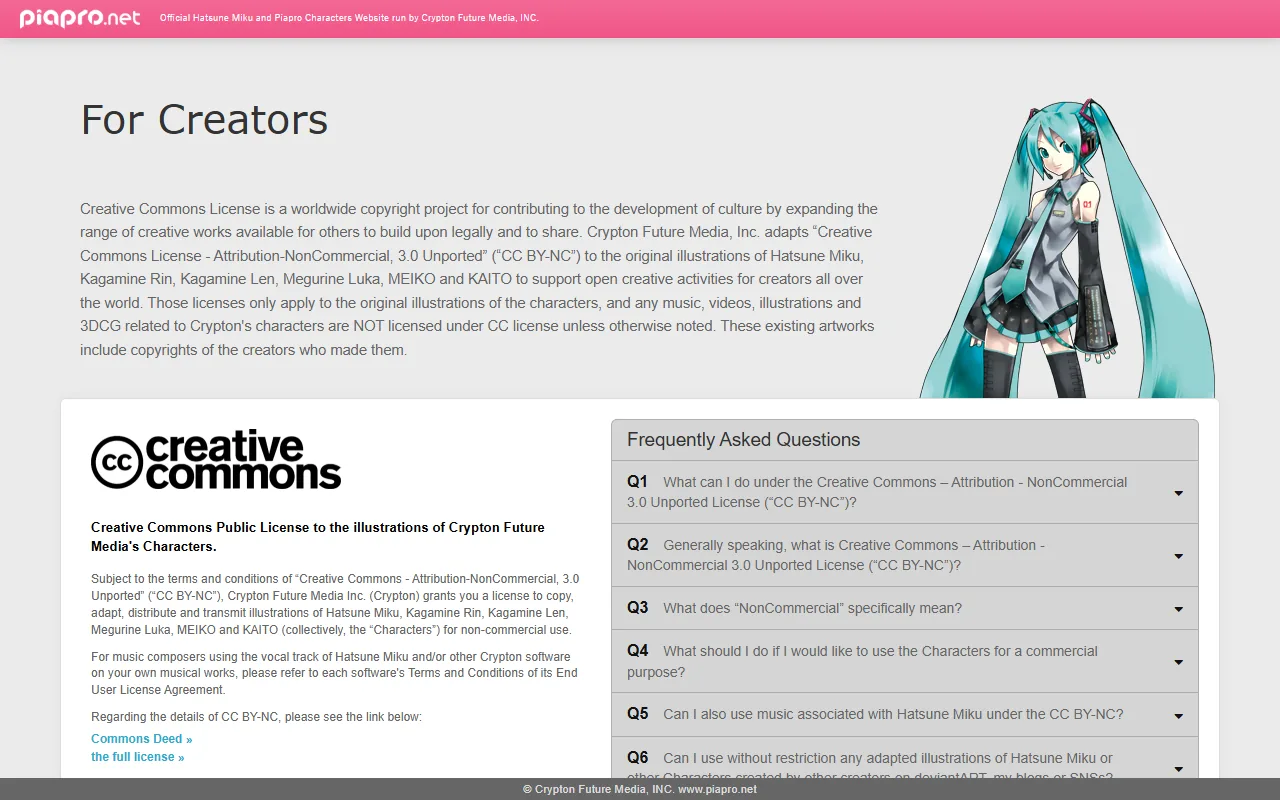
Crypton’s piapro.net creator page applies the Creative Commons Attribution-NonCommercial 3.0 licence to the original illustrations of Hatsune Miku, Kagamine Rin and Len, Megurine Luka, MEIKO and KAITO, and explains rules for non-commercial fan creations.
Commercial use of the characters requires separate permission from Crypton. Music made with the official software follows its own licence terms.
An AI voice imitating Miku is not the official voicebank, so treat it as a fan tool: label it and keep it non-commercial.
New to covers? Read our AI covers guide.
Fix common Hatsune Miku AI voice problems
| Symptom | Likely cause | What to do |
|---|---|---|
| Sounds like a pitched-up adult | Vocal too low before conversion | Transpose up before converting. |
| Robotic artefacts | Reverb or music in the input | Use a dry vocal or acapella. |
| Long notes crack | Sustained notes above the range | Shorten notes or lower the key slightly. |
| Want exact notes | AI copies your singing | Use the official voicebank instead. |
Try it on Voicestars
Each voice page takes four inputs: a file, an AI song, typed text or your microphone.
- Open the Hatsune Miku voice page and play the demo.
- Enter your line in the Text-to-Speech tab or upload a clean, dry take.
- Compare the result with the demo and label the clip as AI before sharing.
For more anime voices, see our anime voice guide.
Before you share it
Licence wording can change; check piapro.net for your exact use.
How we made the examples
Tested and written by Big Jeezy, music producer, on 12 November 2026, using Voicestars and the tools named in this guide.
- Crypton’s piapro.net creator page, the Wikipedia entry for Hatsune Miku and the Voicestars AI Hatsune Miku voice page reviewed 12 November 2026; screenshots captured that day.
- Page checks on 12 November 2026: piapro.net’s creator page described the CC BY-NC 3.0 licence for character illustrations; the AI Hatsune Miku page showed 12.3k uses (screenshots below).
- Voicestars accepts up to 1,000 characters per text request and files up to 150 MB.
Screenshots and examples come from these sessions. Voicestars publishes this guide and sells the voice tools it mentions.
Report a correction to Voicestars Editorial with the page, date, a short reproducible example and the observed result. Avoid sending private recordings. See our editorial policy.
Common questions
What is the Hatsune Miku voice generator?
Two things share the name. The official one is Crypton Future Media’s singing-synthesis voicebank, first released on 31 August 2007, where you enter notes and lyrics. Unofficial AI voices convert your own singing into a Miku-like timbre.
Is there a free Hatsune Miku voice generator?
The official voicebank is paid software. AI voice tools usually include a few free conversions; the Voicestars AI Hatsune Miku page showed 12.3k uses on 12 November 2026. Free AI tools are fine for testing a chorus before a full song.
Whose voice is Hatsune Miku?
Her voicebank was built from recordings of Japanese voice actress Saki Fujita, according to Wikipedia. Crypton Future Media develops the voicebank and owns the character.
Can I use Hatsune Miku in my songs?
Crypton allows non-commercial fan works with its characters; its piapro.net creator page applies the Creative Commons Attribution-NonCommercial 3.0 licence to illustrations of Miku and the other Piapro characters. Commercial use needs Crypton’s permission. Check piapro.net for your exact case.
Can AI make Hatsune Miku sing any song?
An AI voice converts what you sing, so it covers any song you can perform cleanly. It does not write notes for you; for an original melody without singing it yourself, the official voicebank is the right tool.
Is there a Hatsune Miku text to speech?
Yes, AI voice pages such as the Voicestars Miku page include a Text-to-Speech tab, with up to 1,000 characters per request in the inline tool. Miku is mainly a singing voice, so spoken lines sound less like her than sung ones.
Sources
Checked on 12 November 2026.
Read Crypton’s rules for creators on piapro.net and the Hatsune Miku Wikipedia entry.


