
How to Make a Drake AI Cover Today, and What Changed After Heart on My Sleeve
Published: · Updated:
Ready to try? Open the Drake AI voice generator and drop a dry vocal.
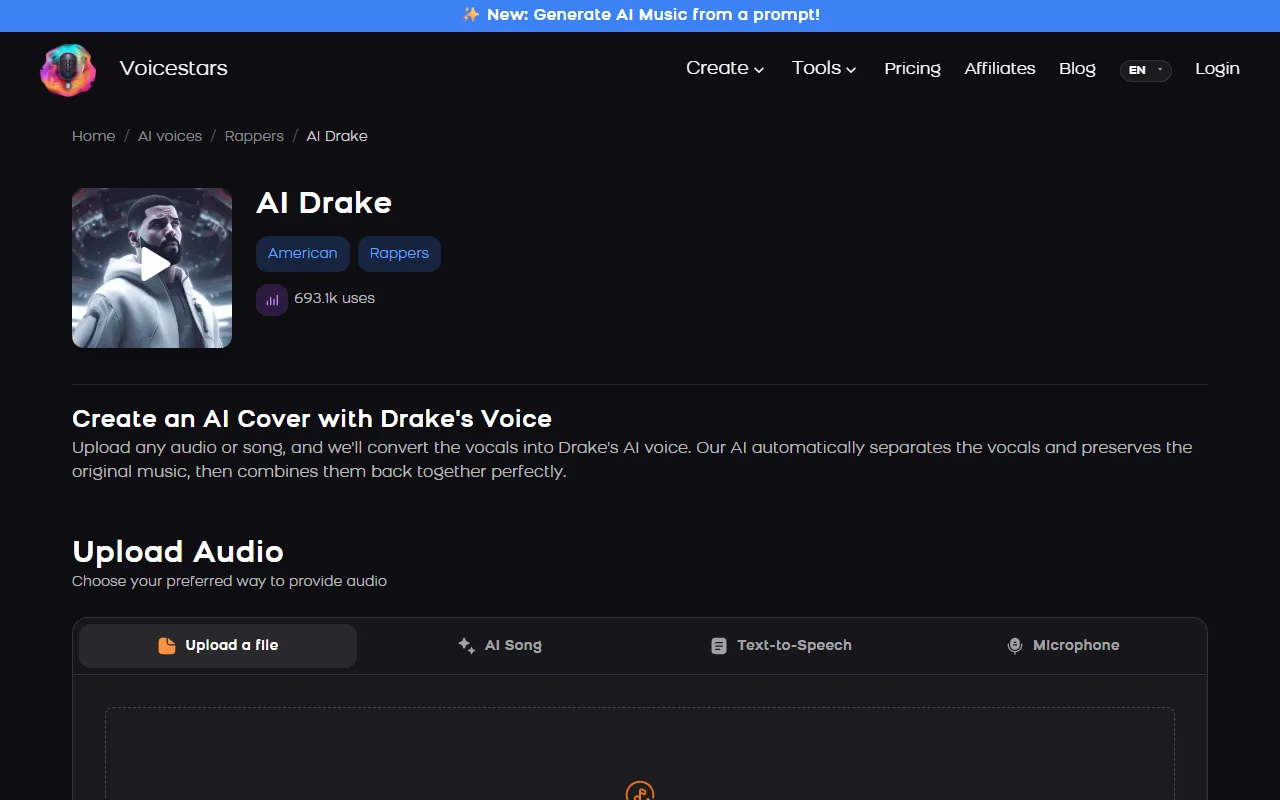
Drake is one of the most used rapper voices for AI covers: the Voicestars AI Drake page showed 693.1k uses when we checked. He is also at the centre of the two best-known AI music takedowns.
This guide gives six steps to a labelled Drake-style cover and explains what Heart on My Sleeve and Taylor Made Freestyle show about the rules.
We reviewed the Voicestars AI Drake voice page, the Wikipedia entries for Heart on My Sleeve and Taylor Made Freestyle, and YouTube’s disclosure rules on 19 November 2026.
Turn your verse into an AI Drake vocal
AI Drake is preselected. Drop a dry rap or sung vocal, or a song, and continue on the voice page.
The quick version
Record a dry vocal over the beat with Drake’s phrasing, transpose if needed, upload it (or a full song) to an AI Drake voice page, convert, fix weak lines and mix it over the instrumental. Label it as an AI cover and never release it commercially: Heart on My Sleeve (2023) and Taylor Made Freestyle (2024) were both pulled.
- 01 Record Dry, with his phrasing
- 02 Convert AI Drake voice
- 03 Label “AI cover”, non-commercial
Two AI songs that were pulled
Dates from the songs’ Wikipedia entries, read on 19 November 2026.
| Song | AI voices | What happened | Lesson |
|---|---|---|---|
| Heart on My Sleeve (April 2023) | Drake and The Weeknd, by Ghostwriter977 | Released 4 April 2023; Universal Music Group filed takedowns on 17 April 2023 | Unlabelled real-artist imitations get removed. |
| Taylor Made Freestyle (April 2024) | Tupac Shakur and Snoop Dogg, used by Drake | Released 19 April 2024; pulled after a cease-and-desist from Tupac’s estate | Even a star cannot use a voice without permission. |
The Drake page accepts an uploaded file, an AI song, typed text or a microphone recording.
Sources: Voicestars AI Drake voice page · Wikipedia: Heart on My Sleeve (Ghostwriter977 song) · Wikipedia: Taylor Made Freestyle
Make a Drake AI cover in 6 steps
Step 6 keeps the cover on the right side of the line.
- Pick a song that suits Drake’s range and style: he switches between melodic hooks and laid-back rap, so plan which one you are covering.
- Record a dry vocal over the beat in closed headphones: no reverb, no doubled takes, mic a hand’s width away.
- If your range is far from the voice, transpose your vocal a few semitones before converting.
- Upload the recording or a full song on the AI Drake voice page and convert it.
- Compare with your guide line by line and re-record lines that smear, then mix the vocal over the instrumental.
- Label it as an AI cover in the title and description, and never release it commercially or present it as real.
Listen: before and after
The same take of “Money on my Mind”, first as recorded, then converted with the AI Lil Baby voice on Voicestars.
Voicestars demo, also on the Voicestars home page.
Example: a recording checklist for one hook
An original checklist for a first test.
Section: one hook, 20–30 seconds
Mic: phone or USB, a hand’s width away
Headphones: closed, beat at low volume
Delivery: laid-back, melodic
Export: WAV or MP3, no effects
What to check
- Short test before a full song.
- Dry recording, no beat bleed.
- Effects added after conversion.
What the takedowns show
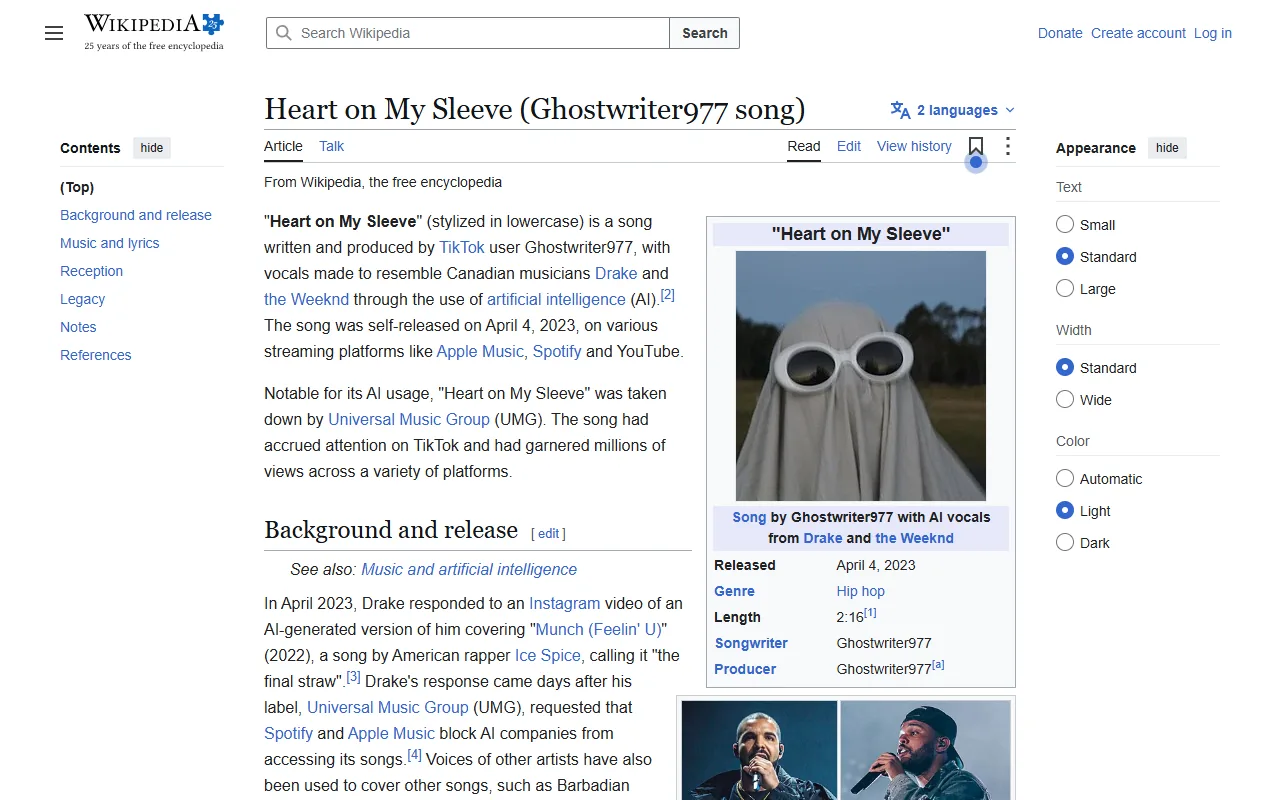
Heart on My Sleeve imitated Drake and The Weeknd without their involvement; Universal Music Group filed takedowns 13 days after release.
Taylor Made Freestyle shows the rule applies both ways: Drake’s own use of an AI Tupac voice was pulled after the estate objected.
Labelled, non-commercial fan covers are the safe limit for real-artist voices.
Comparing rapper voices? Read our AI rapper voice generator guide.
Fix common Drake AI cover problems
| Symptom | Likely cause | What to do |
|---|---|---|
| Robotic consonants | Beat bleeding into the mic | Record dry with closed headphones. |
| Flow sounds unlike him | Flat delivery | Rap it laid-back; the AI keeps your timing. |
| Upload rejected | File over 150 MB | Export MP3 or trim the song. |
| Cover removed | No AI label or real-artist claim | Title it clearly as an AI cover. |
Make it with Voicestars
Every Voicestars voice page accepts an uploaded file, an AI-generated song, typed text or a microphone recording.
- Open the Drake voice page and play the demo.
- Type the line in Text-to-Speech, or upload a recording with no reverb.
- Listen back next to the demo and add an AI label before sharing.
New to covers? See our AI covers guide.
What users report on X
What creators learned putting Drake’s AI voice on tracks. Collected from public posts on X on 21 November 2026.
A Drake AI song needs a human take in Drake’s flow first; the AI morph only comes after.
For a personal project, only needed a vocal-free “God’s Plan” beat and an AI Drake voice changer.
Heard that a Drake verse converted to other rappers kept Drake’s own flow and cadence: the AI does not fix a mismatched flow.
Summaries of public posts, not Voicestars reviews. Open each post for the full context.
Rules to respect
Likeness laws vary by country and US state; this is not legal advice.
How we tested the voice
Tested and written by Big Jeezy, music producer, on 12 November 2026, using Voicestars and the tools named in this guide.
- The Voicestars AI Drake voice page, the Wikipedia entries for Heart on My Sleeve and Taylor Made Freestyle, and YouTube’s disclosure rules reviewed 19 November 2026; screenshots captured that day.
- Voice page check on 19 November 2026: the AI Drake page showed 693.1k uses and four inputs (screenshot below).
- Voicestars accepts up to 1,000 characters per text request and files up to 150 MB.
Screenshots and examples come from these sessions. Voicestars publishes this guide and sells the voice tools it mentions.
Report a correction to Voicestars Editorial with the page, date, a short reproducible example and the observed result. Avoid sending private recordings. See our editorial policy.
Fan questions
Is there a Drake AI voice generator?
Yes. The Voicestars AI Drake page converts a recording or song and reads typed text; it showed 693.1k uses on 19 November 2026.
What was “Heart on My Sleeve”?
An AI-generated song with vocals imitating Drake and The Weeknd, released by the anonymous Ghostwriter977 on 4 April 2023. Universal Music Group filed takedown notices on 17 April 2023, after about 600,000 Spotify streams, according to Wikipedia.
Did Drake use AI voices himself?
Yes. His “Taylor Made Freestyle”, released on 19 April 2024, used AI vocals in the style of Tupac Shakur and Snoop Dogg. After a cease-and-desist from Tupac’s estate, he took it down from all platforms, according to Wikipedia.
Can I release a Drake AI song?
Not commercially. Labels remove unlicensed imitations, and likeness laws such as Tennessee’s ELVIS Act protect a person’s voice. Keep it a labelled fan cover and never upload it to streaming services.
How do I make Drake AI text to speech?
Type a short line in the Text-to-Speech tab of the voice page; the inline tool accepts up to 1,000 characters per request. For verses, recording yourself and converting sounds much closer than typed text.
Do I need to label a Drake AI cover?
Yes. YouTube asks creators to disclose realistic AI music and voices of real people. Put “AI cover” in the title and use the platform’s AI disclosure setting.
Sources we used
Checked on 12 November 2026.
Read about Heart on My Sleeve and Taylor Made Freestyle on Wikipedia.


