
How to Make Mickey Mouse AI Lines in 5 Steps (Text or Your Own Voice)
Published: · Updated:
Want to try now? Open the Mickey Mouse AI voice generator and type a cheerful line.
Mickey Mouse is one of the most recognisable cartoon voices in the world, and a Mickey Mouse voice generator is a popular way to make birthday messages and fan edits. Disney still protects the character closely, which matters once a clip is shared.
This guide shows how to make a Mickey voice with AI in five steps, how to write for his cheerful style, and what is and is not public domain.
We reviewed the Voicestars AI Mickey Mouse, Goofy and Stitch voice pages and the Wikipedia entry for Mickey Mouse on 19 November 2026.
Make Mickey say your line
AI Mickey Mouse is preselected. Type a short, cheerful line, or upload your own recording.
In short
Open an AI Mickey Mouse voice page, type a short, cheerful line in the Text-to-Speech tab (up to 1,000 characters) or upload your own high, bright recording, then generate and download. Share it as labelled, non-commercial fan content: only the 1928 Steamboat Willie Mickey is in the US public domain.
- 01 Write Short and cheerful
- 02 Generate Text or your own take
- 03 Share Labelled fan content
Two ways to make a Mickey AI voice
Limits read from the Voicestars tool on 19 November 2026.
| Input | Best for | Limit | Tip |
|---|---|---|---|
| Typed text | Greetings, memes, short lines | Up to 1,000 characters per request | Short, upbeat sentences with “Oh boy!” |
| Your own recording | Laughs, songs, exact timing | Up to 150 MB per file | Speak high and bright; the AI keeps your timing. |
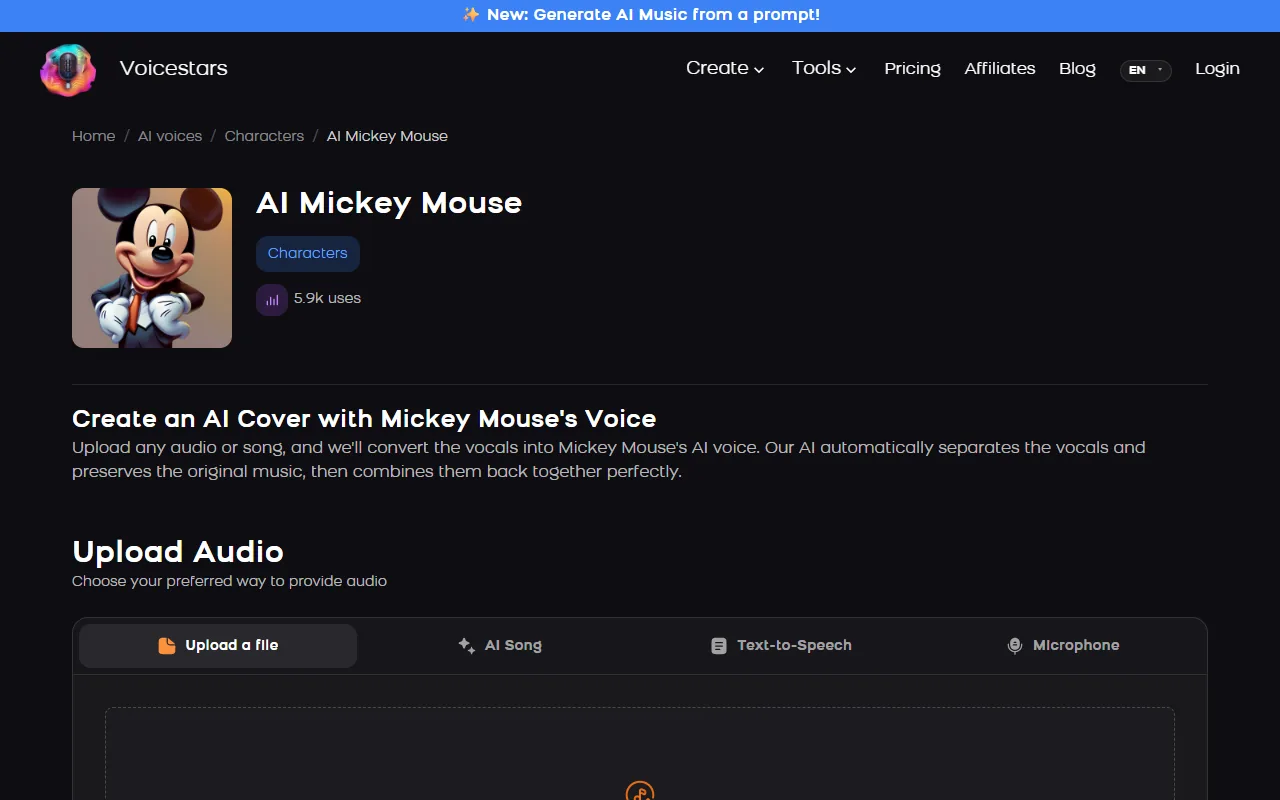
The Mickey page accepts typed text, an uploaded file, an AI song or a microphone recording.
Sources: Voicestars AI Mickey Mouse voice page · Wikipedia: Mickey Mouse (voice actors and copyright status) · YouTube Help: Disclosing use of GenAI content
Make a Mickey Mouse AI voice in 5 steps
Step 2 makes the biggest difference.
- Choose the use: a birthday message, a fan edit or a sketch, never an ad or anything that looks official.
- Write the line in Mickey’s rhythm: cheerful, short, friendly, with signature words such as “Oh boy!” or “Hot dog!”.
- Open the AI Mickey Mouse voice page and type the line in the Text-to-Speech tab, or upload your own high, bright recording.
- Generate, listen and regenerate any line that sounds flat; keep each line under about 10 seconds.
- Share it as a labelled fan creation: no Disney logos or music, no claim that it is official, no commercial use.
Example: three Mickey-style lines
Original lines written in his cheerful rhythm.
Oh boy! Happy birthday, pal!
Hot dog! Today’s gonna be a great day!
See ya real soon, everybody!
What to check
- Short and upbeat.
- One signature phrase per line.
- Original text, no Disney scripts.
What Disney still protects
On 1 January 2024, the first Mickey Mouse cartoons from 1928, including Steamboat Willie, entered the US public domain; later versions of Mickey remain protected, as do Disney trademarks.
Bret Iwan has voiced Mickey officially since 2009. AI voices imitate the character’s sound without the actor’s involvement.
Keep AI Mickey clips clearly labelled, non-commercial and free of logos and official-looking branding.
For Goofy and Stitch too, read our Disney AI voices guide.
Fix common Mickey Mouse AI voice problems
| Symptom | Likely cause | What to do |
|---|---|---|
| Sounds unlike Mickey | Neutral, long sentence | Rewrite it short and cheerful. |
| Laugh sounds robotic | Typed laughter | Record the laugh yourself and convert it. |
| Text rejected | More than 1,000 characters | Split into short lines. |
| Clip claimed | Disney music or logos | Remove them and keep it non-commercial. |
Try it on Voicestars
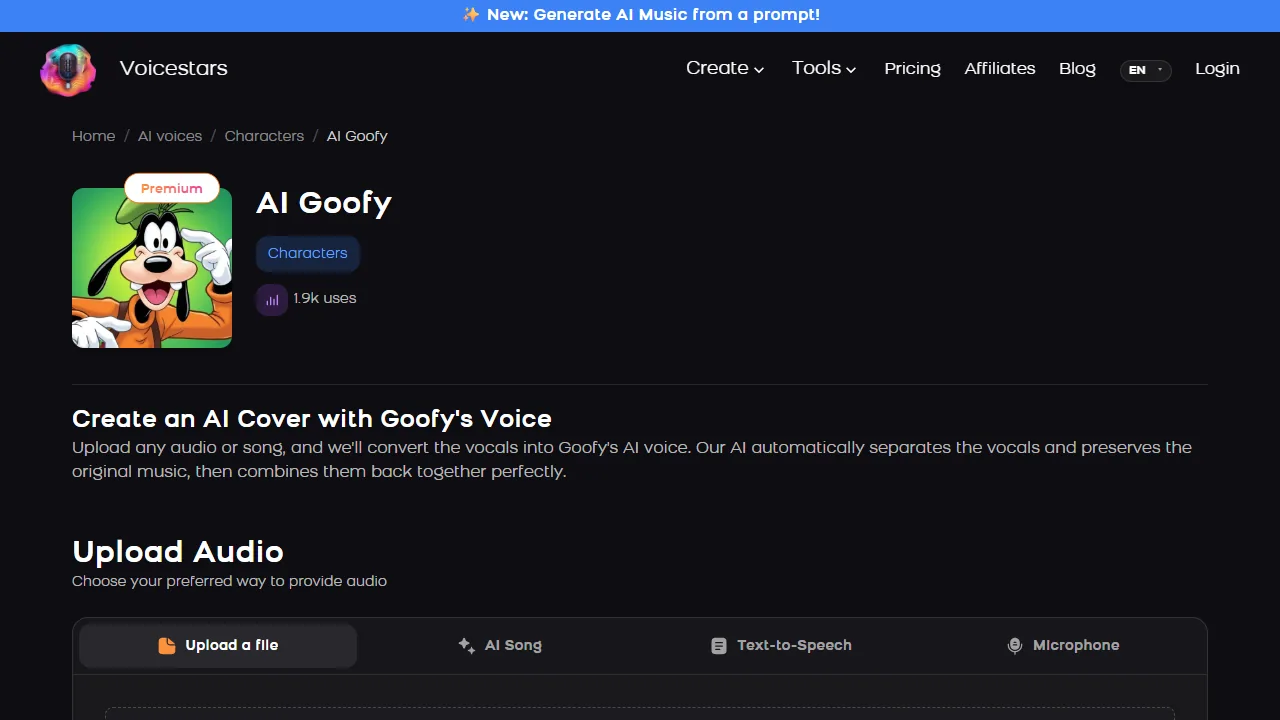
Each voice page takes four inputs: a file, an AI song, typed text or your microphone.
- Open the Mickey Mouse voice page and play the demo.
- Enter your line in the Text-to-Speech tab or upload a clean, dry take.
- Compare the result with the demo and label the clip as AI before sharing.
For more cartoon voices, see our SpongeBob AI voice guide.
Before you share it
Copyright and trademark rules vary by country; this is not legal advice.
How we made the examples
Tested and written by Big Jeezy, music producer, on 12 November 2026, using Voicestars and the tools named in this guide.
- The Voicestars AI Mickey Mouse, Goofy and Stitch voice pages and the Wikipedia entry for Mickey Mouse reviewed 19 November 2026; screenshots captured that day.
- Voice page check on 19 November 2026: the AI Mickey Mouse page showed 5.9k uses and four inputs (screenshot below).
- Voicestars accepts up to 1,000 characters per text request and files up to 150 MB.
Screenshots and examples come from these sessions. Voicestars publishes this guide and sells the voice tools it mentions.
Report a correction to Voicestars Editorial with the page, date, a short reproducible example and the observed result. Avoid sending private recordings. See our editorial policy.
Common questions
Is there a Mickey Mouse voice generator?
Yes. The Voicestars AI Mickey Mouse page reads typed text or converts a recording; it showed 5.9k uses on 19 November 2026.
Who voices Mickey Mouse today?
Bret Iwan has been the official voice of Mickey since 2009, after Wayne Allwine, according to Wikipedia; Walt Disney voiced Mickey first. An AI voice imitates the character’s sound; it is not the actor.
How do I make Mickey Mouse text to speech?
Type a short line in the Text-to-Speech tab of the voice page; the inline tool accepts up to 1,000 characters per request. Exclamation marks and short sentences keep his cheerful delivery.
Is Mickey Mouse in the public domain?
Only the earliest version: the 1928 Steamboat Willie Mickey entered the US public domain on 1 January 2024. Later versions of the character and Disney trademarks remain protected, so treat AI Mickey clips as fan content.
Can I use a Mickey Mouse AI voice on YouTube?
Fan parodies are common, but monetising them or implying Disney approval is risky. Label clips as AI fan content, avoid Disney music and logos, and do not use the voice in ads.
Can I make Mickey sing?
Yes. Upload a song or your own sung vocal on the Mickey page and it converts the vocal. Bright, simple songs suit the character better than low or very fast ones.
Sources
Checked on 12 November 2026.
Read Mickey Mouse’s copyright status on Wikipedia and YouTube’s GenAI disclosure rules.


