
FakeYou AI: How to Use Its Free Text to Speech, Handle the Queue and When to Switch

Published: · Updated:
Looking for a voice FakeYou lacks? Search the Voicestars AI voice catalogue by name.
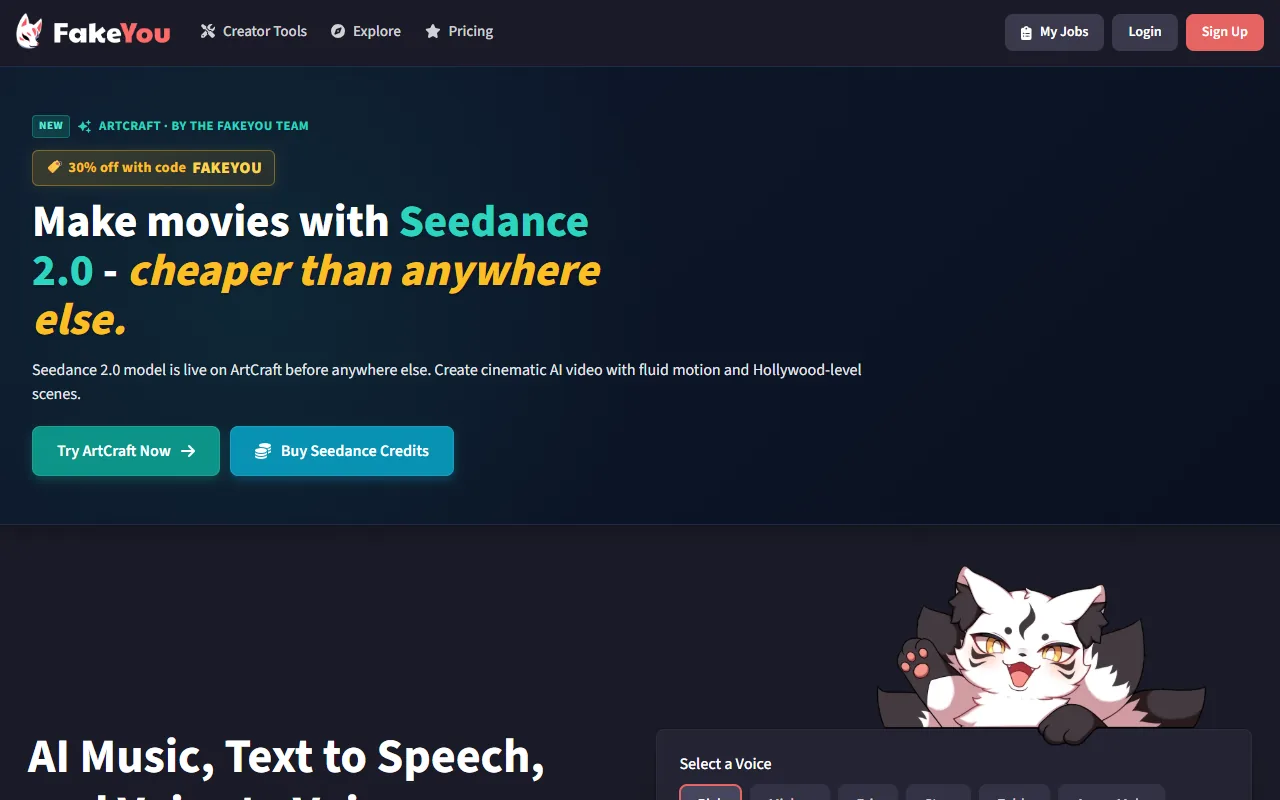
FakeYou is one of the best-known sites for celebrity and character text to speech. It is still online, but its homepage has grown beyond TTS: on 21 November 2026 it led with ArtCraft, an AI video tool from the same team, above text to speech, voice to voice and voice cloning.
This guide shows how to get a clean line from its community voice models in six steps, how to handle pending jobs, and when another workflow fits better.
We reviewed the FakeYou homepage, Tennessee’s ELVIS Act announcement, YouTube’s GenAI disclosure rules and the Voicestars voice catalogue on 12 November 2026.
Type a line in a character or celebrity voice
Pick a voice, type your text and continue on its voice page.
Short answer
To use FakeYou AI, search its library for a voice, compare the community models, type a short line written for speech (numbers as words, short sentences), submit it and wait for the queued job. Review the clip, regenerate only weak phrases, download it and label it as AI. Switch to voice conversion for singing and to mainstream TTS for neutral narration.
- 01 Pick Compare models with the same name
- 02 Write Words as they are spoken
- 03 Review Regenerate only the weak phrase
FakeYou or another workflow?
Pick the tool by the output you need.
| What you want | FakeYou | Other workflow | Check first |
|---|---|---|---|
| A short spoken meme line | Core use: community text-to-speech models | Text-to-Speech tab on a Voicestars voice page | Model quality varies between community voices. |
| A sung cover in a recognisable voice | Voice-to-voice and AI music are listed on the homepage | Convert a real vocal with a singer voice | You need a clean vocal and the right to use the song. |
| AI video | ArtCraft, promoted on the homepage by the FakeYou team | A dedicated video tool | Credits and pricing are separate. |
| Anything published or monetised | Read the current FakeYou terms | Read the terms of any tool you use | Imitating real people can raise likeness issues. |
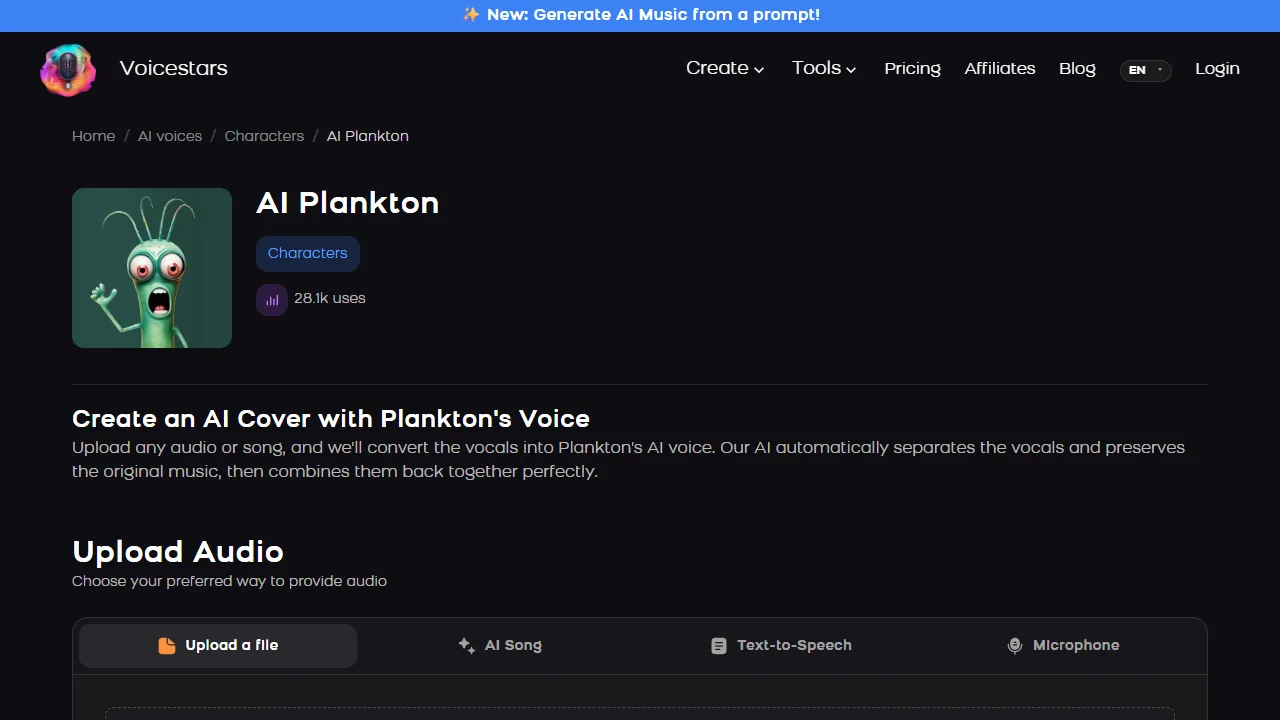
Voicestars voice pages accept typed text, an uploaded file, an AI song or a microphone recording.
Sources: FakeYou official site · Tennessee Governor: ELVIS Act signed into law (21 March 2024) · YouTube Help: Disclosing use of GenAI content
What happened to FakeYou? Is it down?
FakeYou is still online. When we checked on 21 November 2026, fakeyou.com loaded normally and listed its tools: text to speech, voice to voice, a beta Voice Designer, F5-TTS voice cloning and Seed-VC voice conversion.
Two changes explain why people think it disappeared. The homepage now leads with ArtCraft, an AI video product from the FakeYou team, so the voice tools sit lower on the page. And the same text-to-speech page also runs on storyteller.ai/tts, which describes a library of more than 3,500 community-made voices.
If a request stays pending for a long time, that is usually a busy queue or an unavailable model, not an outage. Try again later, choose a voice with good ratings, or use another tool when you have a deadline.
Use FakeYou text to speech in 6 steps
Steps 3 and 4 solve most quality and pending problems.
- Define the line first: who speaks, what they say and where it will be used. A 5- to 15-second line is easier to judge than a paragraph.
- Search the FakeYou voice library for the character or person and compare the community models; several models can share one name, so listen to samples and ratings.
- Type the text as it should be spoken: spell out numbers, split long sentences and add commas for pauses, because community models stumble on abbreviations and slang.
- Submit the job and wait: requests are queued, so a job can stay pending; if it does, try later or switch to another model of the same voice instead of resubmitting.
- Listen twice, once for the voice and once for the words, then edit the text and regenerate only the weak phrase.
- Download the clip, label it as AI-generated wherever you share it, and read FakeYou’s current terms before any commercial use.
Example: rewrite a line so the model reads it well
Community voice models read literally. The same message written as a chat message, then rewritten for speech.
Before: "lol GG wp, see u @ 9pm 4 round 2!!!"

After: "Good game, well played. See you at nine p.m. for round two."
What to check
- Every abbreviation is written as words.
- Punctuation creates pauses.
- The line still fits the character.
What changed on FakeYou’s homepage
On 12 November 2026, the FakeYou homepage opened with ArtCraft, an AI video tool “by the FakeYou team”, before the voice tools: AI music, text to speech and voice to voice.
The voice library still works the same way: each voice is a separate community model, and two models with the same name can sound very different.
Short lines expose fewer weaknesses; for longer scripts, generate sentence by sentence with the same model and join the clips.
For famous voices from typed text, read our celebrity text-to-speech guide.
Fix common FakeYou problems
| Symptom | Likely cause | What to do |
|---|---|---|
| Job stuck on pending | Busy queue or unavailable model | Retry later or pick another model of the same voice. |
| Wrong pronunciation | Abbreviations, numbers or slang | Write words exactly as they should be spoken. |
| Voice sounds unlike the person | Weak community model | Compare samples of other models with the same name. |
| Ending cut off | Line too long | Split it and join the clips in an editor. |
Type text in a famous voice with Voicestars
If a plain narrator sounds flat, the Text-to-Speech tab on a voice page gives you a recognisable voice.
- Find the voice you want in the catalogue.
- Open the Text-to-Speech tab and paste your text.
- Render the audio, save it and add an AI label.
Missing 15.ai? See our 15.ai guide.
What users report on X
What FakeYou users report about quality and waiting times. Collected from public posts on X on 21 November 2026.
Tried it for a voice-over: fun voices to play with, but many sound robotic compared with more human-sounding ad voices elsewhere.
Had to delay a project because the FakeYou queue was very long.
Complained about a 62-hour wait unless you pay.
Notes that FakeYou, like Uberduck, relies on Tacotron 2: quick to generate but robotic without hours of voice training.
Says it is slow at times, but very funny for turning text into cartoon character voices once it runs.
Summaries of public posts, not Voicestars reviews. Open each post for the full context.
Good to know
Plans and limits change often; check the pricing page before relying on them.
How we tested it
Tested and written by Big Jeezy, music producer, on 12 November 2026, using Voicestars and the tools named in this guide.
- The FakeYou homepage, Tennessee’s ELVIS Act announcement, YouTube’s GenAI disclosure rules and the Voicestars voice catalogue reviewed 12 November 2026; screenshots captured that day.
- Homepage check on 12 November 2026: fakeyou.com promoted ArtCraft by the FakeYou team and listed AI music, text to speech and voice to voice (screenshot below).
Screenshots and examples come from these sessions. Voicestars publishes this guide and sells the voice tools it mentions.
Report a correction to Voicestars Editorial with the page, date, a short reproducible example and the observed result. Avoid sending private recordings. See our editorial policy.
Questions and answers
What is FakeYou?
FakeYou is a web platform for AI voices built around community-made voice models. On 12 November 2026, its homepage presented AI music, text to speech and voice to voice, and promoted ArtCraft, an AI video tool from the FakeYou team. The best-known use is typing text for a character or celebrity-style voice.
Is FakeYou free?
FakeYou has offered free generations alongside paid plans, and third-party directories disagree about the exact limits.Check the pricing page on fakeyou.com on the day you sign up, since plans have changed several times.
Why is my FakeYou request stuck on pending?
Requests are processed as queued jobs. A long wait means a busy queue or an unavailable model; retry later or choose another model of the same voice.
How do I use FakeYou text to speech?
Search a voice, open its model page, type a short line in the text box and submit. Write numbers as words and keep sentences short. The steps above follow the text to speech workflow.
Can FakeYou make a voice sing?
FakeYou lists AI music and voice to voice next to text to speech. For a sung cover in a specific voice, converting a real vocal usually keeps the melody best, which is how Voicestars voice pages work when you upload a song.
Is it legal to use celebrity voices from FakeYou?
It depends on where you live and how you use the clip. Tennessee’s ELVIS Act, signed on 21 March 2024, explicitly protects a person’s voice, and YouTube requires disclosure when a real person appears to say something they did not. Avoid endorsements and anything misleading. Not legal advice.
What is a good FakeYou alternative?
Choose by output: a mainstream text-to-speech service for neutral narration, a voice-conversion tool for sung covers or performed lines, and a consent-based training workflow for your own voice.
Is FakeYou still down?
No. On 21 November 2026 fakeyou.com was online with text to speech, voice to voice, F5-TTS voice cloning and Seed-VC conversion. Long waits come from a busy queue or an unavailable model, not from the site being down.
What happened to FakeYou?
The FakeYou team launched ArtCraft, an AI video product, and now promotes it at the top of the homepage. The voice tools are still there, and the same text to speech also runs on storyteller.ai/tts.
Sources
Checked on 12 November 2026.
Visit the FakeYou official site and read about Tennessee’s ELVIS Act on voice rights.


