
Celebrity Text to Speech: How to Make a Famous Voice Read Your Line in 5 Steps
Published: · Updated:
Want to try it while you read? Open the Voicestars celebrity AI voices, pick a voice and type your line in its Text-to-Speech tab.
Celebrity text to speech lets you type a line and hear it in a famous-sounding AI voice, which makes it a favourite for memes, greetings and parody clips.
This guide gives five steps to get a natural result from typed text, explains when recording your own voice works better, and covers the labelling rules that keep a clip on the right side of likeness laws.
We reviewed the Voicestars celebrity voice pages and current public information on voice likeness laws.
Type a line in a celebrity AI voice
Pick a voice, type your text and continue on its voice page.
The answer in brief
To use celebrity text to speech, write a short line for speech, open a celebrity AI voice and audition its demo, choose the closest base voice in the Text-to-Speech tab, then generate and fix pronunciation or rhythm one problem at a time. If the line needs acting or singing, record it and convert your voice instead. Label the clip as AI and avoid ads or endorsements.
- 01 Write Short line, spelled for speech
- 02 Generate Closest base voice, then the celebrity model
- 03 Publish Fix, label as AI, no endorsements
Typed text, your recording or an original voice?
Choose the input by what the clip needs. This compares methods, not providers.
| Input | Best for | What you control | Limit |
|---|---|---|---|
| Typed text (text to speech) | Short spoken lines, memes, greetings | Words, punctuation and pauses | Intonation comes from the model; emotion and timing are harder to steer. |
| Your recording (voice conversion) | Acted lines, jokes that depend on timing, singing | Timing, emphasis, emotion and melody | Needs a clean recording in a range close to the target voice. |
| Original voice (no imitation) | Ads, products, anything commercial | Everything, without likeness risk | Does not sound like a specific celebrity, by design. |
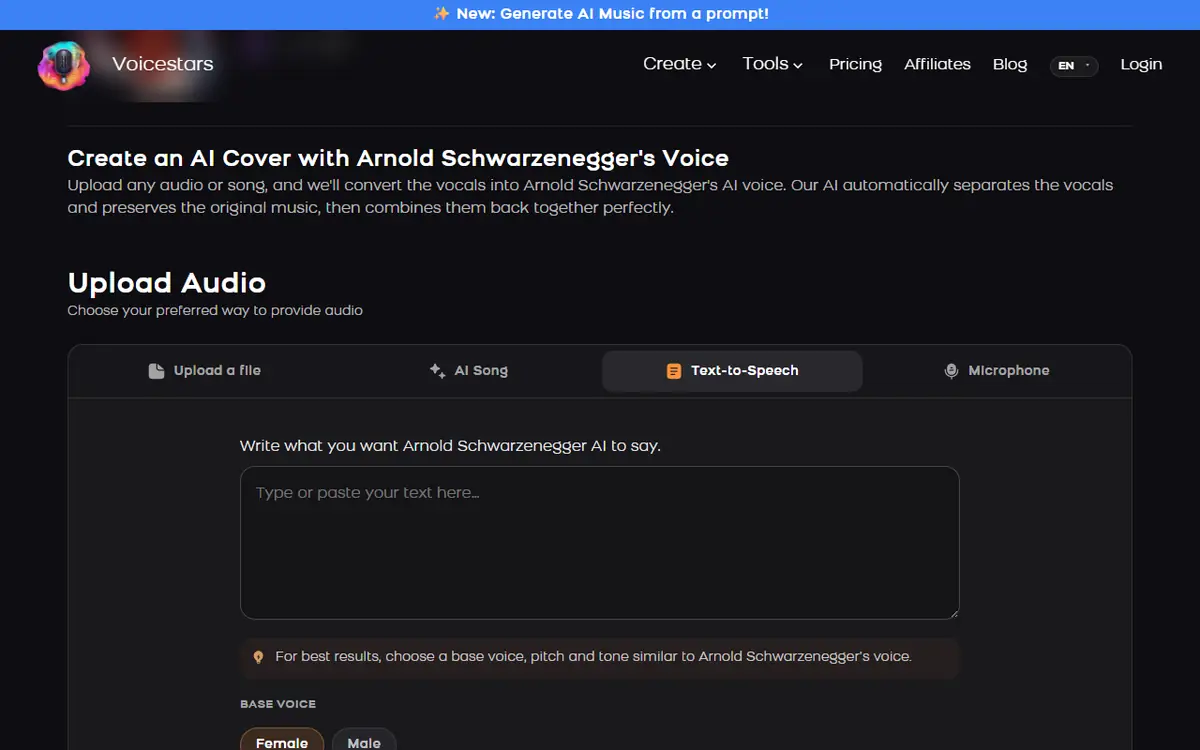
On Voicestars, the same voice page offers Upload a file, AI Song, Text-to-Speech and Microphone inputs, so you can switch from typed text to a recording without changing voice.
Sources: Voicestars celebrity AI voices · Voicestars Arnold Schwarzenegger AI voice page
Make a famous voice read your text in 5 steps
Each step fixes one cause of an unconvincing celebrity TTS clip.
- Write the line for speech, not for reading. Keep it under about 20 seconds, spell out numbers and abbreviations, and add commas where the celebrity would naturally pause. A famous voice sounds most convincing on short, characteristic sentences.
- Choose the voice and audition its demo first. On a Voicestars voice page, play the sample, then open the Text-to-Speech tab; if the demo already sounds off, a different model of the same person will usually help more than rewriting your text.
- Pick the closest base voice and settings. The Voicestars TTS tab asks for a base voice; choose the gender, pitch and tone nearest the celebrity, because the model converts from that starting point.
- Generate, listen twice and fix one problem at a time: first wrong words or names (respell them phonetically), then robotic rhythm (shorten sentences, add punctuation). If the line still sounds flat, record it yourself and use voice conversion instead.
- Label and publish responsibly. Add a visible “AI voice” mention, never make the person appear to endorse a product or say something they did not, and keep commercial uses for voices you have permission to use.
Example: rewrite a line so a celebrity voice reads it well
This original line shows a message rewritten for a strong, slow celebrity delivery.
Before: "hey guys dont forget 2 like & sub its the 3rd video this wk!!"

After: "Listen to me. Like the video. Subscribe. This is the third one this week… and I’ll be back."
What to check
- Abbreviations and numbers are written as spoken words.
- Short sentences leave room for a characteristic pause.
- The clip will carry a visible “AI voice parody” label.
Why typed text sometimes beats recording, and vice versa
Text to speech is the fastest route when you need several short lines or cannot record. You change the words in seconds and regenerate.
Its weakness is acting. The model decides intonation, so jokes that depend on timing or lines that need anger or excitement can sound flat. Recording yourself and converting the voice keeps your performance.
For singing, typed text is the wrong tool altogether: use a sung recording or a song generator, then convert the vocal.
If you need a sung or acted version rather than typed text, our celebrity voice generator guide explains voice conversion step by step.
Fix common celebrity TTS problems
| Symptom | Likely cause | What to do |
|---|---|---|
| Name mispronounced | Unusual spelling | Write it phonetically, for example “Shwar-tse-neg-er”. |
| Flat, robotic rhythm | Long sentence with no punctuation | Split it and add commas where a pause belongs. |
| Sounds like a different person | Base voice far from the target | Pick the closest gender, pitch and tone. |
| Joke falls flat | TTS cannot act the timing | Record the line and convert your voice instead. |
Make a celebrity TTS clip with Voicestars
Every Voicestars voice page accepts a file, an AI-generated song, typed text or a microphone recording.
- Open the celebrity category and play a few demos.
- On the voice page, choose Text-to-Speech, paste your line and pick the closest base voice.
- Generate, compare with the demo, then label the result as AI before sharing.
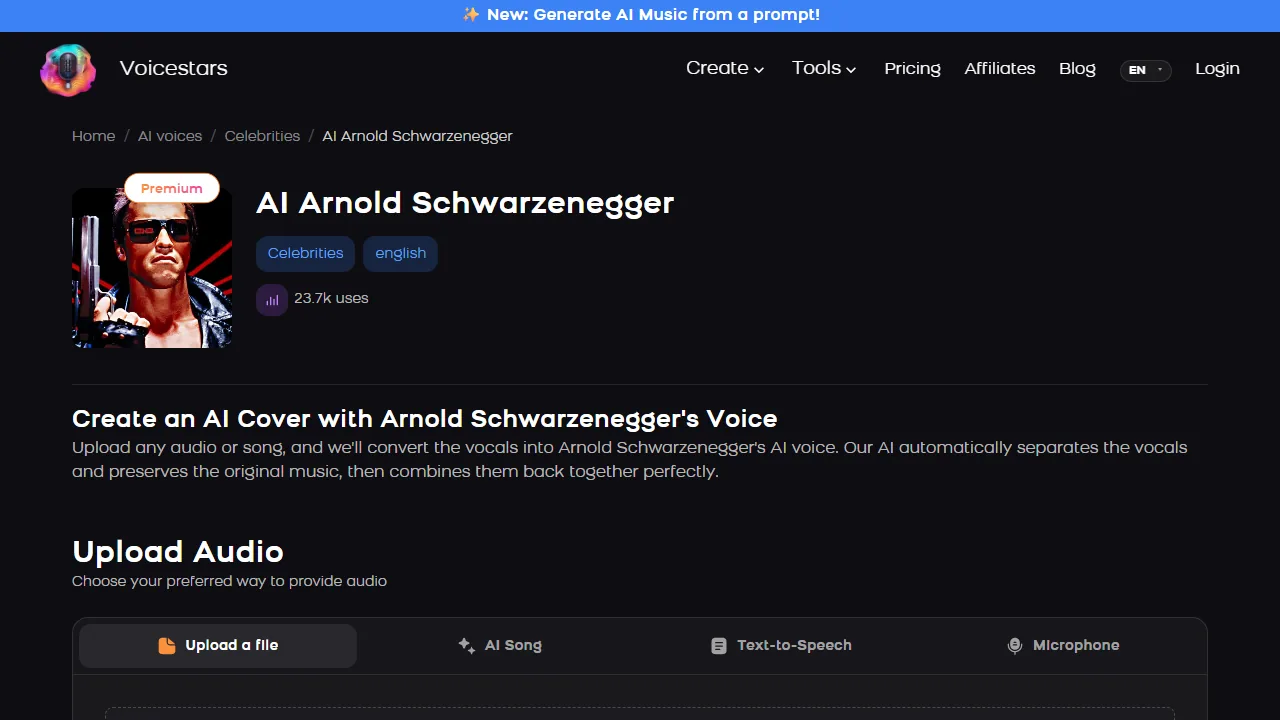
For a classic deep, slow delivery, start from the Arnold Schwarzenegger AI voice and type a short line.
Points to watch
We describe the inputs shown on Voicestars voice pages on the verification date.
Legal information is a dated summary of public sources, not advice for your situation.
How we checked this guide
Tested and written by Big Jeezy, music producer, on 11 November 2026, using Voicestars and the tools named in this guide.
- Voicestars celebrity category and the Arnold Schwarzenegger voice page (Text-to-Speech tab) reviewed 11 November 2026; the screenshot was captured that day.
- The before/after line is an original exercise.
- Voicestars publishes this guide and offers the celebrity AI voices mentioned; it has a commercial interest in this topic.
Screenshots and examples come from these sessions. Voicestars publishes this guide and sells the voice tools it mentions.
Report a correction to Voicestars Editorial with the page, date, a short reproducible example and the observed result. Avoid sending private recordings. See our editorial policy.
Common questions
What is celebrity text to speech?
It is text-to-speech that reads your typed text in an AI voice modelled on a famous person. You type the words; the model produces the audio.
Is there free celebrity text to speech?
Some tools offer free credits or trials, but limits, watermarks and usage rights change often. Check the current plan and terms before starting a project.
Why does celebrity text to speech sound robotic?
Long sentences, missing punctuation, unusual names and a base voice far from the celebrity’s register are the usual causes. Shorten the line, respell names and pick a closer base voice.
Is typed text or my own recording better?
Typed text is faster for short lines. A recording converted into the voice keeps your timing and emotion, so it usually sounds more natural for jokes, acting and singing.
Is it legal to make a celebrity say something with AI?
It depends on the place and the use. Tennessee’s ELVIS Act protects a person’s voice against unauthorised use, and a federal NO FAKES Act has been proposed. Private, clearly labelled parody is lower risk than ads or endorsements. This is not legal advice.
Can I use celebrity TTS for a YouTube video?
Label the voice as AI, avoid anything that could pass as a real statement and do not monetise a voice you have no permission to use. Platforms increasingly restrict misleading synthetic media.
Sources we used
Checked on 11 November 2026.
Voice likeness is now protected in some laws: see the Tennessee announcement of the ELVIS Act, and for proposed federal rules, Manatt’s summary of the 2026 NO FAKES Act.


