
How to Make an Anime Character Voice With AI in 5 Steps (Text or Your Own)

Published: · Updated:
Want to audition voices first? The Voicestars anime voices let you type a line or convert your own performance.
Anime voices are some of the most requested AI voices, for fan clips, covers and original characters in games and videos.
This guide explains the three ways to get an anime-style voice and gives five steps to make a clip with the right energy.
We reviewed the Voicestars anime voice category and Naruto voice page and the ElevenLabs Voice Design documentation on 11 November 2026.
Make an anime character say your line
Pick an anime voice, type a line or upload your own performance.
Quick answer
To make an anime voice with AI, choose an existing anime character voice for fan content or design an original voice for your own project, write short, emotional lines, type them or convert your own performance, keep the best take and label imitation clips as AI fan content.
- 01 Existing character Fan clips, labelled
- 02 Original voice Your own projects
- 03 Your performance Converted for emotion
Original editorial workflow diagram; not a product screenshot or test result.
Character voice, original voice or performance?
Choose by project and rights.
| Method | How it works | Best for | Watch out for |
|---|---|---|---|
| Existing anime character voice | Type text or convert a recording with a character model | Fan clips and covers | Imitates a real character; label as AI. |
| Original anime-style voice | Design a new voice from a description | Your own characters and games | Needs several tries to get the tone. |
| Perform it yourself | Act the line, optionally convert it | Emotional scenes | Needs a clean recording. |
Voicestars anime voices accept typed text, an uploaded file, an AI song or a microphone recording.
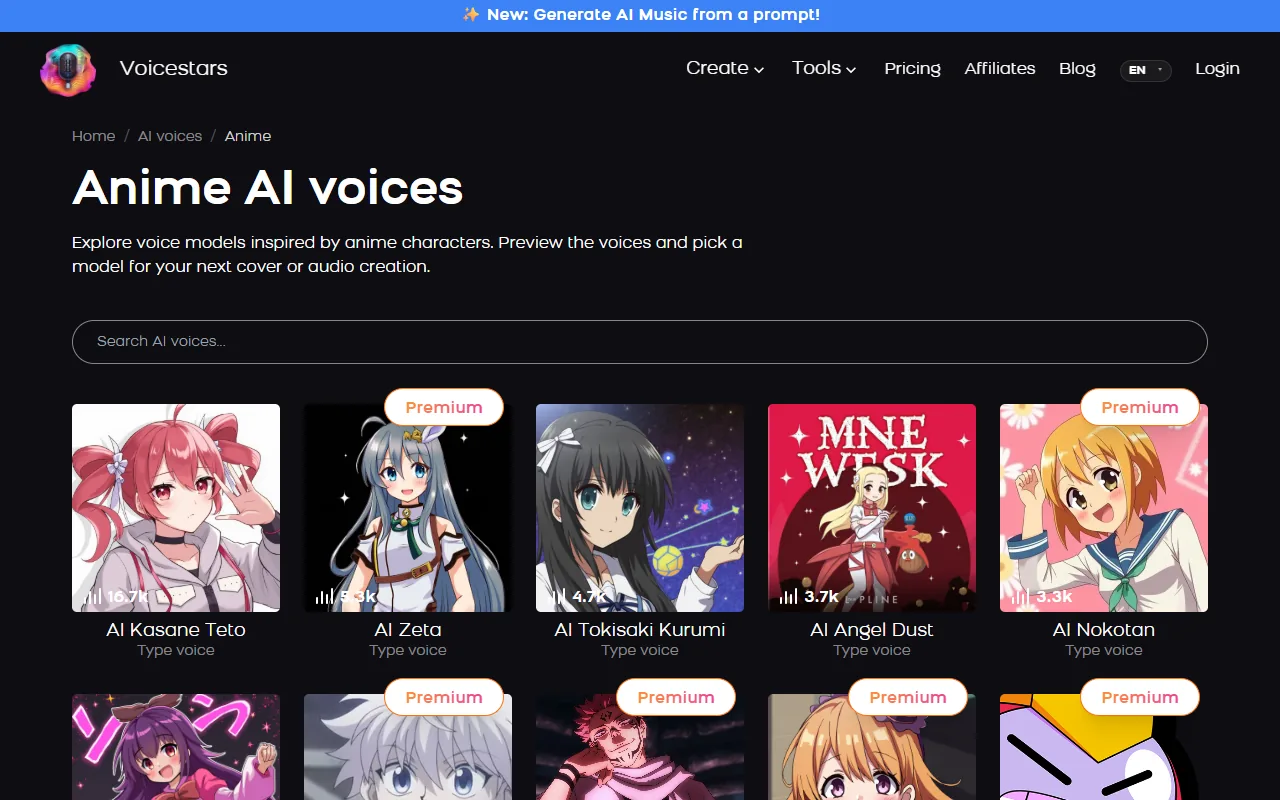
Sources: Voicestars anime AI voices · Voicestars AI Naruto voice page · ElevenLabs documentation: Voice Design
Make an anime character voice in 5 steps
Step 2 decides how “anime” the result feels.
- Decide whether you want a specific existing character or an original anime-style voice for your own project.
- Write the line with the energy anime delivery needs: short sentences, exclamations, clear emotion.
- Pick a voice and choose the input: type the line for speed, or record your own performance and convert it for emotion.
- Generate a few takes and keep the one where emotion and clarity both work.
- Label clips that imitate existing characters as AI fan content, and use original voices for anything commercial.
Example: original anime-style lines
Original lines written with anime energy.
"I won’t give up! Not now, not ever!"

"Hmph. You’re late… again."
What to check
- Each line has one clear emotion.
- Sentences are short.
- Imitation clips are labelled as AI.
Why anime voices need performance
Anime acting exaggerates emotion: shouts, sighs and sudden changes of tone.
Typed text can carry some of it with punctuation, but recording your own performance and converting it keeps the timing and intensity.
For an original character, keep the same voice and settings across every line so the character stays consistent.
For a specific character, see our Tanya von Degurechaff guide.
Fix common anime voice problems
| Symptom | Likely cause | What to do |
|---|---|---|
| Flat, unemotional line | Typed text without punctuation | Add exclamations or record the line. |
| Voice cracks | Range mismatch on conversion | Pick a voice closer to your range. |
| Sounds generic | Wrong character model | Audition several voices first. |
Make it with Voicestars
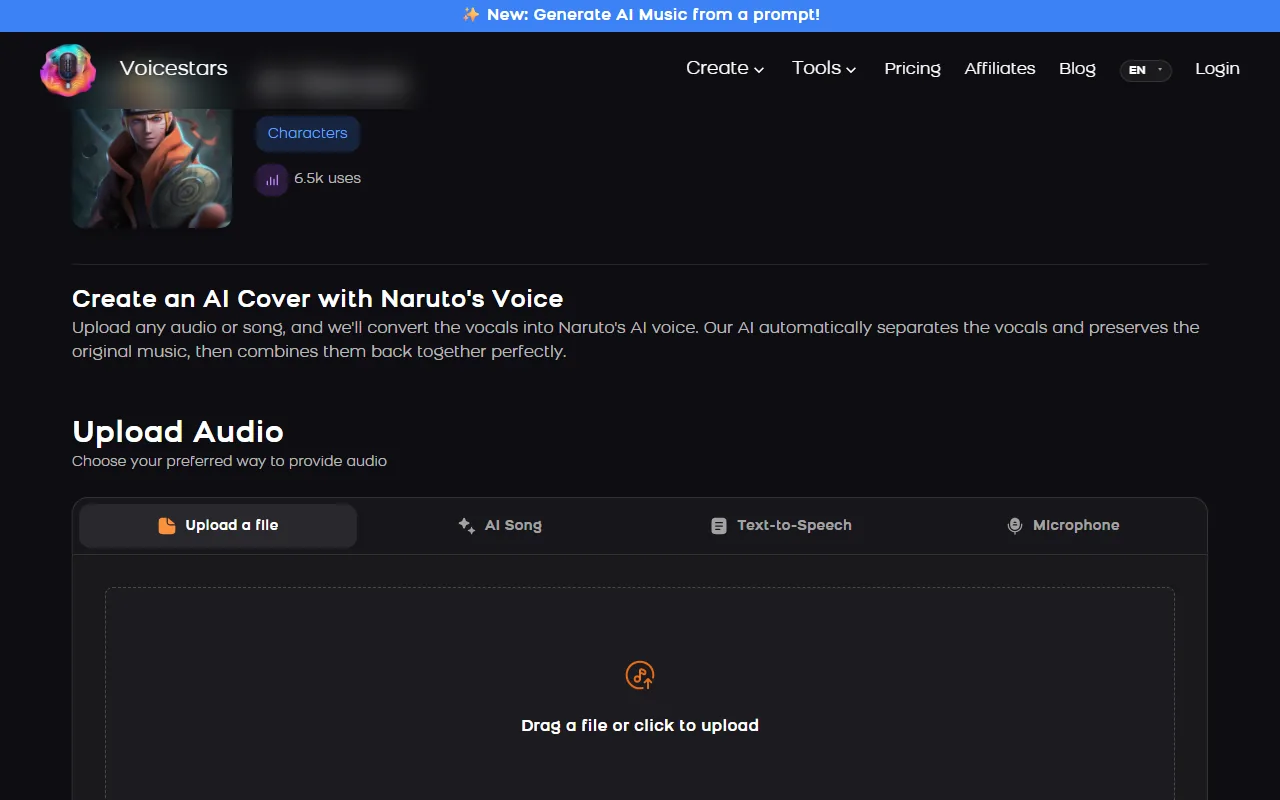
Every Voicestars voice page accepts an uploaded file, an AI-generated song, typed text or a microphone recording.
- Open the anime character voice page and play the demo.
- Type your line in the Text-to-Speech tab, or upload a dry recording.
- Compare the result with the demo and label the clip as AI before sharing.
To keep an original character consistent, read our AI character voice guide.
What this guide does and does not establish
Facts come from the public sources listed below on the verification date; plans, features and rankings change.
We did not run a blind listening test or measure quality across tools.
Evidence, method and responsibility
Research and interface checks: 11 November 2026. Maintained by Voicestars Editorial under the Nolan Vale pen name. This role is not a claim of an independent qualification or an endorsement by the cited organizations.
- The Voicestars anime voice category and Naruto voice page and the ElevenLabs Voice Design documentation reviewed 11 November 2026; screenshots captured that day.
- Keyword research: DataForSEO Google keyword suggestions, United States, English, collected 11 November 2026 (anime voice generator, ai anime voice generator, anime character voice generator).
- Examples are original. No generated audio is presented as a test.
- Voicestars publishes this guide and offers the AI voice tools mentioned; it has a commercial interest in this topic.
We distinguish provider documentation, observed interface behavior and proposed exercises. Screenshots are our actual browser captures; a screenshot of a form does not prove audio quality. No invented measurements, reviewer credentials or user ratings are used.
Report a correction to Voicestars Editorial with the page, date, a short reproducible example and the observed result. Avoid sending private recordings. See our editorial policy.
Frequently asked questions
What is an anime voice generator?
An AI tool that produces speech in an anime-style or anime character voice from typed text or a recording.
Is there a free anime voice generator?
Some tools offer free credits. Check limits and commercial-use terms before starting a project.
Can I make an original anime character voice?
Yes. Voice design tools create a new voice from a description, or you can record your own performance and convert it.
Can AI anime voices sing?
Voice conversion keeps the melody of a sung recording, so it can produce anime-style covers.
Can I use an anime character’s AI voice commercially?
Characters and their voice actors have rights. Keep imitations non-commercial and labelled.
Sources and verification date
Consulted 11 November 2026. Provider features, plans and laws can change. Product documentation is distinguished from the original exercises proposed in this guide.
To design an original voice from a description, see the ElevenLabs Voice Design documentation.


