
FROM OUR BLOG
Top 5 c00lkidd Voice Changer Apps: Free & Paid (2026)
Apr 28, 2026
⚡ Quick Answer
A c00lkidd voice changer is a tool that replicates the iconic distorted, glitchy vocal style of c00lkidd — the infamous Roblox exploiter and Forsaken killer — in real time during gaming sessions or in produced audio content. The effect combines a lowered pitch, a slightly bitcrushed texture, and a flat, menacing delivery. For live use in Discord or Roblox, the fastest route is a real-time voice changer app like Voicemod or HitPaw VoicePea with a pre-built c00lkidd preset. For high-quality produced content — memes, YouTube videos, Forsaken fan edits — VoiceStars offers an AI voice model that captures the character's tonal identity with studio-level output, no microphone setup required.
Who Is c00lkidd? The Roblox Legend Explained
Before setting up any voice changer, it helps to understand why this voice has cultural weight.
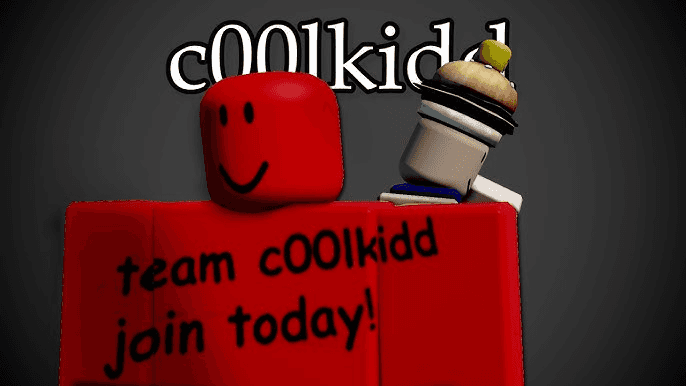
c00lkidd was an alternate account created by the Roblox user 007n7 around 2013. It quickly became one of the most notorious exploiter accounts in Roblox history — known for raiding popular games like Work at a Pizza Place and Natural Disaster Survival using a custom script called the c00lgui, plastering servers with the phrase "Team c00lkidd, join today!" and playing Spooky Scary Skeletons on loop across disrupted maps.
The account was permanently banned in late 2016, but the legend never died. c00lkidd occupies a unique place in Roblox mythology alongside figures like Guest 666 and 1x1x1x1 — not quite a creepypasta, not quite a real threat, but something in between: a symbol of Roblox's chaotic early era, when exploits were rampant and major games could be taken over overnight.
The 2024 revival came through the Roblox game Forsaken, which reimagined c00lkidd as a playable killer character — a chaotic, mischievous 10-year-old unleashing havoc across Robloxia. This brought the character to an entirely new generation of players, and with it came a surge of interest in the distinctive voice associated with the character.
What Does the c00lkidd Voice Sound Like?
The c00lkidd voice as it exists in meme culture and Forsaken is characterised by three audio qualities:
Lowered pitch — roughly 3 to 5 semitones below natural speaking voice, giving it a slightly unnatural depth for a young character
Bitcrushed texture — a subtle lo-fi, glitchy quality that evokes early Roblox audio and exploit GUIs
Flat, taunting delivery — minimal emotional variation, dry, with occasional mock cheerfulness ("Team c00lkidd, join today!")
This combination is what makes the voice instantly recognisable and what real-time voice changers attempt to replicate via pitch shifting and audio effect chains.
How to Set Up a c00lkidd Voice Changer: Step-by-Step Guide
This guide covers the two main use cases: live gaming/Discord use (Steps 1–6) and produced content (Steps 7–8).
Step 1 — Choose your platform For live use, the two most reliable options with pre-built c00lkidd presets are Voicemod (Windows and Mac) and HitPaw VoicePea (Windows). Both have the c00lkidd effect in their voice libraries. Voicemod's community library Tuna has multiple user-uploaded c00lkidd variants; HitPaw includes it in the built-in soundboard.
Step 2 — Download and install Download from the official site only — voicemod.net for Voicemod, hitpaw.com for VoicePea. Avoid third-party mirror sites. Run the installer as Administrator to ensure the virtual audio driver installs correctly.
Step 3 — Set the virtual microphone as your input After installation, both apps create a virtual microphone device on your system. Open your target application (Discord, Roblox, OBS) and go to audio/voice settings. Set the input device to Voicemod Virtual Microphone or HitPaw Virtual Audio Device — not your physical microphone.
Step 4 — Select the c00lkidd voice Open the voice changer app and search for "c00lkidd" in the voice library. On Voicemod, go to Voice Changer → search the Tuna library → find a c00lkidd preset → click Apply. On HitPaw, go to the Soundboard → browse the effects → locate c00lkidd → click to activate.
Step 5 — Enable microphone monitoring Turn on the "Hear Myself" or "Monitor" option in the app. Speak into your microphone and confirm you can hear the modified voice through your headphones before going live. This prevents the common mistake of broadcasting an unconfigured voice.
Step 6 — Fine-tune the pitch Most presets are close but not perfect on every voice type. If the result sounds too high or too low for your natural register, adjust the pitch slider by ±2 semitones. The target is a voice that sits just below natural — unsettling but intelligible. Add a slight bitcrush or lo-fi effect if your app supports it for the authentic c00lgui era texture.
Step 7 — For Roblox specifically Open Roblox → Settings → Privacy → Voice Chat. Ensure Voice Chat is enabled. The input device should already be set to the virtual microphone if you completed Step 3. Join a Roblox experience that supports spatial voice and test in a low-traffic server before going into a populated game.
Step 8 — For produced content (memes, videos, Forsaken fan edits) Skip Steps 1–7 entirely. For produced content where you need clean, high-quality output without real-time artifacts, use VoiceStars — type your script, select the c00lkidd voice model, generate, and download the audio as a WAV file. Import it into your video editor or DAW. This method gives you full control over the delivery and eliminates the microphone quality dependency that real-time changers can't avoid.
Best c00lkidd Voice Changer Tools in 2026: Compared
Tool | Real-Time | Platform | c00lkidd Preset | Free Option | Best For |
|---|---|---|---|---|---|
Voicemod | Yes | Win + Mac | Yes (Tuna library) | Yes (limited) | Discord, streaming |
HitPaw VoicePea | Yes | Windows | Yes (built-in) | Trial only | Gaming, Roblox |
Clownfish + manual | Yes | Windows | DIY (Custom Pitch) | Yes | Budget setup |
VoiceStars | No (studio) | Any browser | Yes (AI model) | Free tier | Videos, memes, covers |
EaseUS VoiceWave | Yes | Windows | Yes | Trial | Roblox, Discord |
DIY Method: Recreate the c00lkidd Voice Without a Preset
If you don't want to download a dedicated app, you can approximate the c00lkidd effect using tools you may already have:
Using Clownfish Voice Changer (free, Windows): Open Clownfish → Set Voice Changer → Custom Pitch → set to –4 to –5. This lowers the pitch without additional distortion. It's a partial recreation — you lose the bitcrushed texture, but the taunting depth is there. For the full effect, chain Clownfish's pitch shift with a free VST bitcrusher plugin via the VST Effects menu.
Using Audacity (post-production only): Record your voice → Effects → Pitch and Tempo → Change Pitch → shift down 3–5 semitones → apply. Then Effects → Distortion and Modulation → Bitcrusher → set Resolution to 6–8 bits → apply at low intensity (15–25%). Export as MP3 or WAV. This produces the closest manual approximation to the Forsaken c00lkidd voice without any external voice model.
Create c00lkidd Content with AI Voice Models
For content creators — Roblox YouTubers, Forsaken editors, meme makers, or anyone building audio content around the c00lkidd legend — real-time voice changers have a ceiling. Microphone quality, room noise, and live processing artifacts all limit what you can publish.
This is where VoiceStars fills a different role. VoiceStars is a browser-based AI voice platform with a library of over 1,000 voice models — including gaming characters, Roblox legend-inspired voices, and character types that match the c00lkidd vocal aesthetic. The workflow takes under two minutes:
Go to voicestars.co — no download required
Select the c00lkidd-style voice model from the library
Type your script or upload a voice recording to convert
Generate and download the WAV file
Drop it directly into your video editor, OBS, or DAW
The output is clean, consistent, and free of the artifacts that plague real-time changers when used with entry-level microphones. For a full overview of how AI voice models work technically, see How Voice Models Are Transforming AI Content Creation on the VoiceStars blog.
This approach works particularly well for: Forsaken montage voiceovers, YouTube Roblox lore narrations, c00lkidd meme audio, Discord server announcement clips, and TikTok content — anywhere you need the c00lkidd voice to sound intentionally produced rather than casually filtered.
Troubleshooting: c00lkidd Voice Changer Not Working
The voice isn't being modified in Discord or Roblox The most common cause is the wrong input device being selected. In Discord: Settings → Voice & Video → Input Device → switch to the virtual microphone created by your voice changer app. In Roblox, the same applies under Privacy → Voice Chat settings. Also check Windows Sound Settings to confirm the virtual device is active.
The preset sounds wrong on my voice c00lkidd presets are tuned to an average male vocal range. If your natural voice is higher, lower the pitch slider further (–6 to –7 semitones). If it's already deep, reduce the pitch shift to –2 and increase any lo-fi or bitcrush effect instead to preserve the texture without making the pitch unnatural.
The app creates echo or double audio This happens when both the virtual microphone and physical microphone are active simultaneously. Disable your physical microphone as the default Windows recording device — only the virtual device should be selected as input in your target app.
Roblox can't hear my modified voice Roblox spatial voice requires the input device to be explicitly set inside Roblox settings, not just at the Windows system level. Go to Roblox Settings → Privacy → allow microphone → set input to the virtual device. Then re-join the experience.
Frequently Asked Questions
What is a c00lkidd voice changer? A c00lkidd voice changer is a tool that modifies your voice — in real time or in post-production — to replicate the distinctive sound associated with c00lkidd, the legendary Roblox exploiter and Forsaken killer character. The effect typically combines a lowered pitch with a lo-fi, slightly distorted texture to recreate the character's menacing, glitchy vocal style.
Is the c00lkidd voice changer free? Yes, several free options exist. Voicemod has a free tier with community-uploaded c00lkidd presets via its Tuna library. Clownfish Voice Changer is entirely free and can approximate the effect using its Custom Pitch setting. VoiceStars offers a free tier for generating c00lkidd-style AI voice audio for produced content.
Can I use a c00lkidd voice changer in Roblox? Yes. Roblox supports spatial voice chat, and any voice changer that creates a virtual microphone device works with it. Set the virtual microphone as your input device in Roblox's Privacy settings, enable Voice Chat, and the modified voice will be active in any experience that supports it. Voicemod and HitPaw VoicePea both integrate with Roblox directly.
What makes the c00lkidd voice distinctive? Three elements combine to create the c00lkidd voice: a pitch shift of approximately 3–5 semitones below natural, a bitcrushed lo-fi texture reminiscent of early Roblox audio, and a flat, taunting delivery. In the Forsaken version of the character, the voice also carries a slightly childlike quality contrasting with the menacing content — which is part of what makes it unsettling.
Who is c00lkidd in Roblox lore? c00lkidd was an infamous exploiter account created around 2013 by Roblox user 007n7. The account led "Team c00lkidd," a group known for raiding popular games including Work at a Pizza Place and Natural Disaster Survival using a custom exploit script called the c00lgui. Both accounts were permanently banned in 2016. The character was revived for a new generation in 2024 as a playable killer in the Roblox game Forsaken, cementing c00lkidd's place in Roblox's hall of legends.
Is using a voice changer in Roblox against the rules? Voice changers are not prohibited by Roblox's terms of service — they are simply audio tools. Using one to impersonate a specific player for harassment, or to evade a ban, would violate the rules. Using one for creative roleplay, streaming, or entertainment is standard practice. Always use voice modification tools responsibly and in line with platform community guidelines published at roblox.com.
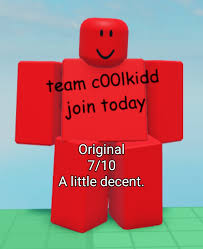
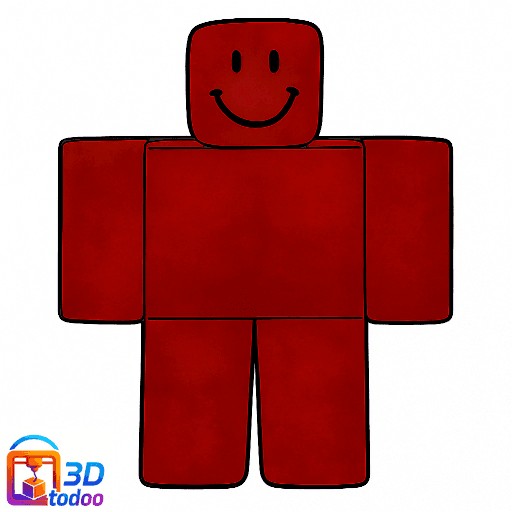
What is the Forsaken version of c00lkidd? In the Roblox game Forsaken, c00lkidd is reimagined as a 10-year-old killer character — the adopted son of 007n7 — who was given the c00lgui and unleashed chaos across Robloxia. He acts as a hunter-type killer with the lowest base health of any killer in the game (800 HP) but high mobility. His character design features a solid red body with "Team c00lkidd join today!" written across his torso — a direct reference to the original exploiter avatar.
Can I use a c00lkidd voice for YouTube or TikTok videos? Yes. For produced video content, the cleanest approach is using an AI voice model (via VoiceStars) rather than a real-time changer recorded through a microphone. AI-generated audio eliminates background noise and processing artifacts, giving you broadcast-quality c00lkidd voice narration for Forsaken edits, Roblox lore videos, and meme content. For a deeper look at how AI voice technology works, the AI Sound Technology guide on VoiceStars breaks down the underlying process.
What is the c00lgui? The c00lgui was a custom exploit script interface created by c00lkidd that allowed users to execute game-breaking actions in Roblox games — including altering leaderboards, spawning objects, and triggering audio spam. It was one of the earliest and most recognisable exploit tools in Roblox history and became a core part of c00lkidd's legend. It has no modern active version, though its aesthetic influenced later exploit tool designs.
Is there a c00lkidd voice changer for mobile? No dedicated mobile app from the major voice changer providers includes a c00lkidd preset for mobile Roblox. For mobile content creation, the most practical route is using VoiceStars in a mobile browser to generate c00lkidd-style audio, download it as an audio file, and incorporate it into mobile video editing apps like CapCut or VN.
Conclusion
The c00lkidd voice changer covers two completely different use cases — and picking the right tool for each is the most important decision.
For live gaming, Discord calls, and Roblox spatial voice: Voicemod with a Tuna community preset, or HitPaw VoicePea, gives you instant results. The c00lkidd preset is built in, setup takes under five minutes following the guide above, and the virtual microphone integrates with every platform.
For produced content — YouTube Forsaken edits, TikTok memes, podcast narration, or any audio you're going to publish: skip the real-time setup entirely and generate clean AI voice audio at VoiceStars. The difference in output quality is significant, and it requires no microphone, no driver installation, and no processing chain to manage.
The legend of c00lkidd has lasted over a decade. The voice is part of that legacy — and now it's one of the easiest to recreate.


import StickyCTA from "https://framer.com/m/StickyCTA-oTce.js@Ywd2H0KGFiYPQhkS5HUJ"