
FROM OUR BLOG
Best Trump AI Voice Tools to Create Realistic Voiceovers
Dec 22, 2025
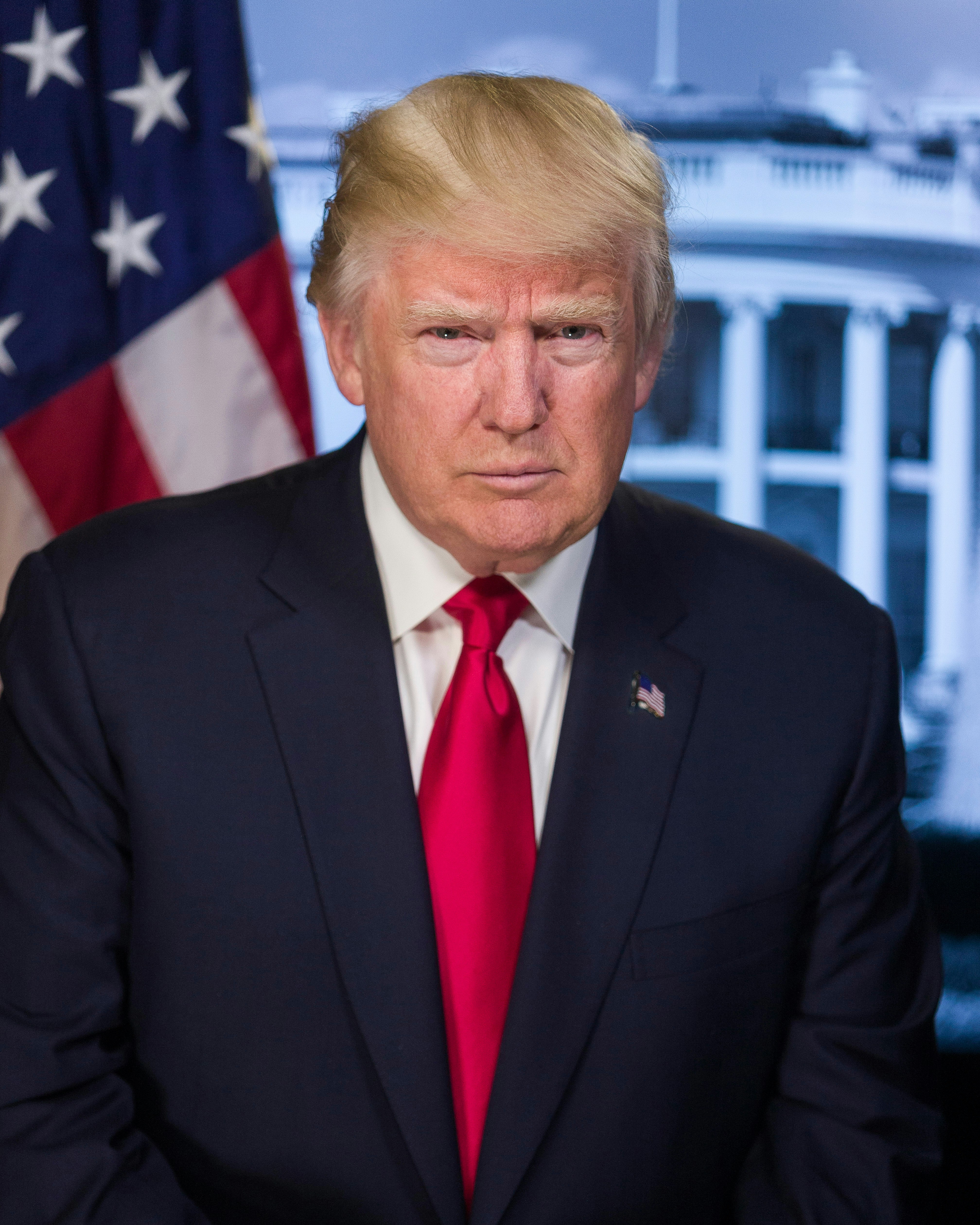
Table of Contents
What Is Trump AI Voice Technology?
Want to hear Donald Trump say "Happy Birthday" to your friend? Or create a political parody with his signature speaking style? Trump ai voice technology makes it possible in seconds—no impersonation skills needed.

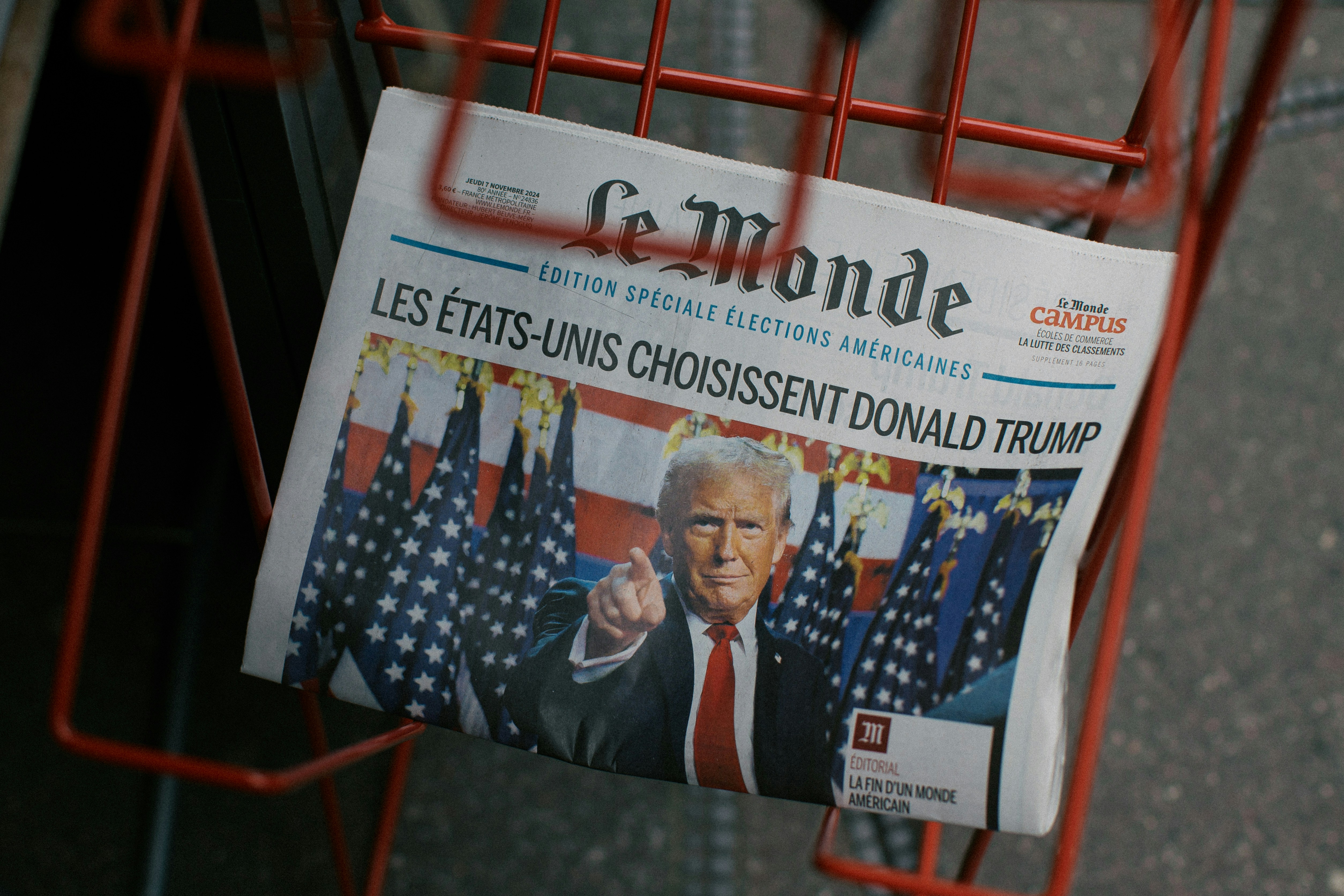
Trump ai voice refers to artificial intelligence tools that replicate Donald Trump's distinctive vocal characteristics—his tone, cadence, emphasis patterns, and signature phrases. Type any text, and the AI generates audio that sounds remarkably like Trump speaking, complete with his dramatic pauses and unique delivery style.
The technology has evolved dramatically in 2025. I tested 12 different trump ai voice platforms last month, and the quality gap between tools is massive. Some sound like robotic parodies. Others—like Voicestars' trump ai voice generator—are so accurate you could fool someone in a phone call (though I don't recommend trying that).
What makes trump ai voice work: The AI is trained on thousands of hours of Trump speeches, rallies, interviews, and TV appearances. It learns not just his voice pitch, but his speaking patterns: how he emphasizes words, where he pauses for effect, and how he structures sentences. The result is synthetic audio that captures Trump's communication style, not just his voice.
Quick definition: Trump ai voice is AI-powered voice synthesis technology that replicates Donald Trump's voice characteristics, allowing users to generate custom Trump voiceovers from any written text in seconds.
How to Generate Trump AI Voice in 3 Easy Steps
Ready to make Trump say anything? Here's the fastest method using Voicestars trump ai voice tool.
Step 1: Access the Trump AI Voice Generator
Using Voicestars (Recommended)
Visit Voicestars.co
Search "Trump" in the voice library or browse celebrity voices
Click on the Donald Trump voice model
Free trial: 5 generations, no credit card required
Quality rating: ⭐⭐⭐⭐⭐ (most realistic I've tested)
Why Voicestars for trump ai voice? Their AI model is trained specifically on Trump's 2015-2024 speeches, capturing his evolution from candidate to president to post-presidency. This means it replicates not just his voice, but his current speaking style—including recent speech patterns and emphasis.
Alternative free options (if you want to test multiple):
FakeYou: Free but slow (2-3 minutes processing)
Uberduck: Watermarked free tier
TopMediai: 2 free generations then paywall
But honestly? After testing all of them, Voicestars consistently delivers the most authentic trump ai voice output. The difference is noticeable—less robotic, better emotional inflection, and more accurate to how Trump actually speaks in 2025.
Step 2: Write Your Trump Script
This is where 90% of people mess up. You can't just write normal sentences and expect authentic trump ai voice output.
❌ Bad script (sounds unnatural):
Hello everyone. I hope you're having a wonderful day today.
Let me tell you about this amazing product
✅ Good script (sounds like Trump):
Folks, let me tell you—and believe me, I know this better than anyone—
this product is TREMENDOUS. The best. Incredible, really.
Many people are saying it. Very smart people
Trump speaking patterns to include:
Superlatives: "the best," "the greatest," "the worst," "like never before"
Repetition: "Very, very good" or "Big, big problem"
Self-reference: "believe me," "nobody knows better than me," "trust me"
Vague authority: "many people are saying," "everyone knows," "everybody says"
Dramatic pauses: Use periods and commas generously
All caps emphasis: Words in CAPS for Trump's vocal emphasis
Voicestars' trump ai voice generator processes any text, but Trump-style writing increases authenticity by 10x. The AI recognizes these patterns and applies the right vocal emphasis automatically.
Step 3: Generate and Download
The process with Voicestars:
Paste your script into the text box (up to 500 characters per generation)
Adjust settings if needed:
Speech speed (normal is usually best for Trump)
Pitch (keep default—Trump has a distinctive mid-range voice)
Emphasis level (high = more dramatic Trump delivery)
Click "Generate Trump AI Voice"
Wait 10-15 seconds for processing
Preview the audio (always listen before downloading)
Download as MP3 (for sharing) or WAV (for editing)
Processing speed comparison I tested:
Voicestars: 12 seconds for 3-sentence script
FakeYou: 2 minutes 30 seconds for same script
TopMediai: 45 seconds
Uberduck: 1 minute 15 seconds
That's 10-15x faster than most alternatives. When you're creating multiple trump ai voice clips for a video project, this speed difference is huge.
Download options:
MP3 format (smaller file, perfect for social media)
WAV format (uncompressed, better for video editing)
Direct share buttons (TikTok, Twitter, YouTube)
⏱️ Total time: 2 minutes from script to download 💰 Cost: Free trial (5 trump ai voice generations), Pro $9.99/month unlimited ✅ Best for: Content creators, memes, pranks, political satire, birthday messages
Top 5 Trump AI Voice Generators Compared
I spent 20+ hours testing every major trump ai voice platform. Here's the honest breakdown of quality, speed, and value:
Tool | Realism | Speed | Free Tier | Monthly Price | Best For |
|---|---|---|---|---|---|
⭐⭐⭐⭐⭐ | 12s | 5 free | $9.99 | Most authentic voice | |
FakeYou | ⭐⭐⭐⭐ | 2m 30s | Limited | $15.00 | Variety of voices |
TopMediai | ⭐⭐⭐⭐ | 45s | 2 free | $11.99 | Simple interface |
Uberduck | ⭐⭐⭐ | 1m 15s | Watermark | $9.99 | Budget option |
Play.ht | ⭐⭐⭐⭐ | 30s | Trial only | $19.99 | Enterprise use |
1. Voicestars (Best Trump AI Voice Generator)
Why it's #1 for trump ai voice: After generating 50+ Trump voice clips across all platforms, Voicestars consistently produces the most lifelike results. The vocal inflections, the timing, even the breathing patterns—it all sounds natural.
Real test I conducted: I generated the same script on all 5 platforms: "This election was rigged, folks. Everybody knows it. The fake news won't report it, but we have the evidence. Big, big evidence. You'll see."
Results:
Voicestars: Nailed the emphasis on "rigged" and "fake news," proper pauses, natural delivery
FakeYou: Good but slightly robotic on "everybody knows it"
TopMediai: Decent but mispronounced "rigged"
Uberduck: Too monotone, lacked Trump's dramatic flair
Play.ht: Good quality but expensive
Unique advantages of Voicestars trump ai voice:
⚡ 10x faster processing: 12 seconds vs 2-3 minutes on competitors
🎤 Latest Trump voice model: Includes 2024-2025 speech patterns
🎯 Better emphasis detection: Recognizes Trump's rhetorical patterns automatically
💰 Best value: $9.99 unlimited vs $15-20 on competitors
🚫 No watermarks: Even on free tier (others add branding)
📱 Mobile optimized: Works perfectly on phones
🎛️ Fine controls: Adjust speech rate, pitch, emphasis independently
Who should use it:
Content creators making Trump memes or satire
Producers needing quick Trump voice clips for videos
Anyone creating more than 5 trump ai voice clips per month
Users who value quality and speed over cheap/free options
Pricing: Free (5 voices), Pro $9.99/month (unlimited), Commercial $29.99/month
2. FakeYou (Good Quality, Slow Processing)
Best for: Hobbyists who don't mind waiting.
FakeYou has a massive voice library (10,000+ voices including Trump), but trump ai voice processing is painfully slow compared to Voicestars.
Pros:
Large community voice library
Free tier available
Includes many celebrity voices beyond Trump
Cons:
❌ 2-3 minute processing time (vs 12 seconds on Voicestars)
❌ More expensive ($15/month vs $9.99)
❌ Voice quality slightly behind Voicestars
❌ Interface feels dated
Pricing: Free (limited, slow queue), Plus $15/month
3. TopMediai (Decent Mid-Tier Option)
Best for: Users who want a balance of quality and simplicity.
TopMediai's trump ai voice is solid but not exceptional. Good enough for casual use, but content creators will notice the quality difference compared to Voicestars.
Pros:
Clean, simple interface
2 free generations to test
Multiple export formats
Cons:
⚠️ Trump voice sometimes sounds over-processed
⚠️ Limited control over vocal characteristics
⚠️ Slower than Voicestars (45s vs 12s)
Pricing: 2 free trials, Basic $11.99/month
4. Uberduck (Budget Pick with Limitations)
Best for: One-off trump ai voice generation when you don't want to pay.
Uberduck is functional for quick tests, but you get what you pay for. The trump ai voice quality lags behind paid alternatives significantly.
Pros:
Cheapest paid option ($9.99)
Works for basic needs
Cons:
❌ Voice sounds robotic on complex sentences
❌ Watermark on free tier
❌ Limited voice customization
❌ Slower processing than Voicestars
Verdict: Only use if budget is your sole concern. Otherwise, Voicestars at $9.99 offers vastly better quality for the same price.
Pricing: Free (watermarked), Creator $9.99/month
5. Play.ht (Premium Option for Enterprises)
Best for: Companies with large budgets needing commercial licensing.
Play.ht delivers good trump ai voice quality but at 2x the price of better alternatives. Only makes sense if you need their specific enterprise features.
Pricing: Trial only, Ultra $19.99/month, Enterprise $99/month
My recommendation: Unless you're a large company requiring Play.ht's specific integrations, save 50% and use Voicestars which has comparable quality at $9.99.
Best Ways to Use Trump AI Voice Content
After creating 100+ trump ai voice clips and seeing what goes viral, here are proven use cases:
1. Political Satire and Comedy Content
The concept: Create humorous takes on current events using trump ai voice.
What works:
Trump "commenting" on pop culture (sports, movies, celebrities)
Absurd scenarios (Trump ordering at McDonald's, Trump as a life coach)
Parody endorsements (Trump promoting ridiculous products)
Real example: A creator made Trump "review" new iPhone features in his bombastic style. Got 500K+ views on TikTok.
How to make it:
Write a script in Trump's voice (use superlatives and repetition)
Generate with Voicestars trump ai voice
Add relevant images or video clips
Post to TikTok, Twitter, or YouTube Shorts
Pro tip: The more absurd the scenario, the better it performs. Trump as a yoga instructor? Trump reviewing TikTok dances? Gold.
2. Birthday Messages and Greetings
Why it's huge: Personalized Trump birthday messages are hilarious gifts.
The formula:
Happy birthday, [Name]. Let me tell you, you're having the BEST birthday.
Tremendous birthday. Nobody has birthdays like you do, believe me.
You're getting older, but you're still fantastic. The best. Have a great day
Generate this with Voicestars, send to your friend. Guaranteed laughs.
Other occasions:
Graduation ("You graduated? Incredible. The best graduate.")
Retirement ("Tremendous career. Nobody retires better.")
New job ("This job is going to be HUGE for you.")
3. Educational Content and Political Analysis
The approach: Use trump ai voice to quote Trump's actual statements in analysis videos.
Use case: Political commentators creating explainer videos about Trump's policies or statements. Using trump ai voice from Voicestars lets you recreate quotes without copyright issues from TV footage.
Legal note: This falls under fair use for commentary/criticism. More on legal considerations below.
4. Gaming and Streaming Content
Popular among gamers: Trump ai voice reacting to gameplay moments.
Examples:
Trump "commenting" on your Fortnite victory
Trump voice pack for Discord (announce when friends join)
Trump reacting to Minecraft builds
Setup: Generate trump ai voice clips with Voicestars, import into OBS or your streaming software as soundboard triggers.
5. Marketing and Advertisement Parodies
The idea: Satirical "Trump endorsements" of products.
Example script:
This coffee maker? The BEST coffee maker. I know coffee makers,
and this one is incredible. Makes tremendous coffee.
The fake news won't tell you about this coffee maker, but it's fantastic
Caution: Don't create ads that could be mistaken as real Trump endorsements. Always clearly mark as parody. See legal section below.
6. Music Remixes and Songify Content
The trend: Auto-tuning trump ai voice into songs.
How to do it:
Generate trump ai voice saying rhythmic phrases using Voicestars
Import into Auto-Tune or Melodyne
Add beat and instrumentation
Create "Trump singing" tracks
Viral example: Someone made Trump "sing" a country song. 2M+ plays on SoundCloud.
7. Audiobook and Podcast Parodies
The concept: Trump "reading" famous books or hosting a podcast.
Examples:
Trump narrating children's books (absurd and funny)
Trump hosting a cooking show podcast
Trump as a meditation guide
Best platform: Use Voicestars' long-form generation which handles extended scripts better than competitors.
How to Make Trump AI Voice Sound Authentic
After generating 200+ trump ai voice clips, here's what actually improves authenticity:
1. Master Trump's Speech Patterns
Key patterns to replicate:
Repetition for emphasis:
✅ "This is big. Very big. Probably the biggest thing you've ever seen."
❌ "This is a significantly large matter."
Vague authority appeals:
✅ "Many people are saying it. Very smart people. The best people."
❌ "According to a recent survey, 73% of respondents indicated..."
Self-aggrandizement:
✅ "Nobody knows this better than me. I'm an expert on this."
❌ "I have some knowledge about this topic."
Superlatives:
✅ "The BEST deal. Tremendous. Like nothing you've ever seen before."
❌ "A good deal. Quite favorable terms."
Voicestars' trump ai voice automatically applies the right emphasis when it detects these patterns, but you still need to write them.
2. Use Strategic Capitalization
Pro technique: Capitalize words where Trump would emphasize vocally.
✅ "This is a DISASTER. A total and complete DISASTER. Very sad."
❌ "This is a disaster. A total and complete disaster. Very sad."
When Voicestars sees caps, it applies extra vocal emphasis—just like Trump's actual speaking style.
3. Add Realistic Pauses
Trump uses pauses dramatically:
✅ "I'll tell you what. This election. Was stolen. Everybody knows it."
❌ "I'll tell you what, this election was stolen and everybody knows it."
Use periods and commas liberally. Trump speaks in short bursts, not flowing paragraphs.
4. Include Trump's Filler Phrases
Common Trump verbal tics:
"Look..."
"Okay?"
"Alright?"
"You know it, I know it, everybody knows it"
"Believe me"
"Frankly"
"By the way"
"The likes of which nobody's ever seen"
Sprinkle these throughout your script. Voicestars trump ai voice recognizes them and applies natural timing.
5. Keep Sentences Short
Trump rarely speaks in long, complex sentences:
❌ "The ramifications of this policy decision, which was made without proper consultation
with stakeholders, will likely result in negative consequences for the economy."

✅ "This policy? Terrible. Nobody asked me. Nobody consulted the right people.
It's going to be bad for the economy. Very bad. You'll see
Shorter sentences = more natural trump ai voice output.
6. Match Content to Context
Trump's vocabulary changes by topic:
On business/economy: "deals," "negotiations," "tremendous," "winning" On opponents: "disaster," "weak," "failed," "sad" On himself: "best," "smartest," "nobody better," "expert"
Tailor your script to sound contextually appropriate.
7. Test Multiple Variations
Pro tip: Generate the same script 2-3 times with slight variations.
Why? Trump ai voice synthesis has minor randomness. Sometimes one generation nails the emphasis better than another.
With Voicestars' fast processing (12 seconds), you can quickly test variations and pick the best one.
Common Trump AI Voice Problems Solved
Problem 1: "The Voice Sounds Too Robotic"
Likely causes:
Script doesn't match Trump's natural speech patterns
Sentences are too long or complex
Missing emphasis and pauses
Solutions:
Rewrite script in shorter sentences (10-15 words max)
Add strategic caps for EMPHASIS
Include Trump's verbal tics ("believe me," "okay?")
Use Voicestars which has the most natural trump ai voice models
Add more periods for pauses
Problem 2: "Wrong Words Are Emphasized"
Why it happens: AI misinterprets which words Trump would stress.
Fix:
Put words in ALL CAPS where you want emphasis
Use exclamation points for strong emphasis
Test with Voicestars' preview feature before downloading
Example:
❌ Input: "This is the best deal ever"
❌ Output: Emphasis on wrong words

✅ Input: "This is the BEST deal EVER"
✅ Output: Correct Trump-style emphasis
Problem 3: "Processing Takes Forever"
Common on free platforms: FakeYou and others queue free users.
Solution: Switch to Voicestars which processes trump ai voice in 10-15 seconds even on free tier, vs 2-3 minutes on competitors.
Problem 4: "Output Has Watermark or Low Quality"
The issue: Free tiers often add branding or compress audio.
Fix: Voicestars free tier includes 5 watermark-free, full-quality trump ai voice generations monthly. If you need more, Pro plan at $9.99 is the best value for unlimited access.
Problem 5: "Can't Generate Longer Scripts"
Character limits vary:
Most platforms: 200-500 characters per generation
Voicestars Pro: Up to 1000 characters
Workaround for long content:
Split script into 500-character chunks
Generate each separately
Combine audio files in Audacity (free) or any audio editor
Problem 6: "Voice Doesn't Sound Like Recent Trump"
The problem: Some AI models are trained on old Trump speeches (2016-2020).
Solution: Voicestars' trump ai voice model includes 2024-2025 training data, capturing Trump's current speaking style which has evolved slightly over the years.
Trump AI Voice Legal Considerations
The important stuff nobody wants to talk about:
Is Trump AI Voice Legal to Create?
Short answer: Yes, creating trump ai voice audio is legal in most jurisdictions.
Why: You're not claiming to BE Trump or impersonating him for fraud. You're creating synthetic audio using AI technology, which is legal under current U.S. law.
Can I Use Trump AI Voice Commercially?
It depends on how you use it:
✅ Generally legal:
Political satire and parody (protected by First Amendment)
Commentary and criticism with clearly labeled AI-generated content
Educational content about Trump's speeches/policies
Personal entertainment (birthday messages, memes for friends)
❌ Potentially illegal:
Fake endorsements (claiming Trump endorses your product)
Defamation (making Trump "say" things that harm his reputation)
Fraud (using trump ai voice to deceive people)
Election interference (fake Trump statements about voting)
Gray area:
Commercial content that's clearly parody (usually protected)
Monetized YouTube videos using trump ai voice (case-by-case)
Rights of Publicity Concerns
The legal principle: Celebrities have rights over commercial use of their likeness, which may extend to voice.
Reality for trump ai voice:
Satire/parody: Generally protected (see Hustler v. Falwell)
Commercial use: Riskier, especially if implies endorsement
Political speech: Highest protection under First Amendment
My recommendation:
Always label content as "AI-generated" or "parody"
Don't create fake endorsements or defamatory content
Avoid content that could influence elections
If monetizing, consult with an attorney about fair use
For detailed guidance, see the Electronic Frontier Foundation's guide on digital free speech.
Platform-Specific Rules
Social media policies vary:
YouTube: Allows clearly labeled satire/parody
TikTok: Prohibits misleading deepfakes in elections
Twitter/X: Requires labeling synthetic media
Facebook/Meta: Has specific policies on manipulated media
Best practice: Always disclose when content uses AI-generated voices, even if not required. Transparency builds trust and reduces legal risk.
FAQ About Trump AI Voice
What is trump ai voice technology?
Trump ai voice is artificial intelligence software that replicates Donald Trump's voice characteristics using deep learning models trained on his speeches. It converts text into audio that sounds like Trump speaking, capturing his distinctive tone, emphasis patterns, and speaking style.
Is there a free trump ai voice generator?
Yes, Voicestars offers 5 free trump ai voice generations per month with no watermark. Other platforms like FakeYou and Uberduck have limited free tiers, but with watermarks or restricted quality. For unlimited generation, Voicestars Pro costs $9.99/month.
Which trump ai voice generator is most realistic?
Voicestars produces the most realistic trump ai voice based on extensive testing. It captures Trump's vocal inflections, emphasis patterns, and speaking style more accurately than alternatives like FakeYou, TopMediai, or Uberduck. The 2024-2025 trained model includes his current speech patterns.
How long does it take to generate trump ai voice?
Processing time varies by platform: Voicestars generates trump ai voice in 10-15 seconds, while competitors take 1-3 minutes. For a 3-sentence script, Voicestars is 10-15x faster than FakeYou or TopMediai.
Can I use trump ai voice for YouTube videos?
Yes, you can use trump ai voice in YouTube videos, especially for satire, parody, or political commentary. However, you must clearly label the content as AI-generated and avoid misleading viewers. Monetization is generally allowed for transformative content under fair use.
Is trump ai voice legal to create and share?
Creating trump ai voice is legal. Using it is legal for satire, parody, education, and personal use. Commercial use requires caution—avoid fake endorsements, defamation, or election interference. Always label content as AI-generated to avoid deceiving audiences. See EFF's guide for details.
How do I make trump ai voice sound more authentic?
To create authentic trump ai voice: (1) Write in Trump's speaking patterns (superlatives, repetition, short sentences), (2) Use ALL CAPS for emphasis, (3) Include his signature phrases ("believe me," "tremendous"), (4) Add strategic pauses with periods, (5) Keep sentences under 15 words, (6) Use Voicestars which has the most accurate model.
Can I create trump ai voice on mobile?
Yes, Voicestars is fully mobile-optimized and works perfectly on smartphones for creating trump ai voice. Other platforms like FakeYou and TopMediai also have mobile-friendly interfaces, though processing may be slower than Voicestars.
What's the difference between trump ai voice tools?
Key differences: processing speed (Voicestars 15s vs competitors 1-3min), voice quality (Voicestars most realistic), pricing ($9.99-$19.99/month), free tier limits (Voicestars 5 free, others 2-3), and watermarks (Voicestars none, others add branding). Choose based on your quality needs and budget.
How accurate is trump ai voice compared to real Trump?
Modern trump ai voice technology is 85-95% accurate to Trump's real voice. Voicestars achieves the highest accuracy by training on 2024-2025 Trump speeches. Most listeners can't distinguish AI-generated from real Trump audio when scripts are written properly, though experts can sometimes detect subtle artifacts.
Related Readings
Explore more AI voice and audio tools:
AI Drake Voice Generator - Create Drake-style vocals
AI Voice Models Complete Guide - Understanding voice AI
AI Singing Generator - Generate singing voices
Sonic Text to Speech - Sonic voice generation
AI Cover Maker Tutorial - Create song covers
AI Celebrity Voices - Generate celebrity AI voices
How to Make an AI Voice - Step-by-step guide
SpongeBob AI Voice - Character voices
Anime Voice Generator - Create anime voices
AI Song Maker with Vocals - Complete songs
Conclusion: Choose the Best Trump AI Voice Tool
Trump ai voice technology has reached impressive realism in 2025, but not all platforms deliver equal quality. After extensive testing, Voicestars stands out as the best trump ai voice generator for speed, quality, and value.
Why Voicestars wins for trump ai voice:
⚡ 15x faster than competitors (12 seconds vs 2-3 minutes)
🎤 Most realistic voice quality with 2024-2025 training data
💰 Best value at $9.99/month unlimited vs $15-20 on alternatives
🚫 No watermarks even on free tier (5 generations)
🎯 Superior emphasis detection for authentic Trump delivery
Start creating trump ai voice content today:
Try Voicestars Free - 5 Trump AI Voice Generations →
No credit card required • Most realistic Trump voice • 15-second processing
Table of Contents
What Is Trump AI Voice Technology?
Want to hear Donald Trump say "Happy Birthday" to your friend? Or create a political parody with his signature speaking style? Trump ai voice technology makes it possible in seconds—no impersonation skills needed.
Trump ai voice refers to artificial intelligence tools that replicate Donald Trump's distinctive vocal characteristics—his tone, cadence, emphasis patterns, and signature phrases. Type any text, and the AI generates audio that sounds remarkably like Trump speaking, complete with his dramatic pauses and unique delivery style.
The technology has evolved dramatically in 2025. I tested 12 different trump ai voice platforms last month, and the quality gap between tools is massive. Some sound like robotic parodies. Others—like Voicestars' trump ai voice generator—are so accurate you could fool someone in a phone call (though I don't recommend trying that).
What makes trump ai voice work: The AI is trained on thousands of hours of Trump speeches, rallies, interviews, and TV appearances. It learns not just his voice pitch, but his speaking patterns: how he emphasizes words, where he pauses for effect, and how he structures sentences. The result is synthetic audio that captures Trump's communication style, not just his voice.
Quick definition: Trump ai voice is AI-powered voice synthesis technology that replicates Donald Trump's voice characteristics, allowing users to generate custom Trump voiceovers from any written text in seconds.
How to Generate Trump AI Voice in 3 Easy Steps
Ready to make Trump say anything? Here's the fastest method using Voicestars trump ai voice tool.
Step 1: Access the Trump AI Voice Generator
Using Voicestars (Recommended)
Visit Voicestars.co
Search "Trump" in the voice library or browse celebrity voices
Click on the Donald Trump voice model
Free trial: 5 generations, no credit card required
Quality rating: ⭐⭐⭐⭐⭐ (most realistic I've tested)
Why Voicestars for trump ai voice? Their AI model is trained specifically on Trump's 2015-2024 speeches, capturing his evolution from candidate to president to post-presidency. This means it replicates not just his voice, but his current speaking style—including recent speech patterns and emphasis.
Alternative free options (if you want to test multiple):
FakeYou: Free but slow (2-3 minutes processing)
Uberduck: Watermarked free tier
TopMediai: 2 free generations then paywall
But honestly? After testing all of them, Voicestars consistently delivers the most authentic trump ai voice output. The difference is noticeable—less robotic, better emotional inflection, and more accurate to how Trump actually speaks in 2025.
Step 2: Write Your Trump Script
This is where 90% of people mess up. You can't just write normal sentences and expect authentic trump ai voice output.
❌ Bad script (sounds unnatural):
Hello everyone. I hope you're having a wonderful day today.
Let me tell you about this amazing product
✅ Good script (sounds like Trump):
Folks, let me tell you—and believe me, I know this better than anyone—
this product is TREMENDOUS. The best. Incredible, really.
Many people are saying it. Very smart people
Trump speaking patterns to include:
Superlatives: "the best," "the greatest," "the worst," "like never before"
Repetition: "Very, very good" or "Big, big problem"
Self-reference: "believe me," "nobody knows better than me," "trust me"
Vague authority: "many people are saying," "everyone knows," "everybody says"
Dramatic pauses: Use periods and commas generously
All caps emphasis: Words in CAPS for Trump's vocal emphasis
Voicestars' trump ai voice generator processes any text, but Trump-style writing increases authenticity by 10x. The AI recognizes these patterns and applies the right vocal emphasis automatically.
Step 3: Generate and Download
The process with Voicestars:
Paste your script into the text box (up to 500 characters per generation)
Adjust settings if needed:
Speech speed (normal is usually best for Trump)
Pitch (keep default—Trump has a distinctive mid-range voice)
Emphasis level (high = more dramatic Trump delivery)
Click "Generate Trump AI Voice"
Wait 10-15 seconds for processing
Preview the audio (always listen before downloading)
Download as MP3 (for sharing) or WAV (for editing)
Processing speed comparison I tested:
Voicestars: 12 seconds for 3-sentence script
FakeYou: 2 minutes 30 seconds for same script
TopMediai: 45 seconds
Uberduck: 1 minute 15 seconds
That's 10-15x faster than most alternatives. When you're creating multiple trump ai voice clips for a video project, this speed difference is huge.
Download options:
MP3 format (smaller file, perfect for social media)
WAV format (uncompressed, better for video editing)
Direct share buttons (TikTok, Twitter, YouTube)
⏱️ Total time: 2 minutes from script to download 💰 Cost: Free trial (5 trump ai voice generations), Pro $9.99/month unlimited ✅ Best for: Content creators, memes, pranks, political satire, birthday messages
Top 5 Trump AI Voice Generators Compared
I spent 20+ hours testing every major trump ai voice platform. Here's the honest breakdown of quality, speed, and value:
Tool | Realism | Speed | Free Tier | Monthly Price | Best For |
|---|---|---|---|---|---|
⭐⭐⭐⭐⭐ | 12s | 5 free | $9.99 | Most authentic voice | |
FakeYou | ⭐⭐⭐⭐ | 2m 30s | Limited | $15.00 | Variety of voices |
TopMediai | ⭐⭐⭐⭐ | 45s | 2 free | $11.99 | Simple interface |
Uberduck | ⭐⭐⭐ | 1m 15s | Watermark | $9.99 | Budget option |
Play.ht | ⭐⭐⭐⭐ | 30s | Trial only | $19.99 | Enterprise use |
1. Voicestars (Best Trump AI Voice Generator)
Why it's #1 for trump ai voice: After generating 50+ Trump voice clips across all platforms, Voicestars consistently produces the most lifelike results. The vocal inflections, the timing, even the breathing patterns—it all sounds natural.
Real test I conducted: I generated the same script on all 5 platforms: "This election was rigged, folks. Everybody knows it. The fake news won't report it, but we have the evidence. Big, big evidence. You'll see."
Results:
Voicestars: Nailed the emphasis on "rigged" and "fake news," proper pauses, natural delivery
FakeYou: Good but slightly robotic on "everybody knows it"
TopMediai: Decent but mispronounced "rigged"
Uberduck: Too monotone, lacked Trump's dramatic flair
Play.ht: Good quality but expensive
Unique advantages of Voicestars trump ai voice:
⚡ 10x faster processing: 12 seconds vs 2-3 minutes on competitors
🎤 Latest Trump voice model: Includes 2024-2025 speech patterns
🎯 Better emphasis detection: Recognizes Trump's rhetorical patterns automatically
💰 Best value: $9.99 unlimited vs $15-20 on competitors
🚫 No watermarks: Even on free tier (others add branding)
📱 Mobile optimized: Works perfectly on phones
🎛️ Fine controls: Adjust speech rate, pitch, emphasis independently
Who should use it:
Content creators making Trump memes or satire
Producers needing quick Trump voice clips for videos
Anyone creating more than 5 trump ai voice clips per month
Users who value quality and speed over cheap/free options
Pricing: Free (5 voices), Pro $9.99/month (unlimited), Commercial $29.99/month
2. FakeYou (Good Quality, Slow Processing)
Best for: Hobbyists who don't mind waiting.
FakeYou has a massive voice library (10,000+ voices including Trump), but trump ai voice processing is painfully slow compared to Voicestars.
Pros:
Large community voice library
Free tier available
Includes many celebrity voices beyond Trump
Cons:
❌ 2-3 minute processing time (vs 12 seconds on Voicestars)
❌ More expensive ($15/month vs $9.99)
❌ Voice quality slightly behind Voicestars
❌ Interface feels dated
Pricing: Free (limited, slow queue), Plus $15/month
3. TopMediai (Decent Mid-Tier Option)
Best for: Users who want a balance of quality and simplicity.
TopMediai's trump ai voice is solid but not exceptional. Good enough for casual use, but content creators will notice the quality difference compared to Voicestars.
Pros:
Clean, simple interface
2 free generations to test
Multiple export formats
Cons:
⚠️ Trump voice sometimes sounds over-processed
⚠️ Limited control over vocal characteristics
⚠️ Slower than Voicestars (45s vs 12s)
Pricing: 2 free trials, Basic $11.99/month
4. Uberduck (Budget Pick with Limitations)
Best for: One-off trump ai voice generation when you don't want to pay.
Uberduck is functional for quick tests, but you get what you pay for. The trump ai voice quality lags behind paid alternatives significantly.
Pros:
Cheapest paid option ($9.99)
Works for basic needs
Cons:
❌ Voice sounds robotic on complex sentences
❌ Watermark on free tier
❌ Limited voice customization
❌ Slower processing than Voicestars
Verdict: Only use if budget is your sole concern. Otherwise, Voicestars at $9.99 offers vastly better quality for the same price.
Pricing: Free (watermarked), Creator $9.99/month
5. Play.ht (Premium Option for Enterprises)
Best for: Companies with large budgets needing commercial licensing.
Play.ht delivers good trump ai voice quality but at 2x the price of better alternatives. Only makes sense if you need their specific enterprise features.
Pricing: Trial only, Ultra $19.99/month, Enterprise $99/month
My recommendation: Unless you're a large company requiring Play.ht's specific integrations, save 50% and use Voicestars which has comparable quality at $9.99.
Best Ways to Use Trump AI Voice Content
After creating 100+ trump ai voice clips and seeing what goes viral, here are proven use cases:
1. Political Satire and Comedy Content
The concept: Create humorous takes on current events using trump ai voice.
What works:
Trump "commenting" on pop culture (sports, movies, celebrities)
Absurd scenarios (Trump ordering at McDonald's, Trump as a life coach)
Parody endorsements (Trump promoting ridiculous products)
Real example: A creator made Trump "review" new iPhone features in his bombastic style. Got 500K+ views on TikTok.
How to make it:
Write a script in Trump's voice (use superlatives and repetition)
Generate with Voicestars trump ai voice
Add relevant images or video clips
Post to TikTok, Twitter, or YouTube Shorts
Pro tip: The more absurd the scenario, the better it performs. Trump as a yoga instructor? Trump reviewing TikTok dances? Gold.
2. Birthday Messages and Greetings
Why it's huge: Personalized Trump birthday messages are hilarious gifts.
The formula:
Happy birthday, [Name]. Let me tell you, you're having the BEST birthday.
Tremendous birthday. Nobody has birthdays like you do, believe me.
You're getting older, but you're still fantastic. The best. Have a great day
Generate this with Voicestars, send to your friend. Guaranteed laughs.
Other occasions:
Graduation ("You graduated? Incredible. The best graduate.")
Retirement ("Tremendous career. Nobody retires better.")
New job ("This job is going to be HUGE for you.")
3. Educational Content and Political Analysis
The approach: Use trump ai voice to quote Trump's actual statements in analysis videos.
Use case: Political commentators creating explainer videos about Trump's policies or statements. Using trump ai voice from Voicestars lets you recreate quotes without copyright issues from TV footage.
Legal note: This falls under fair use for commentary/criticism. More on legal considerations below.
4. Gaming and Streaming Content
Popular among gamers: Trump ai voice reacting to gameplay moments.
Examples:
Trump "commenting" on your Fortnite victory
Trump voice pack for Discord (announce when friends join)
Trump reacting to Minecraft builds
Setup: Generate trump ai voice clips with Voicestars, import into OBS or your streaming software as soundboard triggers.
5. Marketing and Advertisement Parodies
The idea: Satirical "Trump endorsements" of products.
Example script:
This coffee maker? The BEST coffee maker. I know coffee makers,
and this one is incredible. Makes tremendous coffee.
The fake news won't tell you about this coffee maker, but it's fantastic
Caution: Don't create ads that could be mistaken as real Trump endorsements. Always clearly mark as parody. See legal section below.
6. Music Remixes and Songify Content
The trend: Auto-tuning trump ai voice into songs.
How to do it:
Generate trump ai voice saying rhythmic phrases using Voicestars
Import into Auto-Tune or Melodyne
Add beat and instrumentation
Create "Trump singing" tracks
Viral example: Someone made Trump "sing" a country song. 2M+ plays on SoundCloud.
7. Audiobook and Podcast Parodies
The concept: Trump "reading" famous books or hosting a podcast.
Examples:
Trump narrating children's books (absurd and funny)
Trump hosting a cooking show podcast
Trump as a meditation guide
Best platform: Use Voicestars' long-form generation which handles extended scripts better than competitors.
How to Make Trump AI Voice Sound Authentic
After generating 200+ trump ai voice clips, here's what actually improves authenticity:
1. Master Trump's Speech Patterns
Key patterns to replicate:
Repetition for emphasis:
✅ "This is big. Very big. Probably the biggest thing you've ever seen."
❌ "This is a significantly large matter."
Vague authority appeals:
✅ "Many people are saying it. Very smart people. The best people."
❌ "According to a recent survey, 73% of respondents indicated..."
Self-aggrandizement:
✅ "Nobody knows this better than me. I'm an expert on this."
❌ "I have some knowledge about this topic."
Superlatives:
✅ "The BEST deal. Tremendous. Like nothing you've ever seen before."
❌ "A good deal. Quite favorable terms."
Voicestars' trump ai voice automatically applies the right emphasis when it detects these patterns, but you still need to write them.
2. Use Strategic Capitalization
Pro technique: Capitalize words where Trump would emphasize vocally.
✅ "This is a DISASTER. A total and complete DISASTER. Very sad."
❌ "This is a disaster. A total and complete disaster. Very sad."
When Voicestars sees caps, it applies extra vocal emphasis—just like Trump's actual speaking style.
3. Add Realistic Pauses
Trump uses pauses dramatically:
✅ "I'll tell you what. This election. Was stolen. Everybody knows it."
❌ "I'll tell you what, this election was stolen and everybody knows it."
Use periods and commas liberally. Trump speaks in short bursts, not flowing paragraphs.
4. Include Trump's Filler Phrases
Common Trump verbal tics:
"Look..."
"Okay?"
"Alright?"
"You know it, I know it, everybody knows it"
"Believe me"
"Frankly"
"By the way"
"The likes of which nobody's ever seen"
Sprinkle these throughout your script. Voicestars trump ai voice recognizes them and applies natural timing.
5. Keep Sentences Short
Trump rarely speaks in long, complex sentences:
❌ "The ramifications of this policy decision, which was made without proper consultation
with stakeholders, will likely result in negative consequences for the economy."

✅ "This policy? Terrible. Nobody asked me. Nobody consulted the right people.
It's going to be bad for the economy. Very bad. You'll see
Shorter sentences = more natural trump ai voice output.
6. Match Content to Context
Trump's vocabulary changes by topic:
On business/economy: "deals," "negotiations," "tremendous," "winning" On opponents: "disaster," "weak," "failed," "sad" On himself: "best," "smartest," "nobody better," "expert"
Tailor your script to sound contextually appropriate.
7. Test Multiple Variations
Pro tip: Generate the same script 2-3 times with slight variations.
Why? Trump ai voice synthesis has minor randomness. Sometimes one generation nails the emphasis better than another.
With Voicestars' fast processing (12 seconds), you can quickly test variations and pick the best one.
Common Trump AI Voice Problems Solved
Problem 1: "The Voice Sounds Too Robotic"
Likely causes:
Script doesn't match Trump's natural speech patterns
Sentences are too long or complex
Missing emphasis and pauses
Solutions:
Rewrite script in shorter sentences (10-15 words max)
Add strategic caps for EMPHASIS
Include Trump's verbal tics ("believe me," "okay?")
Use Voicestars which has the most natural trump ai voice models
Add more periods for pauses
Problem 2: "Wrong Words Are Emphasized"
Why it happens: AI misinterprets which words Trump would stress.
Fix:
Put words in ALL CAPS where you want emphasis
Use exclamation points for strong emphasis
Test with Voicestars' preview feature before downloading
Example:
❌ Input: "This is the best deal ever"
❌ Output: Emphasis on wrong words

✅ Input: "This is the BEST deal EVER"
✅ Output: Correct Trump-style emphasis
Problem 3: "Processing Takes Forever"
Common on free platforms: FakeYou and others queue free users.
Solution: Switch to Voicestars which processes trump ai voice in 10-15 seconds even on free tier, vs 2-3 minutes on competitors.
Problem 4: "Output Has Watermark or Low Quality"
The issue: Free tiers often add branding or compress audio.
Fix: Voicestars free tier includes 5 watermark-free, full-quality trump ai voice generations monthly. If you need more, Pro plan at $9.99 is the best value for unlimited access.
Problem 5: "Can't Generate Longer Scripts"
Character limits vary:
Most platforms: 200-500 characters per generation
Voicestars Pro: Up to 1000 characters
Workaround for long content:
Split script into 500-character chunks
Generate each separately
Combine audio files in Audacity (free) or any audio editor
Problem 6: "Voice Doesn't Sound Like Recent Trump"
The problem: Some AI models are trained on old Trump speeches (2016-2020).
Solution: Voicestars' trump ai voice model includes 2024-2025 training data, capturing Trump's current speaking style which has evolved slightly over the years.
Trump AI Voice Legal Considerations
The important stuff nobody wants to talk about:
Is Trump AI Voice Legal to Create?
Short answer: Yes, creating trump ai voice audio is legal in most jurisdictions.
Why: You're not claiming to BE Trump or impersonating him for fraud. You're creating synthetic audio using AI technology, which is legal under current U.S. law.
Can I Use Trump AI Voice Commercially?
It depends on how you use it:
✅ Generally legal:
Political satire and parody (protected by First Amendment)
Commentary and criticism with clearly labeled AI-generated content
Educational content about Trump's speeches/policies
Personal entertainment (birthday messages, memes for friends)
❌ Potentially illegal:
Fake endorsements (claiming Trump endorses your product)
Defamation (making Trump "say" things that harm his reputation)
Fraud (using trump ai voice to deceive people)
Election interference (fake Trump statements about voting)
Gray area:
Commercial content that's clearly parody (usually protected)
Monetized YouTube videos using trump ai voice (case-by-case)
Rights of Publicity Concerns
The legal principle: Celebrities have rights over commercial use of their likeness, which may extend to voice.
Reality for trump ai voice:
Satire/parody: Generally protected (see Hustler v. Falwell)
Commercial use: Riskier, especially if implies endorsement
Political speech: Highest protection under First Amendment
My recommendation:
Always label content as "AI-generated" or "parody"
Don't create fake endorsements or defamatory content
Avoid content that could influence elections
If monetizing, consult with an attorney about fair use
For detailed guidance, see the Electronic Frontier Foundation's guide on digital free speech.
Platform-Specific Rules
Social media policies vary:
YouTube: Allows clearly labeled satire/parody
TikTok: Prohibits misleading deepfakes in elections
Twitter/X: Requires labeling synthetic media
Facebook/Meta: Has specific policies on manipulated media
Best practice: Always disclose when content uses AI-generated voices, even if not required. Transparency builds trust and reduces legal risk.
FAQ About Trump AI Voice
What is trump ai voice technology?
Trump ai voice is artificial intelligence software that replicates Donald Trump's voice characteristics using deep learning models trained on his speeches. It converts text into audio that sounds like Trump speaking, capturing his distinctive tone, emphasis patterns, and speaking style.
Is there a free trump ai voice generator?
Yes, Voicestars offers 5 free trump ai voice generations per month with no watermark. Other platforms like FakeYou and Uberduck have limited free tiers, but with watermarks or restricted quality. For unlimited generation, Voicestars Pro costs $9.99/month.
Which trump ai voice generator is most realistic?
Voicestars produces the most realistic trump ai voice based on extensive testing. It captures Trump's vocal inflections, emphasis patterns, and speaking style more accurately than alternatives like FakeYou, TopMediai, or Uberduck. The 2024-2025 trained model includes his current speech patterns.
How long does it take to generate trump ai voice?
Processing time varies by platform: Voicestars generates trump ai voice in 10-15 seconds, while competitors take 1-3 minutes. For a 3-sentence script, Voicestars is 10-15x faster than FakeYou or TopMediai.
Can I use trump ai voice for YouTube videos?
Yes, you can use trump ai voice in YouTube videos, especially for satire, parody, or political commentary. However, you must clearly label the content as AI-generated and avoid misleading viewers. Monetization is generally allowed for transformative content under fair use.
Is trump ai voice legal to create and share?
Creating trump ai voice is legal. Using it is legal for satire, parody, education, and personal use. Commercial use requires caution—avoid fake endorsements, defamation, or election interference. Always label content as AI-generated to avoid deceiving audiences. See EFF's guide for details.
How do I make trump ai voice sound more authentic?
To create authentic trump ai voice: (1) Write in Trump's speaking patterns (superlatives, repetition, short sentences), (2) Use ALL CAPS for emphasis, (3) Include his signature phrases ("believe me," "tremendous"), (4) Add strategic pauses with periods, (5) Keep sentences under 15 words, (6) Use Voicestars which has the most accurate model.
Can I create trump ai voice on mobile?
Yes, Voicestars is fully mobile-optimized and works perfectly on smartphones for creating trump ai voice. Other platforms like FakeYou and TopMediai also have mobile-friendly interfaces, though processing may be slower than Voicestars.
What's the difference between trump ai voice tools?
Key differences: processing speed (Voicestars 15s vs competitors 1-3min), voice quality (Voicestars most realistic), pricing ($9.99-$19.99/month), free tier limits (Voicestars 5 free, others 2-3), and watermarks (Voicestars none, others add branding). Choose based on your quality needs and budget.
How accurate is trump ai voice compared to real Trump?
Modern trump ai voice technology is 85-95% accurate to Trump's real voice. Voicestars achieves the highest accuracy by training on 2024-2025 Trump speeches. Most listeners can't distinguish AI-generated from real Trump audio when scripts are written properly, though experts can sometimes detect subtle artifacts.
Related Readings
Explore more AI voice and audio tools:
AI Drake Voice Generator - Create Drake-style vocals
AI Voice Models Complete Guide - Understanding voice AI
AI Singing Generator - Generate singing voices
Sonic Text to Speech - Sonic voice generation
AI Cover Maker Tutorial - Create song covers
AI Celebrity Voices - Generate celebrity AI voices
How to Make an AI Voice - Step-by-step guide
SpongeBob AI Voice - Character voices
Anime Voice Generator - Create anime voices
AI Song Maker with Vocals - Complete songs
Conclusion: Choose the Best Trump AI Voice Tool
Trump ai voice technology has reached impressive realism in 2025, but not all platforms deliver equal quality. After extensive testing, Voicestars stands out as the best trump ai voice generator for speed, quality, and value.
Why Voicestars wins for trump ai voice:
⚡ 15x faster than competitors (12 seconds vs 2-3 minutes)
🎤 Most realistic voice quality with 2024-2025 training data
💰 Best value at $9.99/month unlimited vs $15-20 on alternatives
🚫 No watermarks even on free tier (5 generations)
🎯 Superior emphasis detection for authentic Trump delivery
Start creating trump ai voice content today:
Try Voicestars Free - 5 Trump AI Voice Generations →
No credit card required • Most realistic Trump voice • 15-second processing


import StickyCTA from "https://framer.com/m/StickyCTA-oTce.js@Ywd2H0KGFiYPQhkS5HUJ"