
FROM OUR BLOG
Testing 6 Platforms for Musicians: Is MusicCreator AI the Best Free AI Music Video Generator in 2026?
Mar 31, 2026
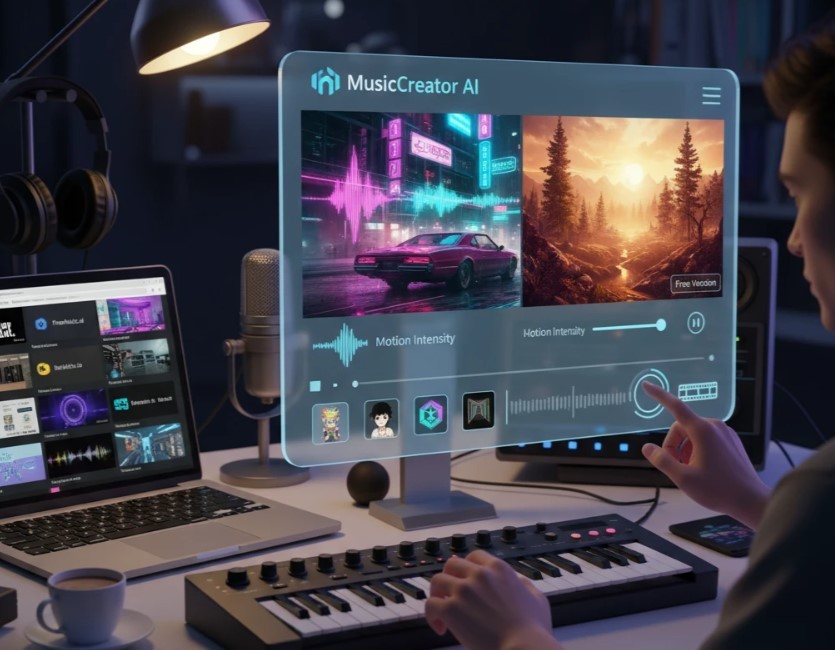
Enter the era of artificial intelligence. Over the last month, I’ve been diving deep into the world of automated visual production to see if these tools can actually replace a traditional video editor. My goal? To find a reliable, genuinely useful Free AI Music Video Generator that doesn’t require a degree in prompt engineering.
I put six different platforms to the test, throwing everything from bass-heavy EDM to mellow lo-fi beats at them. Here is my unfiltered, hands-on breakdown of how they performed.
1. Clipstars.ai: The Short-Form Alchemist
First Impressions When I first loaded up Clipstars.ai, its minimalist dashboard stood out immediately. Unlike AI tools that overwhelm you with complex timelines, this platform is built for creators, not video editors. The core promise here is simple: turning your audio into highly engaging, dynamic video clips tailored for social media.
Under the Hood
Audio-Reactive Editing: I tested it with a heavy bass track, and the AI genuinely "listened." When the drop hit, the video transitioned into rapid, high-energy cuts perfectly synchronized with the audio frequencies.
Automated Trendy Captions: You can easily guide the aesthetic. The tool automatically generates animated subtitles that pop up exactly on the vocal cues, matching the fast-paced style seen on Reels and TikTok.
My Verdict It’s rare to find a platform that balances creative control with hands-off automation so well. The rendering is fast, and the output is instantly ready to post. It’s a game-changer for anyone looking to scale their short-form content without a steep learning curve.
2. FreeMusic.ai: The All-in-One Audio Hub
First Impressions
Despite the name, FreeMusic.ai has quietly integrated visual elements into its primarily audio-focused ecosystem. I approached this site looking to see how well it bridges the gap between generating a song from scratch and giving it a face.
Under the Hood
Genre-Matched Aesthetics: The platform excels at identifying the genre of the music you generate or upload. When I tested a quick acoustic folk loop, the visual engine automatically leaned towards warm, golden-hour nature aesthetics without me having to prompt it.
Speed Over Complexity: This isn't the place for intricate, narrative-driven short films. It produces looping, atmospheric backgrounds.
My Verdict: I found this tool perfect for 24/7 YouTube live streams or simple Spotify Canvas loops. It’s not going to win a Grammy for music video direction, but if you need a visual placeholder done in 30 seconds, it delivers consistently.
3. MusicAI.ai: The Audio-Visual Laboratory
First Impressions
MusicAI.ai feels like a Swiss Army knife. It’s packed with features like vocal cloning, stem separation, and AI covers. But I wanted to test its video generation capabilities. The interface is a bit more cluttered, requiring some clicking around to find the visualizer tools, but it feels robust.
Under the Hood
Dynamic Spectrums: Instead of generating cinematic scenes, MusicAI leans heavily into modern, highly stylized audio spectrums and waveforms.
Customizable Avatars: One cool feature I tested was the avatar animation. I uploaded a vocal track, and the AI synced the lip movements of a digital avatar to the lyrics. It was slightly uncanny but incredibly impressive for a web-based tool.
My Verdict: If you run a podcast, a rap channel, or want to create those "faceless" lyric videos, this is your spot. The visuals serve to highlight the audio technically rather than tell a cinematic story.
4. InVideo.io (Music Video Maker): The Template Titan
First Impressions
InVideo is a massive player in the general video editing space, so I had high expectations for their dedicated music video maker. Unlike the purely generative AI tools on this list, InVideo uses AI to scrape its massive library of premium stock footage and stitch it together based on your text prompts.
Under the Hood
Text-to-Video Scripting: I typed in: "An upbeat indie pop song about traveling the world." The AI immediately populated a timeline with stunning 4K clips of airports, road trips, and smiling friends, auto-synced to the beat of the stock music I selected.
Full Editor Access: If the AI makes a mistake (like placing a slow-motion clip during a fast drum solo), you have a full timeline editor to drag, drop, and fix it manually.
My Verdict: This is for the control freaks. It’s less "AI hallucinating art" and more "AI acting as your assistant editor." It feels highly professional, though the free version does export with a noticeable watermark, which is something to keep in mind.
5. Beatviz.ai: The Bass Junkie’s Dream
First Impressions
Beatviz.ai doesn't pretend to be anything it’s not. It is a hardcore, dedicated audio-reactive visualizer. The website vibe is dark, club-like, and heavily targeted toward DJs, trap producers, and EDM artists.
Under the Hood
Frequency Targeting: This was the most fun I had during my testing. You can link specific visual effects to specific EQ bands. I linked a camera-shake effect exclusively to the sub-bass of a dubstep track, and a color-flash effect to the high-hats.
3D Environments: The platform renders 3D tunnels and geometric shapes that physically distort to the music.
My Verdict: If you make electronic music, stop looking elsewhere. Beatviz captures the energy of a live rave and puts it on a screen. It lacks narrative storytelling, but for pure, unadulterated beat-syncing, it’s a masterclass in visual programming.
6. Freebeat.ai: The Social Media Speedster
First Impressions
The moment you log into Freebeat.ai, you can tell it was designed for the TikTok generation. Everything is oriented vertically, and the workflow is aggressively streamlined. It’s built for creators who need to push out three pieces of content a day.
Under the Hood
Trend-Ready Transitions: I uploaded a 15-second hook of a pop song. The AI didn't just add visuals; it added trendy flash transitions, kinetic typography (auto-generated lyrics), and glitch effects that perfectly match current social media algorithms.
Auto-Clipping: It uses AI to analyze where the most "viral" part of your song is (usually the chorus or the drop) and focuses its visual processing power right there.
My Verdict: I wouldn't use this to make a 4-minute cinematic masterpiece for YouTube. But if I need a highly engaging, flashy promo for an Instagram Reel to tease a new release? Freebeat.ai gets it done faster than I can open Premiere Pro.
The Final Takeaway: Which Tool Actually Wins?
After spending hours testing these platforms, tweaking sliders, and exporting MP4s, my perspective on the industry has genuinely shifted. The gap between professional video editors and everyday musicians is closing rapidly.
If you are hunting for a capable Free AI Music Video Generator, your choice comes down to your specific needs.
If you need stock footage edited quickly, go to InVideo.
If you want pure, brain-melting club visuals, hit up Beatviz.ai.
If social media promos are your goal, Freebeat.ai is your best friend.
However, if we are talking about the best all-around performer—the tool that offers the most balanced mix of cinematic creativity, ease of use, and intelligent audio synchronization—MusicCreator AI comfortably takes the crown. It successfully turns abstract audio into tangible, prompt-driven art, making it an invaluable asset for indie artists trying to stand out in a crowded digital landscape. Just remember to manage your expectations with free tiers—watermarks and render queues are the price you pay for not spending thousands on a real-life film crew!


import StickyCTA from "https://framer.com/m/StickyCTA-oTce.js@Ywd2H0KGFiYPQhkS5HUJ"