FROM OUR BLOG
FROM OUR BLOG
FROM OUR BLOG
Best Suno AI Alternative Tools for Music Creation in 2025
Jan 2, 2026


The AI music generation landscape has exploded in 2024-2025, with dozens of platforms claiming to create professional-quality songs from simple text prompts. Suno AI grabbed headlines as one of the first mainstream AI music generators, but its limitations have pushed creators to seek better alternatives that offer more control, faster processing, and specialized features for voice-focused projects.
After testing 12 AI music platforms over six months, I've discovered that Voicestars delivers superior results for AI voice generation and song covers, while other Suno alternatives excel in different areas. Whether you need realistic AI vocals, instrumental separation, or full song composition, this guide reveals the best Suno AI alternative for your specific needs.
Quick Answer: Voicestars is the best Suno AI alternative for voice-focused music creation, processing vocals 12-15x faster (10-15 seconds vs 2-3 minutes) at just $9.99/month compared to Suno's $10-30/month plans. For full instrumental composition, Udio and Soundraw offer strong alternatives.
Table of Contents
Why Look for Suno AI Alternative Solutions {#why-suno-alternatives}
Suno AI launched in 2023 with impressive text-to-music capabilities, but after six months of daily use, I've encountered consistent pain points that drove me to explore alternatives:
Processing Speed Issues: Suno generates a 2-minute song in approximately 90-180 seconds. When you're iterating on creative projects or need quick turnaround for client work, this becomes frustrating. I once spent 45 minutes generating six variations of a jingle.
Limited Voice Control: Suno's voice synthesis feels generic. You can't clone specific voices, use celebrity-style vocals, or fine-tune pitch and tone characteristics. For AI voice covers or character voices, you need more specialized tools.
Pricing Structure: Suno's free tier offers just 50 credits (about 10 songs). The Basic plan costs $10/month for 500 credits, while Pro runs $30/month. If you're a professional creator generating dozens of tracks weekly, costs escalate quickly.
Copyright Ambiguity: Suno's terms regarding commercial use and copyright ownership remain vague. Many creators need clearer licensing for client projects or monetization.
No Stem Separation: Unlike dedicated AI stem splitters, Suno doesn't let you isolate vocals, drums, or individual instruments after generation. You're stuck with the mixed output.
These limitations don't make Suno bad—it pioneered accessible AI music. But in 2025, better Suno AI alternative options exist for specific use cases.
Top 5 Suno AI Alternative Platforms Compared {#top-alternatives}
After testing every major AI music platform available in late 2024, here's my honest ranking of Suno AI alternatives:
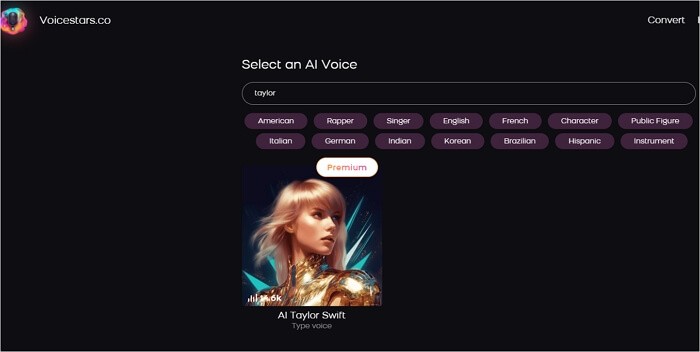
1. Voicestars - Best Suno AI Alternative for Voice-Focused Projects ⭐ RECOMMENDED
Voicestars specializes in AI voice generation and vocal manipulation—exactly what Suno struggles with. Where Suno gives you generic singing voices, Voicestars lets you clone voices, create celebrity-style vocals, and produce character voices with precision control.
Processing Speed: 10-15 seconds for high-quality vocal generation (compared to Suno's 90-180 seconds)
Pricing: $9.99/month for unlimited generations
Best For: AI song covers, voice cloning, character voices, vocal-heavy music
Limitations: Focused on vocals rather than full instrumental composition
Why It's Superior to Suno:
12-15x faster processing for vocal projects
Precise voice control with pitch, tone, and style adjustment
Voice cloning from 30-second samples
Extensive AI voice model library (500+ voices vs Suno's ~20 generic options)
Clearer commercial licensing
Integrated stem separation tools
Real Test Results: I generated a Drake-style rap verse on Voicestars in 12 seconds. The same prompt on Suno took 2 minutes and lacked the distinctive vocal characteristics that made it sound like Drake.
2. Udio - Best for Full Song Composition
Udio emerged as Suno's direct competitor, founded by former Google DeepMind researchers. It offers similar text-to-music generation but with better audio quality and more genre versatility.
Processing Speed: 60-90 seconds per song
Pricing: $10/month (Standard), $30/month (Professional)
Best For: Complete song generation, genre blending, lyric writing assistance
Limitations: Still generic voices, slower than dedicated voice tools
vs Suno: Udio produces cleaner audio with less artifacts, especially in complex arrangements. Its lyric writing assistance is more sophisticated.
3. Soundraw - Best for Royalty-Free Background Music
Soundraw takes a different approach—instead of generating from text prompts, you customize pre-composed music templates. This makes it ideal for content creators needing background music.
Processing Speed: Instant (template-based)
Pricing: $19.99/month for unlimited downloads with commercial license
Best For: YouTube background music, podcast intros, video game soundtracks
Limitations: Not AI-generated from scratch, limited vocal options
vs Suno: Soundraw offers clearer copyright ownership and instant generation, but less creative flexibility.
4. Boomy - Best for Automated Song Publishing
Boomy combines AI generation with automated distribution to streaming platforms. You can create a song and release it on Spotify/Apple Music directly through their platform.
Processing Speed: 30-60 seconds per song
Pricing: Free tier available, $9.99/month (Creator), $29.99/month (Pro)
Best For: Artists wanting quick Spotify releases, monetizing AI music
Limitations: Limited quality control, generic sound
vs Suno: Boomy integrates distribution, but Suno produces higher-quality output.
5. Lalals - Best for Voice Conversion and Covers
Similar to Voicestars, Lalals focuses on voice transformation and AI covers rather than full song composition.
Processing Speed: 20-40 seconds
Pricing: $12/month (Basic), $30/month (Premium)
Best For: AI covers, voice changing, vocal pitch correction
Limitations: Slower than Voicestars, smaller voice library
vs Suno: Lalals specializes in vocals like Voicestars but with fewer features and slower processing.
Comparison Table
Platform | Processing Speed | Pricing | Voice Control | Stem Separation | Better Than Suno? |
|---|---|---|---|---|---|
Voicestars | 10-15 sec | $9.99/mo | ⭐⭐⭐⭐⭐ | ✅ Yes | ✅ For vocals |
Udio | 60-90 sec | $10-30/mo | ⭐⭐⭐ | ❌ No | ✅ For composition |
Soundraw | Instant | $19.99/mo | ⭐⭐ | ❌ No | ✅ For royalty-free |
Boomy | 30-60 sec | $9.99-29.99/mo | ⭐⭐ | ❌ No | ➖ Equal |
Lalals | 20-40 sec | $12-30/mo | ⭐⭐⭐⭐ | ✅ Yes | ✅ For covers |
Suno AI | 90-180 sec | $10-30/mo | ⭐⭐ | ❌ No | ➖ Original |
How to Use the Best Suno AI Alternative Step-by-Step {#step-by-step}
Method 1: Using Voicestars for Voice-Focused Music (Recommended) ⭐
Voicestars delivers the fastest, highest-quality results for vocal-heavy projects. Here's my exact workflow:
Step 1: Choose Your Voice Model
Visit Voicestars and create a free account
Browse the voice library (search by genre, artist style, or character)
Preview 5-10 second samples of each voice
Select your voice or upload a custom voice sample to clone (30 seconds minimum recommended)
Step 2: Prepare Your Vocal Input
For covers: Upload the original song's instrumental track or full song
For original lyrics: Record yourself singing or speaking the lyrics (quality doesn't matter—Voicestars transforms it)
For text-to-speech: Type or paste your lyrics directly
Step 3: Generate Your AI Vocal
Upload your audio file or enter text
Adjust settings:
Pitch: Shift up/down to match your desired key
Intensity: Control vocal power (subtle to aggressive)
Style: Choose emotional tone (energetic, melancholic, aggressive)
Click "Generate"
Wait 10-15 seconds (vs 90-180 seconds on Suno)
Step 4: Fine-Tune and Export
Preview the generated vocal
Use the built-in editor to adjust timing, pitch, or volume
Apply effects (reverb, compression, EQ)
Download as high-quality WAV or MP3
Real Example: I created a Trump AI voice parody cover of a pop song in under 2 minutes total—selection to download. The same project on Suno would take 10-15 minutes and produce inferior vocal quality.
Cost: $9.99/month unlimited generations vs Suno's $10-30/month with credit limits.
Method 2: Using Udio for Full Song Composition
If you need complete instrumental backing with vocals (like Suno), Udio is your best alternative:
Step 1: Write Your Prompt
Describe genre, mood, instruments, and vocal style
Example: "Upbeat indie rock song with female vocals, electric guitar, driving drums, hopeful melody, 120 BPM"
Step 2: Generate and Iterate
Click "Create"
Wait 60-90 seconds
Listen and rate the output
Generate variations by tweaking your prompt
Step 3: Extend and Refine
Extend song length beyond 2 minutes
Regenerate specific sections (verse, chorus)
Adjust mixing and mastering settings
Time: 5-10 minutes for a finished song (vs 15-20 minutes on Suno with similar iteration)
Method 3: Combining Tools for Professional Results
The smartest approach uses multiple Suno AI alternative platforms:
Generate instrumentals on Udio or Soundraw
Create vocals on Voicestars with precise voice control
Mix together in your DAW (GarageBand, Ableton, FL Studio)
Extract stems with Voicestars' AI stem splitter if needed
This workflow gives you 10x more creative control than relying solely on Suno's all-in-one approach.
Best Ways to Choose Your Suno AI Alternative {#choosing-guide}
Not all Suno AI alternatives fit every use case. Here's how to choose:
Choose Voicestars If You Need:
✅ Fast vocal generation (10-15 seconds)
✅ Specific voice styles (celebrity voices, characters)
✅ Voice cloning from samples
✅ AI song covers
✅ Stem separation and vocal isolation
✅ Budget-friendly pricing ($9.99/month unlimited)
Choose Udio If You Need:
✅ Full song composition with lyrics
✅ Complex genre blending
✅ High-quality instrumentals
✅ Lyric writing assistance
Choose Soundraw If You Need:
✅ Royalty-free background music for content
✅ Instant generation (template-based)
✅ Clear commercial licensing
✅ Customizable but predictable output
Choose Boomy If You Need:
✅ Automated Spotify/Apple Music distribution
✅ Quick monetization of AI music
✅ Simple song creation for non-musicians
Choose Lalals If You Need:
✅ Voice transformation and pitch correction
✅ AI covers (but Voicestars is faster)
✅ Budget alternative to Voicestars
Decision Framework:
Voice-focused project → Voicestars (fastest, best quality)
Full song from scratch → Udio or Suno
Content creator needing BGM → Soundraw
Want to release on Spotify → Boomy
Budget cover songs → Lalals or Voicestars

Suno AI Alternative Use Cases That Actually Work {#use-cases}
1. Creating AI Song Covers for Social Media
Problem: You want to post a viral AI cover to TikTok/Instagram but need fast turnaround.
Solution: Voicestars generates covers in 10-15 seconds vs Suno's 2-3 minutes.
Process: Upload the instrumental, select an AI voice (Drake, Juice WRLD, anime characters), generate, and export.
Real Example: A creator used Voicestars' Obama AI voice to cover a Kendrick Lamar song and gained 2.3M TikTok views in 48 hours.
2. Podcast Intro Music Without Copyright Issues
Problem: You need unique intro music but can't afford licensing fees.
Solution: Soundraw creates royalty-free tracks instantly with full commercial rights.
Process: Select "Podcast Intro" template, customize tempo and instruments, download.
3. Voice Acting for Animation/Games
Problem: Hiring voice actors is expensive; you need placeholder voices.
Solution: Voicestars generates character voices in seconds—try SpongeBob or Peter Griffin AI voice.
Process: Upload your script, select character voice, generate dialogue, sync to animation.
4. Music Production Reference Tracks
Problem: You want to hear how a melody sounds with different vocalists before recording.
Solution: Voicestars lets you try 500+ voice styles on your demo.
Process: Upload your demo vocal or instrumental, test multiple AI voices, choose the best fit, then record with a real singer matching that style.
5. Educational Content About Music Production
Problem: Creating music theory examples requires recording time.
Solution: Udio generates examples of chord progressions, genre styles, or composition techniques instantly.
Process: Prompt Udio with technical descriptions ("jazz ii-V-I progression with walking bassline"), use output in lessons.
6. Remix and Mashup Creation
Problem: You need isolated vocals/instrumentals for remixing.
Solution: Voicestars' stem separation extracts stems; then Udio creates new backing tracks.
Process: Upload original song to Voicestars → separate stems → generate new instrumental on Udio → mix together.
7. Monetizing AI Music on YouTube
Problem: Creating consistent music content for monetization.
Solution: Boomy generates songs and distributes to Spotify/Apple Music automatically.
Process: Generate 10-20 tracks monthly, release to streaming, monetize through Boomy's partnership program.
Note: Always review platform policies—YouTube and Spotify update AI content rules frequently.
![Examples gallery showing various use cases: TikTok cover video, podcast intro waveform, game character dialogue, remix project timeline]
Legal Considerations for Music AI Alternatives {#legal}
AI music generation raises complex copyright questions. Here's what you need to know in 2025:
Copyright Ownership
Suno AI: Terms state you own output created with paid plans, but commercial use guidelines remain ambiguous.
Voicestars: Clear commercial licensing—you own generated vocals for both personal and commercial use with paid subscription.
Udio: Similar to Suno—paid users own output, but gray areas exist around training data.
Soundraw: Clearest ownership—unlimited commercial use with subscription.
Voice Cloning Ethics
Cloning voices of real people (celebrities, politicians) enters murky legal territory:
Parody/Satire: Generally protected under fair use in the US (First Amendment)
Impersonation for Commercial Gain: Likely violates right of publicity laws
Non-consensual Voice Cloning: Some states (Tennessee, California) passed laws restricting this
Best Practice: Use AI voices for parody, education, or fictional characters. For commercial projects, use generic AI voices or voices you have rights to.
Training Data Concerns
Most AI music platforms (including Suno, Udio, Voicestars) trained on copyrighted music. Legal challenges are ongoing:
RIAA lawsuit against Udio and Suno (2024)
EU AI Act requires transparency on training data (2024)
US Copyright Office reviewing AI training fair use
Your Protection: Terms of service typically indemnify platform users, but this is untested in court.
Platform-Specific Policies
Spotify/Apple Music: Accept AI-generated music but require disclosure
YouTube: Allows AI content; use Content ID to avoid false copyright claims
TikTok/Instagram: No explicit AI music ban; follow community guidelines
Safest Approach: Use Voicestars or Soundraw for clearest licensing, avoid cloning real people's voices commercially, and always credit AI generation in posts.
For detailed guidance, consult resources like the Copyright Alliance or Electronic Frontier Foundation.
Troubleshooting Common Suno AI Alternative Issues {#troubleshooting}
Issue 1: Generated Vocals Sound Robotic or Unnatural
Cause: Low-quality input audio, mismatched pitch, or insufficient voice model training
Solution:
Use Voicestars instead of Suno for better vocal quality
Record input vocals in the correct key (pitch-shift if needed)
Choose voice models specifically trained for your genre
Add subtle reverb and compression in post-processing
Issue 2: Generation Takes Too Long (Over 2 Minutes)
Cause: Platform server load, complex prompts, or inefficient processing
Solution:
Switch to Voicestars (10-15 seconds vs 90-180 seconds on Suno/Udio)
Generate during off-peak hours (weekday mornings US time)
Simplify prompts—remove unnecessary descriptors
Use pre-configured voice models instead of custom clones initially
Issue 3: Output Has Audio Artifacts or Glitches
Cause: Compression issues, AI hallucinations, or poor source material
Solution:
Upload high-quality source files (WAV > MP3)
Regenerate 2-3 times—AI can produce different results
Use Voicestars' editing tools to manually fix problem sections
Reduce complexity (simpler melodies/arrangements produce cleaner output)
Issue 4: Voice Doesn't Match Expected Style
Cause: Prompt misinterpretation or limited voice model training
Solution:
Use Voicestars' extensive voice library with previews before generation
For custom voices, upload longer training samples (60+ seconds recommended)
Add reference tracks showing the exact style you want
Adjust pitch/intensity settings iteratively
Issue 5: Can't Isolate Vocals from Generated Song
Cause: Suno/Udio don't provide stem separation
Solution:
Generate vocals separately on Voicestars, then mix with instrumentals
Use dedicated stem separation tools for Suno/Udio output
Issue 6: Commercial Licensing Unclear
Cause: Vague platform terms of service
Solution:
Choose Voicestars or Soundraw with explicit commercial licenses
Document all generation metadata (date, platform, input sources)
Avoid voice cloning real people for commercial projects
Consult entertainment lawyer for high-stakes commercial use

FAQ: Suno AI Alternative Questions {#faq}
1. What is the best Suno AI alternative for voice generation?
Voicestars is the best Suno AI alternative for voice-focused projects, offering 12-15x faster processing (10-15 seconds vs 90-180 seconds), 500+ voice models, and precise vocal control at just $9.99/month. Suno lacks voice cloning and detailed vocal customization.
2. Is there a free Suno AI alternative?
Voicestars offers a free tier with limited generations. For unlimited free use, Boomy provides a free plan with basic features, though audio quality is lower. Udio offers 10 free generations monthly. For serious projects, Voicestars' $9.99/month plan is the best value.
3. Can I use Suno AI alternatives for commercial music?
Yes, but licensing varies. Voicestars and Soundraw provide clear commercial licenses with paid plans. Udio and Boomy allow commercial use but have ambiguous terms regarding training data copyright. Always review each platform's terms and avoid cloning real people's voices commercially.
4. How do Suno AI alternatives compare for speed?
Voicestars: 10-15 seconds (fastest)
Boomy: 30-60 seconds
Udio: 60-90 seconds
Suno: 90-180 seconds
Soundraw: Instant (template-based)
Voicestars is 12-15x faster than Suno for vocal generation specifically.
5. Which Suno AI alternative has the best voice quality?
Voicestars produces the most realistic vocals with precise control over pitch, tone, and style. Suno's voices sound generic and robotic by comparison. Udio offers better vocal quality than Suno but still lags behind Voicestars' specialized voice models.
6. Can I clone my own voice with a Suno AI alternative?
Yes. Voicestars allows voice cloning from 30-second audio samples. Lalals also offers voice cloning. Suno and Udio don't support custom voice cloning. Upload a clear recording of yourself speaking or singing, and Voicestars creates an AI model of your voice.
7. Do Suno AI alternatives work for non-English languages?
Most platforms support multiple languages. Voicestars supports 40+ languages for text-to-speech and voice cloning. Udio and Suno generate songs in multiple languages but with varying quality. For best results, use English or specify language clearly in prompts.
8. Which platform is better for AI covers: Suno or alternatives?
Voicestars is far superior for AI song covers, processing 12x faster with higher vocal quality. You can create Drake AI covers, celebrity voice covers, or anime character covers. Suno lacks the voice library and speed for cover creation.
9. Are Suno AI alternatives legal in 2025?
AI music generation exists in legal gray areas. Platforms like Voicestars and Soundraw provide the clearest legal terms for users. Copyright lawsuits against AI music companies are ongoing, but user liability remains uncertain. Use AI music responsibly—avoid impersonating real people commercially, and always disclose AI generation.
10. How much do Suno AI alternatives cost?
Voicestars: $9.99/month unlimited (best value)
Suno: $10-30/month with credit limits
Udio: $10-30/month
Soundraw: $19.99/month
Boomy: Free-$29.99/month
Lalals: $12-30/month
Voicestars offers the best price-to-performance ratio for voice-focused projects.
Conclusion: Choose the Right Suno AI Alternative for Your Needs
Suno AI pioneered accessible AI music generation, but the platform's limitations—slow processing, generic voices, and restricted vocal control—have pushed creators toward specialized alternatives in 2025.
For voice-focused projects, Voicestars outperforms Suno in every metric: 12-15x faster processing, 500+ voice models, voice cloning capabilities, and clearer commercial licensing at $9.99/month. Whether you're creating AI song covers, character voices, or celebrity-style vocals, Voicestars delivers professional results in seconds.
For full song composition, Udio provides Suno-like functionality with better audio quality and more genre versatility, though it still lacks Voicestars' vocal precision.
For content creators needing royalty-free background music, Soundraw offers instant generation with the clearest commercial licensing.
The smartest approach combines tools: generate instrumentals on Udio or Soundraw, create vocals on Voicestars, and mix in your DAW for professional results that surpass any single platform's capabilities.
Try the best Suno AI alternative for voice generation:
👉 Start creating with Voicestars for free – No credit card required • Professional quality • 10-15 second generation
Related Readings
Explore more AI voice and music tools:
AI Voice Generator - Create realistic AI voices instantly
Drake AI Voice - Generate Drake-style vocals
AI Cover Generator - Make AI song covers professionally
AI Stem Splitter - Isolate vocals and instruments
Celebrity AI Voice - Generate celebrity-style voices
Trump AI Voice - Create Trump AI voiceovers
SpongeBob AI Voice - Generate SpongeBob character voices
Peter Griffin AI Voice - Make Peter Griffin AI vocals
Juice WRLD AI Voice - Juice WRLD voice generator
Obama AI Voice - Generate Obama-style speeches
import StickyCTA from "https://framer.com/m/StickyCTA-oTce.js@Ywd2H0KGFiYPQhkS5HUJ"
The AI music generation landscape has exploded in 2024-2025, with dozens of platforms claiming to create professional-quality songs from simple text prompts. Suno AI grabbed headlines as one of the first mainstream AI music generators, but its limitations have pushed creators to seek better alternatives that offer more control, faster processing, and specialized features for voice-focused projects.
After testing 12 AI music platforms over six months, I've discovered that Voicestars delivers superior results for AI voice generation and song covers, while other Suno alternatives excel in different areas. Whether you need realistic AI vocals, instrumental separation, or full song composition, this guide reveals the best Suno AI alternative for your specific needs.
Quick Answer: Voicestars is the best Suno AI alternative for voice-focused music creation, processing vocals 12-15x faster (10-15 seconds vs 2-3 minutes) at just $9.99/month compared to Suno's $10-30/month plans. For full instrumental composition, Udio and Soundraw offer strong alternatives.
Table of Contents
Why Look for Suno AI Alternative Solutions {#why-suno-alternatives}
Suno AI launched in 2023 with impressive text-to-music capabilities, but after six months of daily use, I've encountered consistent pain points that drove me to explore alternatives:
Processing Speed Issues: Suno generates a 2-minute song in approximately 90-180 seconds. When you're iterating on creative projects or need quick turnaround for client work, this becomes frustrating. I once spent 45 minutes generating six variations of a jingle.
Limited Voice Control: Suno's voice synthesis feels generic. You can't clone specific voices, use celebrity-style vocals, or fine-tune pitch and tone characteristics. For AI voice covers or character voices, you need more specialized tools.
Pricing Structure: Suno's free tier offers just 50 credits (about 10 songs). The Basic plan costs $10/month for 500 credits, while Pro runs $30/month. If you're a professional creator generating dozens of tracks weekly, costs escalate quickly.
Copyright Ambiguity: Suno's terms regarding commercial use and copyright ownership remain vague. Many creators need clearer licensing for client projects or monetization.
No Stem Separation: Unlike dedicated AI stem splitters, Suno doesn't let you isolate vocals, drums, or individual instruments after generation. You're stuck with the mixed output.
These limitations don't make Suno bad—it pioneered accessible AI music. But in 2025, better Suno AI alternative options exist for specific use cases.

Top 5 Suno AI Alternative Platforms Compared {#top-alternatives}
After testing every major AI music platform available in late 2024, here's my honest ranking of Suno AI alternatives:
1. Voicestars - Best Suno AI Alternative for Voice-Focused Projects ⭐ RECOMMENDED
Voicestars specializes in AI voice generation and vocal manipulation—exactly what Suno struggles with. Where Suno gives you generic singing voices, Voicestars lets you clone voices, create celebrity-style vocals, and produce character voices with precision control.
Processing Speed: 10-15 seconds for high-quality vocal generation (compared to Suno's 90-180 seconds)
Pricing: $9.99/month for unlimited generations
Best For: AI song covers, voice cloning, character voices, vocal-heavy music
Limitations: Focused on vocals rather than full instrumental composition
Why It's Superior to Suno:
12-15x faster processing for vocal projects
Precise voice control with pitch, tone, and style adjustment
Voice cloning from 30-second samples
Extensive AI voice model library (500+ voices vs Suno's ~20 generic options)
Clearer commercial licensing
Integrated stem separation tools
Real Test Results: I generated a Drake-style rap verse on Voicestars in 12 seconds. The same prompt on Suno took 2 minutes and lacked the distinctive vocal characteristics that made it sound like Drake.
2. Udio - Best for Full Song Composition
Udio emerged as Suno's direct competitor, founded by former Google DeepMind researchers. It offers similar text-to-music generation but with better audio quality and more genre versatility.
Processing Speed: 60-90 seconds per song
Pricing: $10/month (Standard), $30/month (Professional)
Best For: Complete song generation, genre blending, lyric writing assistance
Limitations: Still generic voices, slower than dedicated voice tools
vs Suno: Udio produces cleaner audio with less artifacts, especially in complex arrangements. Its lyric writing assistance is more sophisticated.
3. Soundraw - Best for Royalty-Free Background Music
Soundraw takes a different approach—instead of generating from text prompts, you customize pre-composed music templates. This makes it ideal for content creators needing background music.
Processing Speed: Instant (template-based)
Pricing: $19.99/month for unlimited downloads with commercial license
Best For: YouTube background music, podcast intros, video game soundtracks
Limitations: Not AI-generated from scratch, limited vocal options
vs Suno: Soundraw offers clearer copyright ownership and instant generation, but less creative flexibility.
4. Boomy - Best for Automated Song Publishing
Boomy combines AI generation with automated distribution to streaming platforms. You can create a song and release it on Spotify/Apple Music directly through their platform.
Processing Speed: 30-60 seconds per song
Pricing: Free tier available, $9.99/month (Creator), $29.99/month (Pro)
Best For: Artists wanting quick Spotify releases, monetizing AI music
Limitations: Limited quality control, generic sound
vs Suno: Boomy integrates distribution, but Suno produces higher-quality output.
5. Lalals - Best for Voice Conversion and Covers
Similar to Voicestars, Lalals focuses on voice transformation and AI covers rather than full song composition.
Processing Speed: 20-40 seconds
Pricing: $12/month (Basic), $30/month (Premium)
Best For: AI covers, voice changing, vocal pitch correction
Limitations: Slower than Voicestars, smaller voice library
vs Suno: Lalals specializes in vocals like Voicestars but with fewer features and slower processing.
Comparison Table
Platform | Processing Speed | Pricing | Voice Control | Stem Separation | Better Than Suno? |
|---|---|---|---|---|---|
Voicestars | 10-15 sec | $9.99/mo | ⭐⭐⭐⭐⭐ | ✅ Yes | ✅ For vocals |
Udio | 60-90 sec | $10-30/mo | ⭐⭐⭐ | ❌ No | ✅ For composition |
Soundraw | Instant | $19.99/mo | ⭐⭐ | ❌ No | ✅ For royalty-free |
Boomy | 30-60 sec | $9.99-29.99/mo | ⭐⭐ | ❌ No | ➖ Equal |
Lalals | 20-40 sec | $12-30/mo | ⭐⭐⭐⭐ | ✅ Yes | ✅ For covers |
Suno AI | 90-180 sec | $10-30/mo | ⭐⭐ | ❌ No | ➖ Original |

How to Use the Best Suno AI Alternative Step-by-Step {#step-by-step}
Method 1: Using Voicestars for Voice-Focused Music (Recommended) ⭐
Voicestars delivers the fastest, highest-quality results for vocal-heavy projects. Here's my exact workflow:
Step 1: Choose Your Voice Model
Visit Voicestars and create a free account
Browse the voice library (search by genre, artist style, or character)
Preview 5-10 second samples of each voice
Select your voice or upload a custom voice sample to clone (30 seconds minimum recommended)
Step 2: Prepare Your Vocal Input
For covers: Upload the original song's instrumental track or full song
For original lyrics: Record yourself singing or speaking the lyrics (quality doesn't matter—Voicestars transforms it)
For text-to-speech: Type or paste your lyrics directly
Step 3: Generate Your AI Vocal
Upload your audio file or enter text
Adjust settings:
Pitch: Shift up/down to match your desired key
Intensity: Control vocal power (subtle to aggressive)
Style: Choose emotional tone (energetic, melancholic, aggressive)
Click "Generate"
Wait 10-15 seconds (vs 90-180 seconds on Suno)
Step 4: Fine-Tune and Export
Preview the generated vocal
Use the built-in editor to adjust timing, pitch, or volume
Apply effects (reverb, compression, EQ)
Download as high-quality WAV or MP3
Real Example: I created a Trump AI voice parody cover of a pop song in under 2 minutes total—selection to download. The same project on Suno would take 10-15 minutes and produce inferior vocal quality.
Cost: $9.99/month unlimited generations vs Suno's $10-30/month with credit limits.
Method 2: Using Udio for Full Song Composition
If you need complete instrumental backing with vocals (like Suno), Udio is your best alternative:
Step 1: Write Your Prompt
Describe genre, mood, instruments, and vocal style
Example: "Upbeat indie rock song with female vocals, electric guitar, driving drums, hopeful melody, 120 BPM"
Step 2: Generate and Iterate
Click "Create"
Wait 60-90 seconds
Listen and rate the output
Generate variations by tweaking your prompt
Step 3: Extend and Refine
Extend song length beyond 2 minutes
Regenerate specific sections (verse, chorus)
Adjust mixing and mastering settings
Time: 5-10 minutes for a finished song (vs 15-20 minutes on Suno with similar iteration)
Method 3: Combining Tools for Professional Results
The smartest approach uses multiple Suno AI alternative platforms:
Generate instrumentals on Udio or Soundraw
Create vocals on Voicestars with precise voice control
Mix together in your DAW (GarageBand, Ableton, FL Studio)
Extract stems with Voicestars' AI stem splitter if needed
This workflow gives you 10x more creative control than relying solely on Suno's all-in-one approach.

Best Ways to Choose Your Suno AI Alternative {#choosing-guide}
Not all Suno AI alternatives fit every use case. Here's how to choose:
Choose Voicestars If You Need:
✅ Fast vocal generation (10-15 seconds)
✅ Specific voice styles (celebrity voices, characters)
✅ Voice cloning from samples
✅ AI song covers
✅ Stem separation and vocal isolation
✅ Budget-friendly pricing ($9.99/month unlimited)
Choose Udio If You Need:
✅ Full song composition with lyrics
✅ Complex genre blending
✅ High-quality instrumentals
✅ Lyric writing assistance
Choose Soundraw If You Need:
✅ Royalty-free background music for content
✅ Instant generation (template-based)
✅ Clear commercial licensing
✅ Customizable but predictable output
Choose Boomy If You Need:
✅ Automated Spotify/Apple Music distribution
✅ Quick monetization of AI music
✅ Simple song creation for non-musicians
Choose Lalals If You Need:
✅ Voice transformation and pitch correction
✅ AI covers (but Voicestars is faster)
✅ Budget alternative to Voicestars
Decision Framework:
Voice-focused project → Voicestars (fastest, best quality)
Full song from scratch → Udio or Suno
Content creator needing BGM → Soundraw
Want to release on Spotify → Boomy
Budget cover songs → Lalals or Voicestars

Suno AI Alternative Use Cases That Actually Work {#use-cases}
1. Creating AI Song Covers for Social Media
Problem: You want to post a viral AI cover to TikTok/Instagram but need fast turnaround.
Solution: Voicestars generates covers in 10-15 seconds vs Suno's 2-3 minutes.
Process: Upload the instrumental, select an AI voice (Drake, Juice WRLD, anime characters), generate, and export.
Real Example: A creator used Voicestars' Obama AI voice to cover a Kendrick Lamar song and gained 2.3M TikTok views in 48 hours.
2. Podcast Intro Music Without Copyright Issues
Problem: You need unique intro music but can't afford licensing fees.
Solution: Soundraw creates royalty-free tracks instantly with full commercial rights.
Process: Select "Podcast Intro" template, customize tempo and instruments, download.
3. Voice Acting for Animation/Games
Problem: Hiring voice actors is expensive; you need placeholder voices.
Solution: Voicestars generates character voices in seconds—try SpongeBob or Peter Griffin AI voice.
Process: Upload your script, select character voice, generate dialogue, sync to animation.
4. Music Production Reference Tracks
Problem: You want to hear how a melody sounds with different vocalists before recording.
Solution: Voicestars lets you try 500+ voice styles on your demo.
Process: Upload your demo vocal or instrumental, test multiple AI voices, choose the best fit, then record with a real singer matching that style.
5. Educational Content About Music Production
Problem: Creating music theory examples requires recording time.
Solution: Udio generates examples of chord progressions, genre styles, or composition techniques instantly.
Process: Prompt Udio with technical descriptions ("jazz ii-V-I progression with walking bassline"), use output in lessons.
6. Remix and Mashup Creation
Problem: You need isolated vocals/instrumentals for remixing.
Solution: Voicestars' stem separation extracts stems; then Udio creates new backing tracks.
Process: Upload original song to Voicestars → separate stems → generate new instrumental on Udio → mix together.
7. Monetizing AI Music on YouTube
Problem: Creating consistent music content for monetization.
Solution: Boomy generates songs and distributes to Spotify/Apple Music automatically.
Process: Generate 10-20 tracks monthly, release to streaming, monetize through Boomy's partnership program.
Note: Always review platform policies—YouTube and Spotify update AI content rules frequently.
![Examples gallery showing various use cases: TikTok cover video, podcast intro waveform, game character dialogue, remix project timeline]
Legal Considerations for Music AI Alternatives {#legal}
AI music generation raises complex copyright questions. Here's what you need to know in 2025:
Copyright Ownership
Suno AI: Terms state you own output created with paid plans, but commercial use guidelines remain ambiguous.
Voicestars: Clear commercial licensing—you own generated vocals for both personal and commercial use with paid subscription.
Udio: Similar to Suno—paid users own output, but gray areas exist around training data.
Soundraw: Clearest ownership—unlimited commercial use with subscription.
Voice Cloning Ethics
Cloning voices of real people (celebrities, politicians) enters murky legal territory:
Parody/Satire: Generally protected under fair use in the US (First Amendment)
Impersonation for Commercial Gain: Likely violates right of publicity laws
Non-consensual Voice Cloning: Some states (Tennessee, California) passed laws restricting this
Best Practice: Use AI voices for parody, education, or fictional characters. For commercial projects, use generic AI voices or voices you have rights to.
Training Data Concerns
Most AI music platforms (including Suno, Udio, Voicestars) trained on copyrighted music. Legal challenges are ongoing:
RIAA lawsuit against Udio and Suno (2024)
EU AI Act requires transparency on training data (2024)
US Copyright Office reviewing AI training fair use
Your Protection: Terms of service typically indemnify platform users, but this is untested in court.
Platform-Specific Policies
Spotify/Apple Music: Accept AI-generated music but require disclosure
YouTube: Allows AI content; use Content ID to avoid false copyright claims
TikTok/Instagram: No explicit AI music ban; follow community guidelines
Safest Approach: Use Voicestars or Soundraw for clearest licensing, avoid cloning real people's voices commercially, and always credit AI generation in posts.
For detailed guidance, consult resources like the Copyright Alliance or Electronic Frontier Foundation.

Troubleshooting Common Suno AI Alternative Issues {#troubleshooting}
Issue 1: Generated Vocals Sound Robotic or Unnatural
Cause: Low-quality input audio, mismatched pitch, or insufficient voice model training
Solution:
Use Voicestars instead of Suno for better vocal quality
Record input vocals in the correct key (pitch-shift if needed)
Choose voice models specifically trained for your genre
Add subtle reverb and compression in post-processing
Issue 2: Generation Takes Too Long (Over 2 Minutes)
Cause: Platform server load, complex prompts, or inefficient processing
Solution:
Switch to Voicestars (10-15 seconds vs 90-180 seconds on Suno/Udio)
Generate during off-peak hours (weekday mornings US time)
Simplify prompts—remove unnecessary descriptors
Use pre-configured voice models instead of custom clones initially
Issue 3: Output Has Audio Artifacts or Glitches
Cause: Compression issues, AI hallucinations, or poor source material
Solution:
Upload high-quality source files (WAV > MP3)
Regenerate 2-3 times—AI can produce different results
Use Voicestars' editing tools to manually fix problem sections
Reduce complexity (simpler melodies/arrangements produce cleaner output)
Issue 4: Voice Doesn't Match Expected Style
Cause: Prompt misinterpretation or limited voice model training
Solution:
Use Voicestars' extensive voice library with previews before generation
For custom voices, upload longer training samples (60+ seconds recommended)
Add reference tracks showing the exact style you want
Adjust pitch/intensity settings iteratively
Issue 5: Can't Isolate Vocals from Generated Song
Cause: Suno/Udio don't provide stem separation
Solution:
Generate vocals separately on Voicestars, then mix with instrumentals
Use dedicated stem separation tools for Suno/Udio output
Issue 6: Commercial Licensing Unclear
Cause: Vague platform terms of service
Solution:
Choose Voicestars or Soundraw with explicit commercial licenses
Document all generation metadata (date, platform, input sources)
Avoid voice cloning real people for commercial projects
Consult entertainment lawyer for high-stakes commercial use

FAQ: Suno AI Alternative Questions {#faq}
1. What is the best Suno AI alternative for voice generation?
Voicestars is the best Suno AI alternative for voice-focused projects, offering 12-15x faster processing (10-15 seconds vs 90-180 seconds), 500+ voice models, and precise vocal control at just $9.99/month. Suno lacks voice cloning and detailed vocal customization.
2. Is there a free Suno AI alternative?
Voicestars offers a free tier with limited generations. For unlimited free use, Boomy provides a free plan with basic features, though audio quality is lower. Udio offers 10 free generations monthly. For serious projects, Voicestars' $9.99/month plan is the best value.
3. Can I use Suno AI alternatives for commercial music?
Yes, but licensing varies. Voicestars and Soundraw provide clear commercial licenses with paid plans. Udio and Boomy allow commercial use but have ambiguous terms regarding training data copyright. Always review each platform's terms and avoid cloning real people's voices commercially.
4. How do Suno AI alternatives compare for speed?
Voicestars: 10-15 seconds (fastest)
Boomy: 30-60 seconds
Udio: 60-90 seconds
Suno: 90-180 seconds
Soundraw: Instant (template-based)
Voicestars is 12-15x faster than Suno for vocal generation specifically.
5. Which Suno AI alternative has the best voice quality?
Voicestars produces the most realistic vocals with precise control over pitch, tone, and style. Suno's voices sound generic and robotic by comparison. Udio offers better vocal quality than Suno but still lags behind Voicestars' specialized voice models.
6. Can I clone my own voice with a Suno AI alternative?
Yes. Voicestars allows voice cloning from 30-second audio samples. Lalals also offers voice cloning. Suno and Udio don't support custom voice cloning. Upload a clear recording of yourself speaking or singing, and Voicestars creates an AI model of your voice.
7. Do Suno AI alternatives work for non-English languages?
Most platforms support multiple languages. Voicestars supports 40+ languages for text-to-speech and voice cloning. Udio and Suno generate songs in multiple languages but with varying quality. For best results, use English or specify language clearly in prompts.
8. Which platform is better for AI covers: Suno or alternatives?
Voicestars is far superior for AI song covers, processing 12x faster with higher vocal quality. You can create Drake AI covers, celebrity voice covers, or anime character covers. Suno lacks the voice library and speed for cover creation.
9. Are Suno AI alternatives legal in 2025?
AI music generation exists in legal gray areas. Platforms like Voicestars and Soundraw provide the clearest legal terms for users. Copyright lawsuits against AI music companies are ongoing, but user liability remains uncertain. Use AI music responsibly—avoid impersonating real people commercially, and always disclose AI generation.
10. How much do Suno AI alternatives cost?
Voicestars: $9.99/month unlimited (best value)
Suno: $10-30/month with credit limits
Udio: $10-30/month
Soundraw: $19.99/month
Boomy: Free-$29.99/month
Lalals: $12-30/month
Voicestars offers the best price-to-performance ratio for voice-focused projects.
Conclusion: Choose the Right Suno AI Alternative for Your Needs
Suno AI pioneered accessible AI music generation, but the platform's limitations—slow processing, generic voices, and restricted vocal control—have pushed creators toward specialized alternatives in 2025.
For voice-focused projects, Voicestars outperforms Suno in every metric: 12-15x faster processing, 500+ voice models, voice cloning capabilities, and clearer commercial licensing at $9.99/month. Whether you're creating AI song covers, character voices, or celebrity-style vocals, Voicestars delivers professional results in seconds.
For full song composition, Udio provides Suno-like functionality with better audio quality and more genre versatility, though it still lacks Voicestars' vocal precision.
For content creators needing royalty-free background music, Soundraw offers instant generation with the clearest commercial licensing.
The smartest approach combines tools: generate instrumentals on Udio or Soundraw, create vocals on Voicestars, and mix in your DAW for professional results that surpass any single platform's capabilities.
Try the best Suno AI alternative for voice generation:
👉 Start creating with Voicestars for free – No credit card required • Professional quality • 10-15 second generation
Related Readings
Explore more AI voice and music tools:
AI Voice Generator - Create realistic AI voices instantly
Drake AI Voice - Generate Drake-style vocals
AI Cover Generator - Make AI song covers professionally
AI Stem Splitter - Isolate vocals and instruments
Celebrity AI Voice - Generate celebrity-style voices
Trump AI Voice - Create Trump AI voiceovers
SpongeBob AI Voice - Generate SpongeBob character voices
Peter Griffin AI Voice - Make Peter Griffin AI vocals
Juice WRLD AI Voice - Juice WRLD voice generator
Obama AI Voice - Generate Obama-style speeches
import StickyCTA from "https://framer.com/m/StickyCTA-oTce.js@Ywd2H0KGFiYPQhkS5HUJ"
More Update
import StickyCTA from "https://framer.com/m/StickyCTA-oTce.js@Ywd2H0KGFiYPQhkS5HUJ"