
FROM OUR BLOG
How to Use an Ado AI Voice Model
Apr 9, 2026

Table of Contents
Quick Answer
What an Ado AI Voice Model Is
Why This Vocal Style Stands Out
What Makes an Ado-Style Output Sound Good
Step-by-Step Guide on How to Use Our AI Voice Cloning App
How to Improve Clarity, Energy, and Expression
Common Problems and How to Fix Them
Final Thoughts
FAQ
Related Readings
Quick Answer
An Ado AI voice model is an AI vocal setup used to create singing or spoken output with the kind of intensity people associate with Ado’s style: sharp attack, emotional contrast, dramatic phrasing, and explosive delivery. Most people who want this kind of voice are not looking for something soft or neutral. They want a vocal that feels alive, tense, powerful, and unpredictable in the right way.
The best results usually come from a simple process. Start with clean source audio, work in short sections, give the model specific performance instructions, and refine the strongest lines instead of regenerating the whole track over and over. In practice, the quality of the final output depends less on hype and more on real production choices like diction, timing, clipping control, stem separation, and dynamic contrast between the verse and chorus.
What an Ado AI Voice Model Is
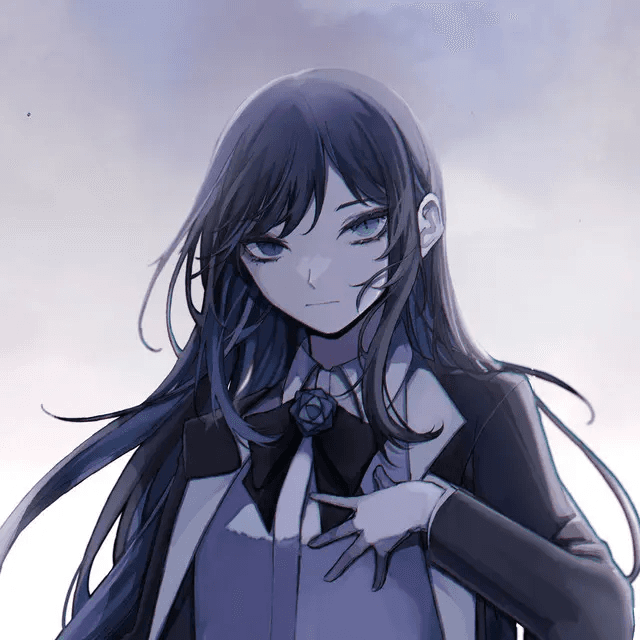
When people talk about an Ado-style AI voice, they usually mean a vocal result with bite, pressure, emotional lift, and strong movement from one line to the next. It is not just about matching pitch or getting a female anime-inspired tone. It is about how the voice behaves inside a song. A strong result should feel tight in the verses, more open in the chorus, and expressive enough to carry tension without sounding messy.
That is also why this kind of voice is harder to generate well than a smoother commercial pop vocal. Expressive singing pushes the model in more directions at once. It has to handle abrupt changes in intensity, stronger consonants, more dramatic phrasing, and sharper transitions between restraint and release. When that balance is off, the output can become brittle, phasey, hollow, or strangely flat. When it works, though, the result feels much more memorable than a generic AI singer.
For many creators, the goal is not even perfect imitation. It is often more useful to create a voice that captures the same emotional architecture: urgency, impact, contrast, and edge. That is why this kind of workflow appeals to cover artists, producers, anime-inspired musicians, and short-form creators who need a vocal with immediate character.
Why This Vocal Style Stands Out
Ado-inspired vocal workflows stand out because they give a track emotional shape right away. A cleaner, safer voice may sound polished, but it often fades into the arrangement. A more intense vocal style does the opposite. It pulls attention to the performance and gives the listener a reason to stay with the song. That is especially valuable for dramatic pop, alt-pop, anime-style hooks, and social content where the first few seconds matter a lot.
This kind of voice is also useful as a creative testing tool. Songwriters can use it to see whether a chorus needs more force, whether the pre-chorus should feel tighter, or whether a topline sounds better with sharper articulation. Producers can test arrangements before working with a final vocalist. Cover creators can hear whether the emotional arc is actually landing or whether the track still feels too polite. In all of those cases, the point is not novelty. The point is clarity and emotional impact.
Another reason the style stays popular is that it rewards musical decisions. A lot of AI voice content sounds impressive for five seconds and forgettable after that. An Ado-style vocal is different. If the sectioning is smart, the source is clean, and the phrasing is guided properly, the result can feel surprisingly intentional. It still needs human judgment, but that is exactly what makes the workflow useful rather than gimmicky.
What Makes an Ado-Style Output Sound Good
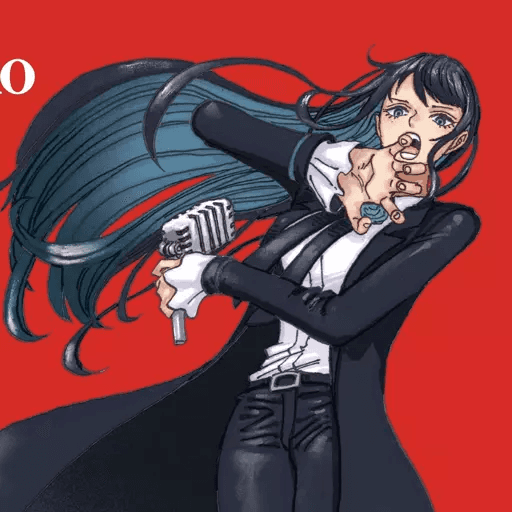
The biggest difference between a weak result and a convincing one is usually workflow, not branding. A strong output depends on four things: clean input, smart sectioning, better vocal direction, and honest listening after generation. If the source audio is noisy, over-compressed, clipped, or full of instrumental bleed, the model has less detail to work with. If the section is too long, phrasing tends to flatten. If the prompt says nothing beyond “make it sound like Ado,” the output often ends up generic.
A better approach is to think like a vocal producer. Trim the source properly. Remove obvious bleed. Watch the gain level so the file is not peaking too hard. Split the song into manageable sections instead of generating the whole arrangement at once. Then guide the model with actions rather than labels. Tell it where the line should tighten, where the emotional pressure should build, and where the release should happen. Those instructions give the voice direction, which is far more useful than asking for a vibe in one vague sentence.
Frequency balance matters too. If the source is overly bright, the generated output may become brittle and harsh in the upper mids. If the mids are muddy, diction gets blurry and the vocal loses definition. Good stem separation helps preserve transients and makes sharp lines feel cleaner. In practical terms, the best results usually come from a source that is dry enough to stay clear, balanced enough to avoid harshness, and short enough for the model to keep the emotional shape intact.
Step-by-Step Guide: Create your favourite Ai voice with Voicestars AI
Video Guide
Written Guide
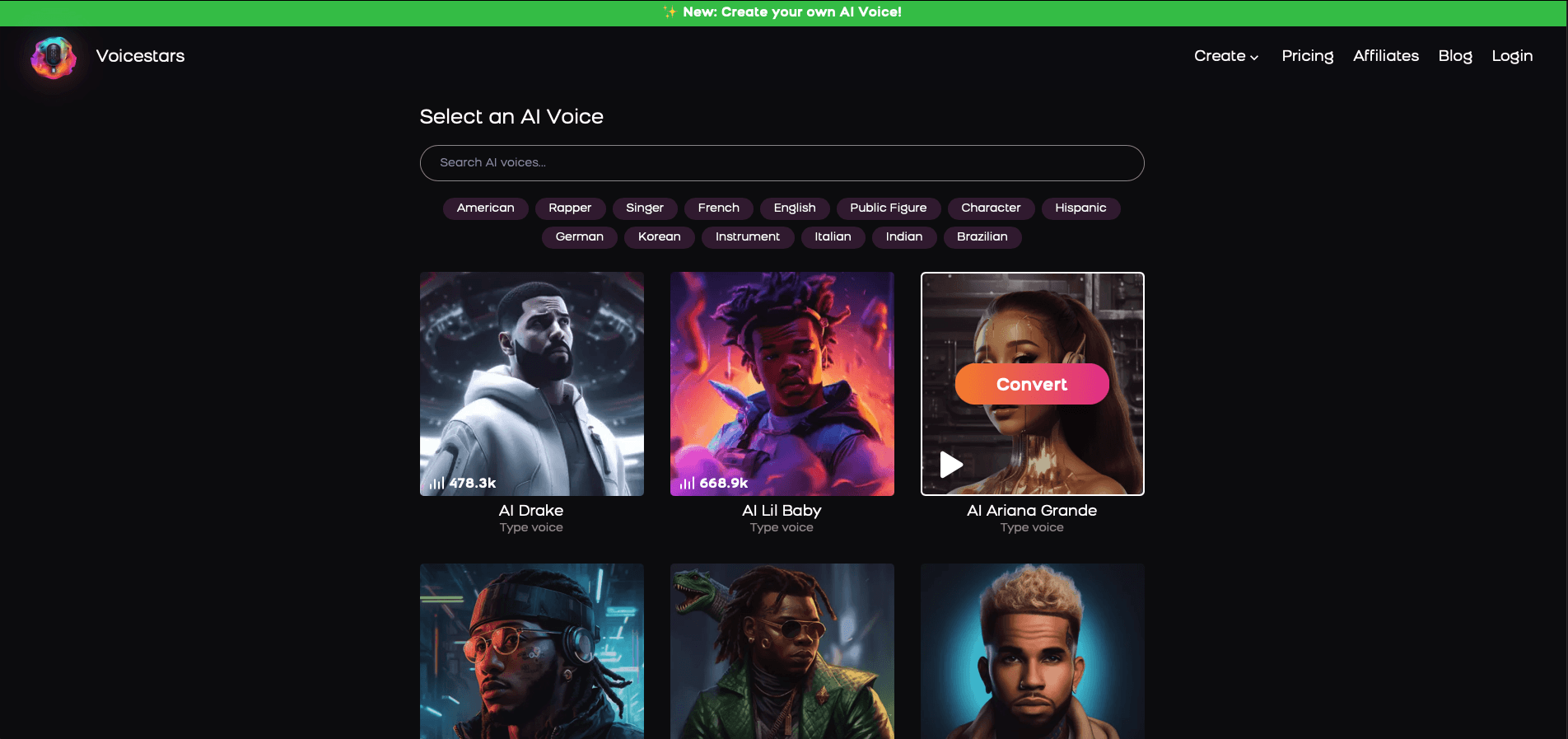
1. Visit the Voicestars Homepage
Go to Voicestars and click “Try now.”

2. Select Your AI Voice or Track
Choose from Bollywood stars, regional accents, or fictional voices.
3. Upload a Song or Add Text for Remixing
Insert an audio clip or type song lyrics for a quick remix.
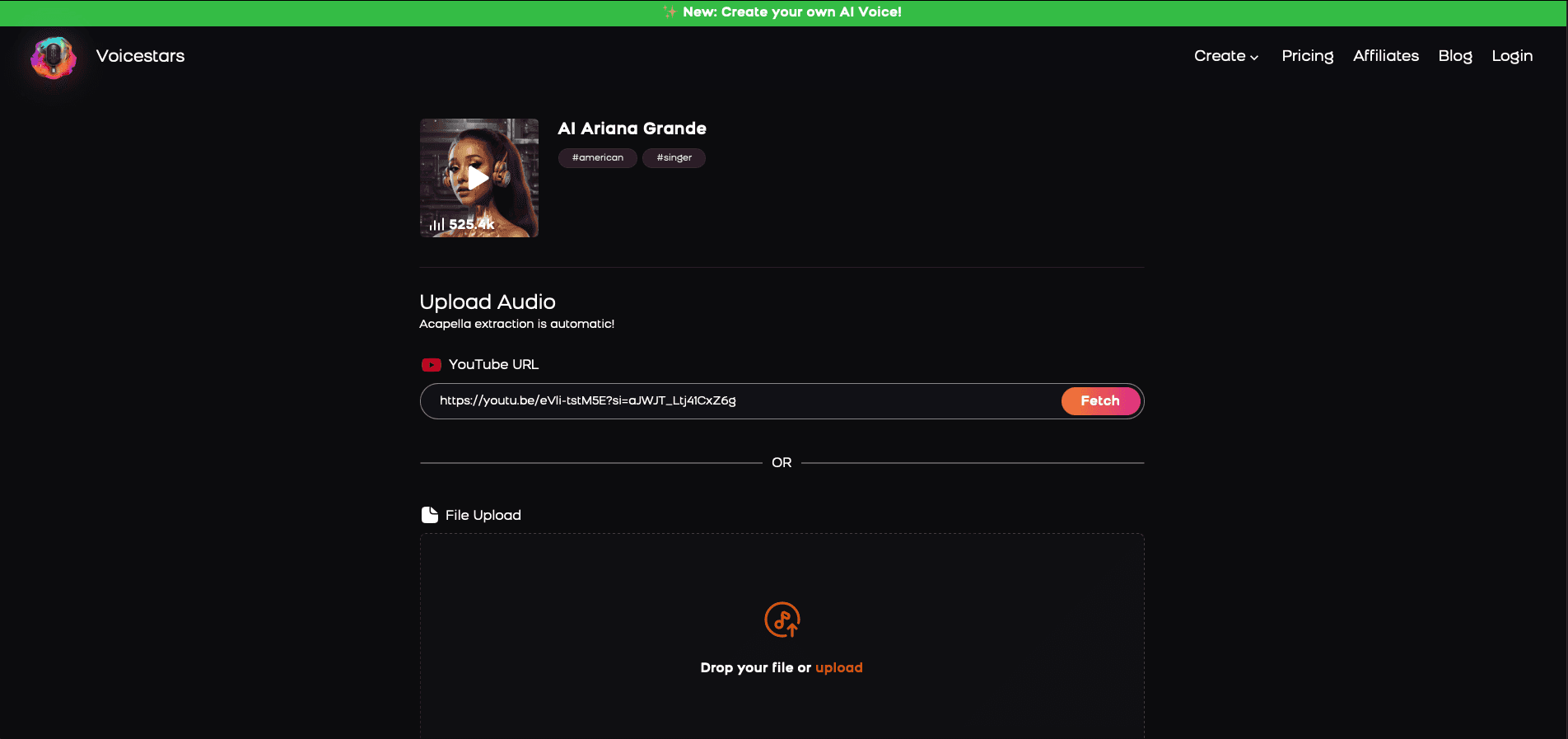
4. Share your AI cover with friends and enjoy your cover
[Image alt: Export and sharing screen in Voicestars showing completed AI cover previews.]
Once the result is usable, listen again with production ears. Focus on line endings, breath flow, emotional rise, and whether the chorus actually feels bigger than the verse. Do not settle too early just because the output sounds technically acceptable. The most convincing takes usually come from refining a handful of weak lines, not from endlessly restarting the project. That is also where Voicestars becomes especially practical, because a fast workflow makes it easier to compare takes and improve specific moments without killing momentum.
How to Improve Clarity, Energy, and Expression
The first improvement is to stop prompting with labels and start prompting with actions. Instead of saying “Ado style,” describe what the line should do. Should it start restrained and then break open? Should the consonants hit harder? Should the final word feel more desperate, more sustained, or more controlled? That kind of guidance gives the model a real performance shape to follow, and it usually produces a more believable result right away.
The second improvement is to divide the song into emotional zones. The verse, pre-chorus, chorus, and ad-libs should not all be handled the same way. A verse usually needs contained tension. A pre-chorus often needs pressure and forward movement. A chorus needs width, lift, and release. When every section is generated as if it has the same purpose, the performance starts to feel flat. Separating those jobs makes the output sound more intentional and more musical.
The third improvement is technical. Watch for clipping, harsh sibilance, smeared consonants, and low-quality stem separation. Dense lyrics can also hurt clarity, especially when too many hard syllables are packed into one line. Simplifying a phrase or slightly reducing lyric density can make a huge difference. In many cases, a cleaner, better-balanced source file will improve the result more than any dramatic prompt rewrite.
For creators who want to compare different vocal tones and performance styles, it also helps to explore related voice guides on Voicestars. Looking at examples like Juice WRLD AI voice covers, Drake AI voice creation, Kanye AI voice workflows, or broader resources on celebrity AI voice generators can make it easier to decide whether you want a softer tone, a darker texture, or a more aggressive delivery. You can also compare pop-oriented references like Ariana Grande AI voice, Kendrick Lamar AI voice, Michael Jackson AI voice, and Sabrina Carpenter AI voice to better understand how different models handle phrasing, brightness, and emotional range.

Common Problems and How to Fix Them
Some issues come up again and again when creators try to build an expressive Ado-style vocal. The good news is that most of them are easy to diagnose once you know what to listen for.
The most common problems
The output sounds robotic
This usually happens when the input section is too long, the prompt is too vague, or the source audio is muddy. The best fix is to shorten the passage, clean the vocal stem, and give the model more specific instructions about phrasing and energy.The voice sounds too harsh or brittle
This often comes from over-bright source audio, aggressive consonants, or too much upper-mid energy. A cleaner vocal file, softer gain staging, and less exaggerated articulation usually help.The chorus feels weaker than the verse
This is a very common arrangement problem. If the verse is already too intense, the chorus has no room to open up. Generate the chorus separately and give it a different emotional target with more lift and release.The diction is blurry
When lyrics are too dense or syllables stack up too quickly, clarity drops fast. Simplifying one line, slowing the phrasing slightly, or reducing competing consonants can improve the result immediately.The performance feels flat even when the pitch is correct
Pitch accuracy is not enough on its own. A believable vocal also needs contrast, tension, breath movement, and stronger line endings. This is why emotional direction matters more than people expect.The audio has strange artifacts
Hollow textures, phasey tones, clipped peaks, or unstable sustained notes usually point to poor source quality or weak stem separation. Cleaning the input before generation is often more effective than endless rerenders.
The best way to fix these issues
A stronger workflow usually solves most of these problems:
use cleaner source audio
generate shorter sections
treat the verse, chorus, and ad-libs separately
prompt for emotional movement, not just vocal similarity
regenerate only the weak lines instead of restarting the whole track
That approach is usually what turns an average result into something much more convincing.

Final Thoughts
An Ado-style AI voice works best when it is treated like a real vocal production process rather than a novelty trick. The goal is not to click one button and expect instant perfection. The goal is to shape a performance: clean the source, section the song properly, guide the phrasing, compare takes, and make selective revisions where the emotion still feels weak.
That is what separates a forgettable render from a strong one. The best creators do not just ask the model for a sound. They listen for artifacts, tone, gain balance, dynamic contrast, and whether the song actually moves the way it should. That extra attention is what makes an AI vocal feel musical instead of mechanical.
FAQ
1. What is an Ado AI voice model?
An Ado AI voice model is an AI-generated singing or speaking setup designed to create a vocal result with dramatic intensity, sharper phrasing, and a more emotionally charged delivery. People use it when they want something stronger and more expressive than a generic AI singer.
2. Is it better for singing or speaking?
It is usually better for singing, covers, demos, and dramatic vocal experiments. This kind of style depends heavily on phrasing and dynamic movement, which makes it more useful in music than in plain spoken audio.
3. Why do some outputs sound flat even when the notes are correct?
Pitch is only one part of a convincing vocal. A flat result often means the timing, consonant attack, breath flow, and emotional shape are missing. That is why a technically correct take can still sound lifeless.
4. What kind of source audio works best?
Clean, isolated vocals work best. Try to avoid heavy room echo, backing bleed, distortion, over-compression, or inconsistent loudness. The cleaner the source, the easier it is for the model to preserve detail.
5. Should I generate the whole song at once?
Usually no. Shorter sections are easier to control and fix. Verse, pre-chorus, and chorus often need different energy profiles, so they should usually be handled separately.
6. Why does the chorus sometimes sound weaker than the verse?
This often happens when the verse is already too intense. The chorus then has nowhere left to go. Separating the chorus and giving it a clearer emotional lift usually fixes the problem.
7. What is the best way to prompt this kind of model?
Use action-based instructions. Instead of only naming an artist, describe what should happen in the line. Tell the model where to tighten, where to build tension, and where to release.
8. Can beginners still get good results?
Yes. Beginners usually improve faster when they start with a short chorus or a few lines instead of a full track. That makes it easier to hear problems and correct them early.
9. What technical issues should I watch for?
Pay attention to clipping, harsh sibilance, weak stem separation, blurred consonants, timing drift, brittle high-end response, and unstable sustained notes. Those are common signs that the source or workflow needs adjustment.
10. Does lyric density matter?
Yes. Dense lines with too many competing syllables can reduce clarity and make the output sound rushed or muddy. Sometimes a small rewrite improves the whole section.
11. Can I use this for original songs?
Absolutely. It can be very useful for testing hooks, demos, arrangement ideas, and emotional direction before moving to a final human recording.
12. Does it need to sound exactly like Ado to work?
No. In many cases, a result that captures the right emotional pressure and dramatic movement is more useful than a weaker result that tries too hard to imitate every detail.
13. Why does the output sometimes sound too harsh?
That usually happens when the source is too bright, the consonants are pushed too hard, or the upper mids are overemphasized. Cleaner gain staging and better-balanced source material often help.
14. Can Voicestars help with this workflow?
Yes. Voicestars is especially useful when you want to test multiple takes quickly, compare voice options, and build cover ideas without slowing down your creative process.
15. What is the fastest way to improve results?
Use cleaner source audio, work in shorter sections, and give more precise performance instructions. Those three changes usually make the biggest difference the fastest.
Related Readings
Table of Contents
Quick Answer
What an Ado AI Voice Model Is
Why This Vocal Style Stands Out
What Makes an Ado-Style Output Sound Good
Step-by-Step Guide on How to Use Our AI Voice Cloning App
How to Improve Clarity, Energy, and Expression
Common Problems and How to Fix Them
Final Thoughts
FAQ
Related Readings
Quick Answer
An Ado AI voice model is an AI vocal setup used to create singing or spoken output with the kind of intensity people associate with Ado’s style: sharp attack, emotional contrast, dramatic phrasing, and explosive delivery. Most people who want this kind of voice are not looking for something soft or neutral. They want a vocal that feels alive, tense, powerful, and unpredictable in the right way.
The best results usually come from a simple process. Start with clean source audio, work in short sections, give the model specific performance instructions, and refine the strongest lines instead of regenerating the whole track over and over. In practice, the quality of the final output depends less on hype and more on real production choices like diction, timing, clipping control, stem separation, and dynamic contrast between the verse and chorus.
What an Ado AI Voice Model Is
When people talk about an Ado-style AI voice, they usually mean a vocal result with bite, pressure, emotional lift, and strong movement from one line to the next. It is not just about matching pitch or getting a female anime-inspired tone. It is about how the voice behaves inside a song. A strong result should feel tight in the verses, more open in the chorus, and expressive enough to carry tension without sounding messy.
That is also why this kind of voice is harder to generate well than a smoother commercial pop vocal. Expressive singing pushes the model in more directions at once. It has to handle abrupt changes in intensity, stronger consonants, more dramatic phrasing, and sharper transitions between restraint and release. When that balance is off, the output can become brittle, phasey, hollow, or strangely flat. When it works, though, the result feels much more memorable than a generic AI singer.
For many creators, the goal is not even perfect imitation. It is often more useful to create a voice that captures the same emotional architecture: urgency, impact, contrast, and edge. That is why this kind of workflow appeals to cover artists, producers, anime-inspired musicians, and short-form creators who need a vocal with immediate character.
Why This Vocal Style Stands Out
Ado-inspired vocal workflows stand out because they give a track emotional shape right away. A cleaner, safer voice may sound polished, but it often fades into the arrangement. A more intense vocal style does the opposite. It pulls attention to the performance and gives the listener a reason to stay with the song. That is especially valuable for dramatic pop, alt-pop, anime-style hooks, and social content where the first few seconds matter a lot.
This kind of voice is also useful as a creative testing tool. Songwriters can use it to see whether a chorus needs more force, whether the pre-chorus should feel tighter, or whether a topline sounds better with sharper articulation. Producers can test arrangements before working with a final vocalist. Cover creators can hear whether the emotional arc is actually landing or whether the track still feels too polite. In all of those cases, the point is not novelty. The point is clarity and emotional impact.
Another reason the style stays popular is that it rewards musical decisions. A lot of AI voice content sounds impressive for five seconds and forgettable after that. An Ado-style vocal is different. If the sectioning is smart, the source is clean, and the phrasing is guided properly, the result can feel surprisingly intentional. It still needs human judgment, but that is exactly what makes the workflow useful rather than gimmicky.
What Makes an Ado-Style Output Sound Good
The biggest difference between a weak result and a convincing one is usually workflow, not branding. A strong output depends on four things: clean input, smart sectioning, better vocal direction, and honest listening after generation. If the source audio is noisy, over-compressed, clipped, or full of instrumental bleed, the model has less detail to work with. If the section is too long, phrasing tends to flatten. If the prompt says nothing beyond “make it sound like Ado,” the output often ends up generic.
A better approach is to think like a vocal producer. Trim the source properly. Remove obvious bleed. Watch the gain level so the file is not peaking too hard. Split the song into manageable sections instead of generating the whole arrangement at once. Then guide the model with actions rather than labels. Tell it where the line should tighten, where the emotional pressure should build, and where the release should happen. Those instructions give the voice direction, which is far more useful than asking for a vibe in one vague sentence.
Frequency balance matters too. If the source is overly bright, the generated output may become brittle and harsh in the upper mids. If the mids are muddy, diction gets blurry and the vocal loses definition. Good stem separation helps preserve transients and makes sharp lines feel cleaner. In practical terms, the best results usually come from a source that is dry enough to stay clear, balanced enough to avoid harshness, and short enough for the model to keep the emotional shape intact.
Step-by-Step Guide: Create your favourite Ai voice with Voicestars AI
Video Guide
Written Guide
1. Visit the Voicestars Homepage
Go to Voicestars and click “Try now.”
2. Select Your AI Voice or Track
Choose from Bollywood stars, regional accents, or fictional voices.
3. Upload a Song or Add Text for Remixing
Insert an audio clip or type song lyrics for a quick remix.
4. Share your AI cover with friends and enjoy your cover
[Image alt: Export and sharing screen in Voicestars showing completed AI cover previews.]
Once the result is usable, listen again with production ears. Focus on line endings, breath flow, emotional rise, and whether the chorus actually feels bigger than the verse. Do not settle too early just because the output sounds technically acceptable. The most convincing takes usually come from refining a handful of weak lines, not from endlessly restarting the project. That is also where Voicestars becomes especially practical, because a fast workflow makes it easier to compare takes and improve specific moments without killing momentum.
How to Improve Clarity, Energy, and Expression
The first improvement is to stop prompting with labels and start prompting with actions. Instead of saying “Ado style,” describe what the line should do. Should it start restrained and then break open? Should the consonants hit harder? Should the final word feel more desperate, more sustained, or more controlled? That kind of guidance gives the model a real performance shape to follow, and it usually produces a more believable result right away.
The second improvement is to divide the song into emotional zones. The verse, pre-chorus, chorus, and ad-libs should not all be handled the same way. A verse usually needs contained tension. A pre-chorus often needs pressure and forward movement. A chorus needs width, lift, and release. When every section is generated as if it has the same purpose, the performance starts to feel flat. Separating those jobs makes the output sound more intentional and more musical.
The third improvement is technical. Watch for clipping, harsh sibilance, smeared consonants, and low-quality stem separation. Dense lyrics can also hurt clarity, especially when too many hard syllables are packed into one line. Simplifying a phrase or slightly reducing lyric density can make a huge difference. In many cases, a cleaner, better-balanced source file will improve the result more than any dramatic prompt rewrite.
For creators who want to compare different vocal tones and performance styles, it also helps to explore related voice guides on Voicestars. Looking at examples like Juice WRLD AI voice covers, Drake AI voice creation, Kanye AI voice workflows, or broader resources on celebrity AI voice generators can make it easier to decide whether you want a softer tone, a darker texture, or a more aggressive delivery. You can also compare pop-oriented references like Ariana Grande AI voice, Kendrick Lamar AI voice, Michael Jackson AI voice, and Sabrina Carpenter AI voice to better understand how different models handle phrasing, brightness, and emotional range.
Common Problems and How to Fix Them
Some issues come up again and again when creators try to build an expressive Ado-style vocal. The good news is that most of them are easy to diagnose once you know what to listen for.
The most common problems
The output sounds robotic
This usually happens when the input section is too long, the prompt is too vague, or the source audio is muddy. The best fix is to shorten the passage, clean the vocal stem, and give the model more specific instructions about phrasing and energy.The voice sounds too harsh or brittle
This often comes from over-bright source audio, aggressive consonants, or too much upper-mid energy. A cleaner vocal file, softer gain staging, and less exaggerated articulation usually help.The chorus feels weaker than the verse
This is a very common arrangement problem. If the verse is already too intense, the chorus has no room to open up. Generate the chorus separately and give it a different emotional target with more lift and release.The diction is blurry
When lyrics are too dense or syllables stack up too quickly, clarity drops fast. Simplifying one line, slowing the phrasing slightly, or reducing competing consonants can improve the result immediately.The performance feels flat even when the pitch is correct
Pitch accuracy is not enough on its own. A believable vocal also needs contrast, tension, breath movement, and stronger line endings. This is why emotional direction matters more than people expect.The audio has strange artifacts
Hollow textures, phasey tones, clipped peaks, or unstable sustained notes usually point to poor source quality or weak stem separation. Cleaning the input before generation is often more effective than endless rerenders.
The best way to fix these issues
A stronger workflow usually solves most of these problems:
use cleaner source audio
generate shorter sections
treat the verse, chorus, and ad-libs separately
prompt for emotional movement, not just vocal similarity
regenerate only the weak lines instead of restarting the whole track
That approach is usually what turns an average result into something much more convincing.
Final Thoughts
An Ado-style AI voice works best when it is treated like a real vocal production process rather than a novelty trick. The goal is not to click one button and expect instant perfection. The goal is to shape a performance: clean the source, section the song properly, guide the phrasing, compare takes, and make selective revisions where the emotion still feels weak.
That is what separates a forgettable render from a strong one. The best creators do not just ask the model for a sound. They listen for artifacts, tone, gain balance, dynamic contrast, and whether the song actually moves the way it should. That extra attention is what makes an AI vocal feel musical instead of mechanical.
FAQ
1. What is an Ado AI voice model?
An Ado AI voice model is an AI-generated singing or speaking setup designed to create a vocal result with dramatic intensity, sharper phrasing, and a more emotionally charged delivery. People use it when they want something stronger and more expressive than a generic AI singer.
2. Is it better for singing or speaking?
It is usually better for singing, covers, demos, and dramatic vocal experiments. This kind of style depends heavily on phrasing and dynamic movement, which makes it more useful in music than in plain spoken audio.
3. Why do some outputs sound flat even when the notes are correct?
Pitch is only one part of a convincing vocal. A flat result often means the timing, consonant attack, breath flow, and emotional shape are missing. That is why a technically correct take can still sound lifeless.
4. What kind of source audio works best?
Clean, isolated vocals work best. Try to avoid heavy room echo, backing bleed, distortion, over-compression, or inconsistent loudness. The cleaner the source, the easier it is for the model to preserve detail.
5. Should I generate the whole song at once?
Usually no. Shorter sections are easier to control and fix. Verse, pre-chorus, and chorus often need different energy profiles, so they should usually be handled separately.
6. Why does the chorus sometimes sound weaker than the verse?
This often happens when the verse is already too intense. The chorus then has nowhere left to go. Separating the chorus and giving it a clearer emotional lift usually fixes the problem.
7. What is the best way to prompt this kind of model?
Use action-based instructions. Instead of only naming an artist, describe what should happen in the line. Tell the model where to tighten, where to build tension, and where to release.
8. Can beginners still get good results?
Yes. Beginners usually improve faster when they start with a short chorus or a few lines instead of a full track. That makes it easier to hear problems and correct them early.
9. What technical issues should I watch for?
Pay attention to clipping, harsh sibilance, weak stem separation, blurred consonants, timing drift, brittle high-end response, and unstable sustained notes. Those are common signs that the source or workflow needs adjustment.
10. Does lyric density matter?
Yes. Dense lines with too many competing syllables can reduce clarity and make the output sound rushed or muddy. Sometimes a small rewrite improves the whole section.
11. Can I use this for original songs?
Absolutely. It can be very useful for testing hooks, demos, arrangement ideas, and emotional direction before moving to a final human recording.
12. Does it need to sound exactly like Ado to work?
No. In many cases, a result that captures the right emotional pressure and dramatic movement is more useful than a weaker result that tries too hard to imitate every detail.
13. Why does the output sometimes sound too harsh?
That usually happens when the source is too bright, the consonants are pushed too hard, or the upper mids are overemphasized. Cleaner gain staging and better-balanced source material often help.
14. Can Voicestars help with this workflow?
Yes. Voicestars is especially useful when you want to test multiple takes quickly, compare voice options, and build cover ideas without slowing down your creative process.
15. What is the fastest way to improve results?
Use cleaner source audio, work in shorter sections, and give more precise performance instructions. Those three changes usually make the biggest difference the fastest.
Related Readings


import StickyCTA from "https://framer.com/m/StickyCTA-oTce.js@Ywd2H0KGFiYPQhkS5HUJ"